Billing
Bank transfers extend your plan right away
When an invoice is paid by bank transfer, the month it pays for now takes effect as soon as the payment arrives, and the billing banner no longer says features are blocked when nothing is.
Everything that shipped in LeadScoutr, newest first.
Last updated September 16, 2026
When an invoice is paid by bank transfer, the month it pays for now takes effect as soon as the payment arrives, and the billing banner no longer says features are blocked when nothing is.
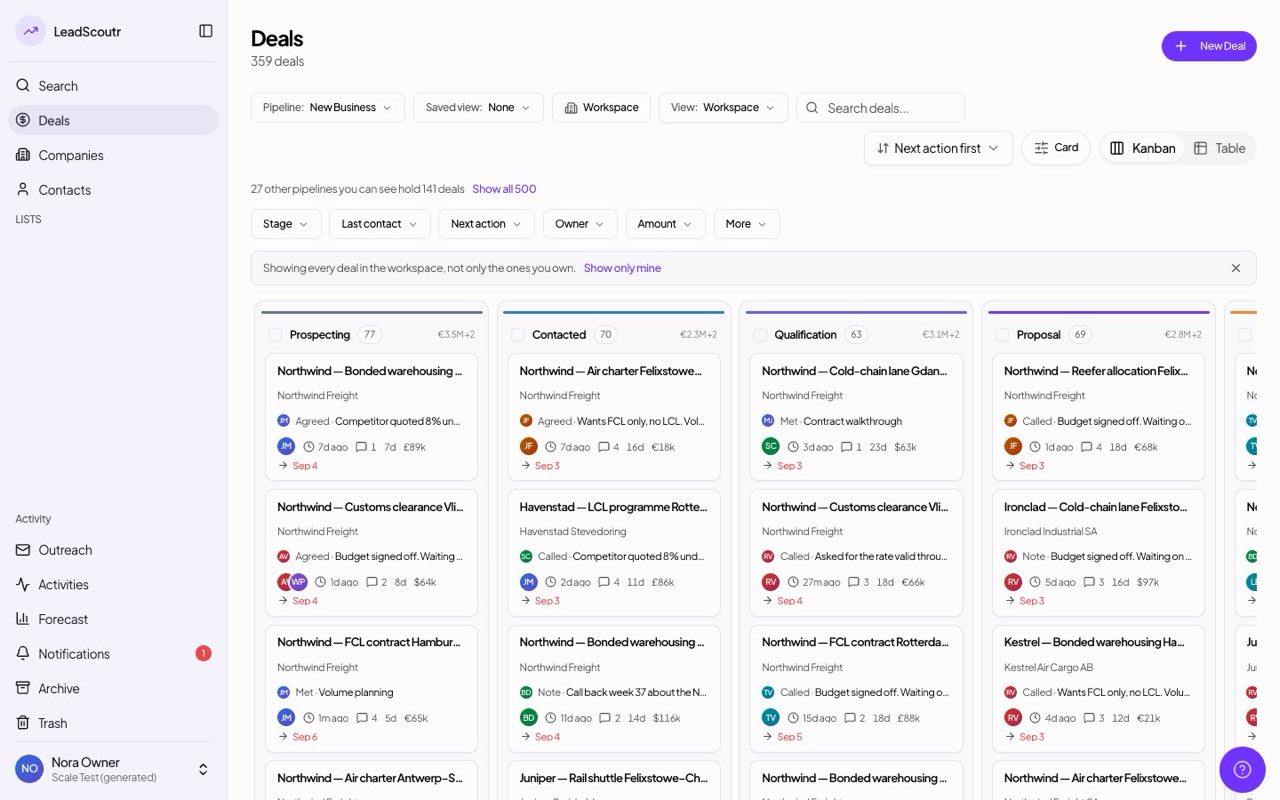
Narrow your deals by stage, last contact, next action, owner, amount, pipeline or archived status, and combine as many as you like. The board and the table share the same filter, so switching views keeps it.
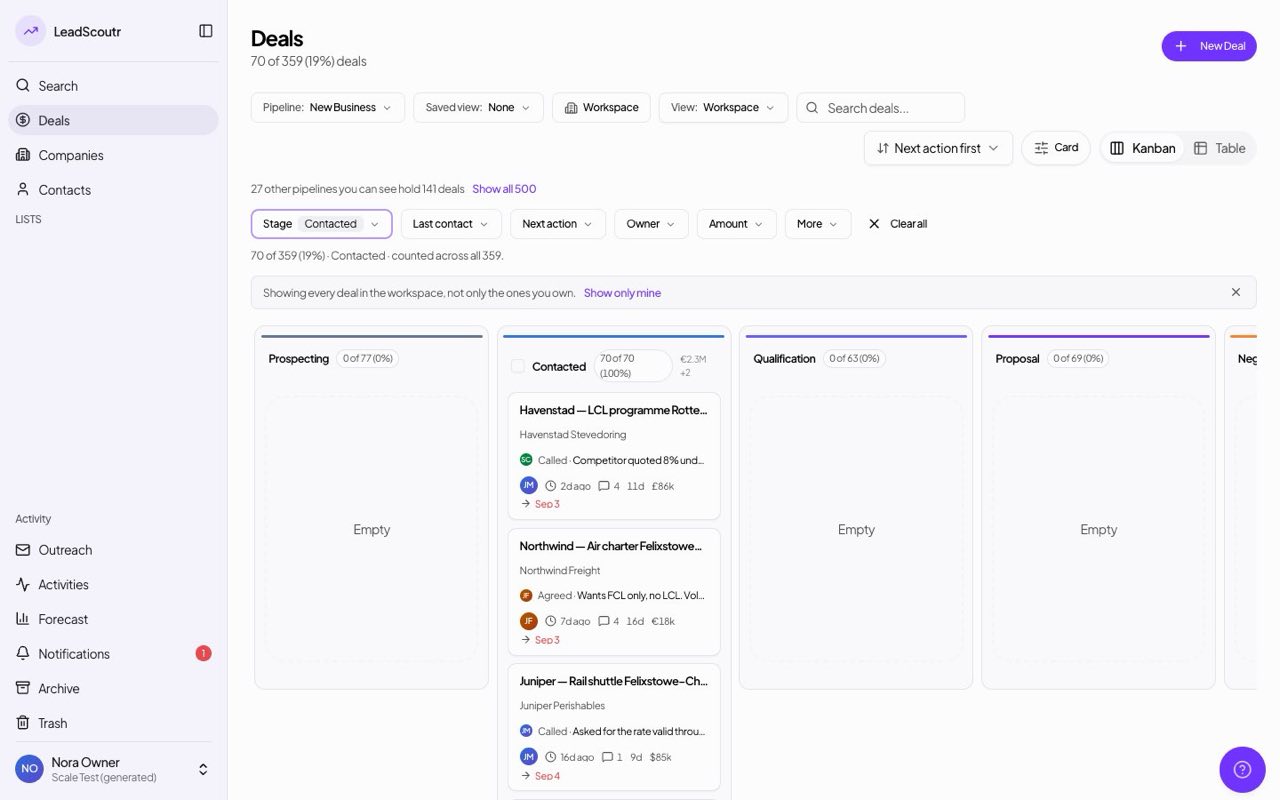
A filtered deals board or table now lives in the page address, so refreshing, going back or sending the link to a teammate keeps every filter you set.
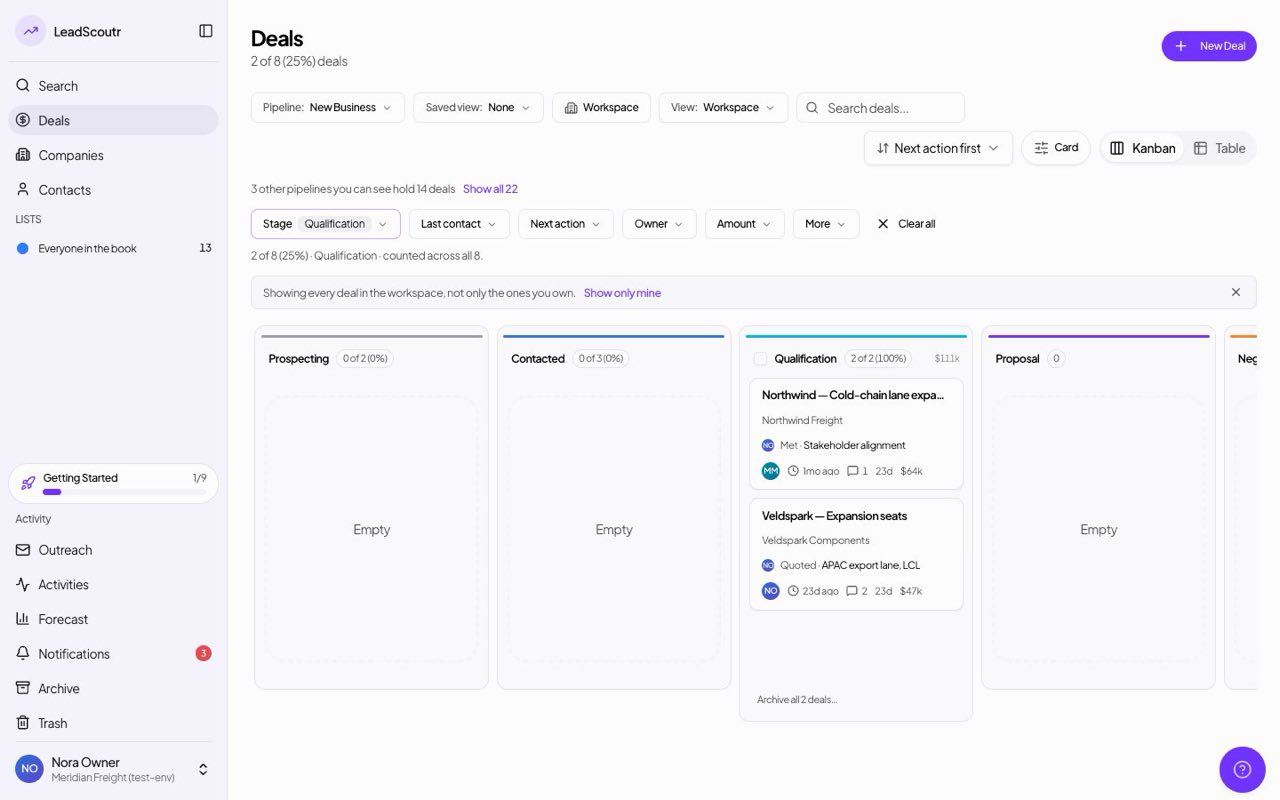
Every filtered deals view says how many deals match out of the total, with a percentage such as "2 of 7 (29%)", under the page heading, under the filter bar and on each board column.
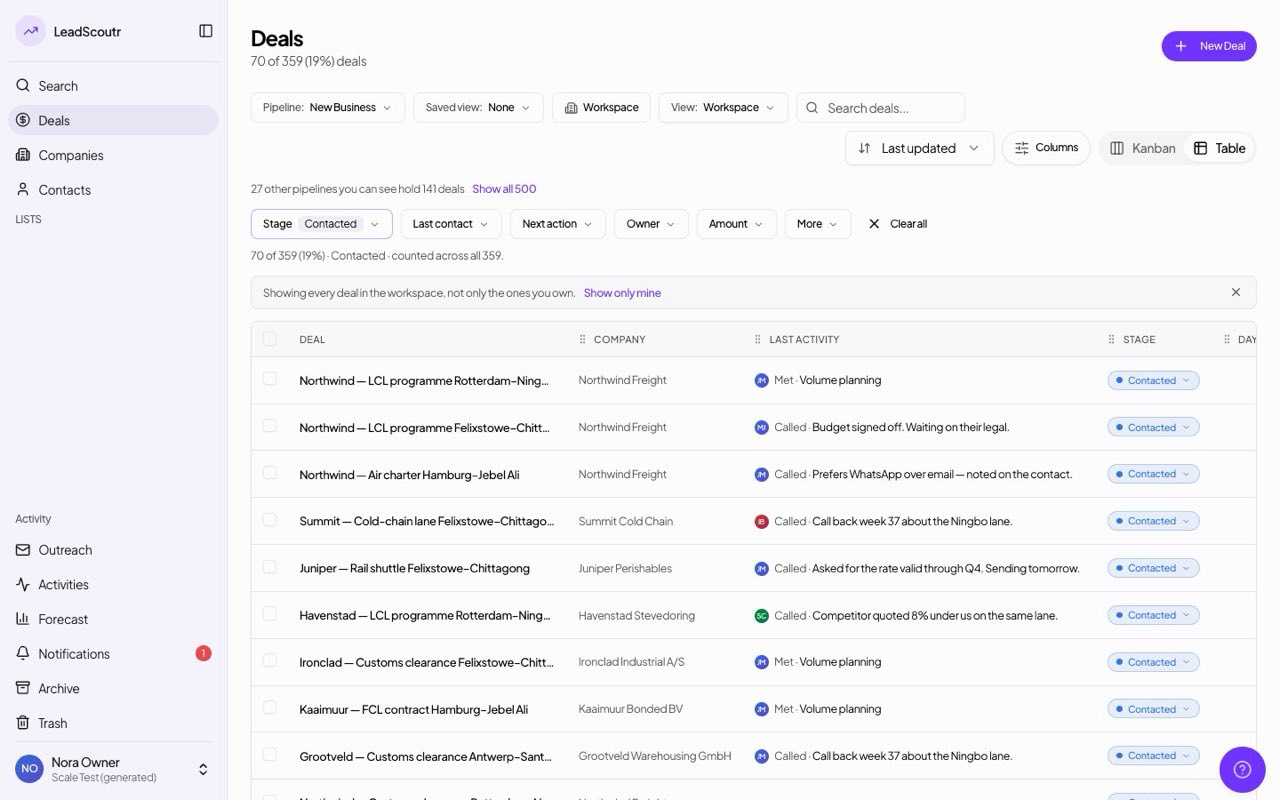
Archived deals are now one of the deals filters, under More in the filter bar, so you can find them from the board or table without leaving the page.
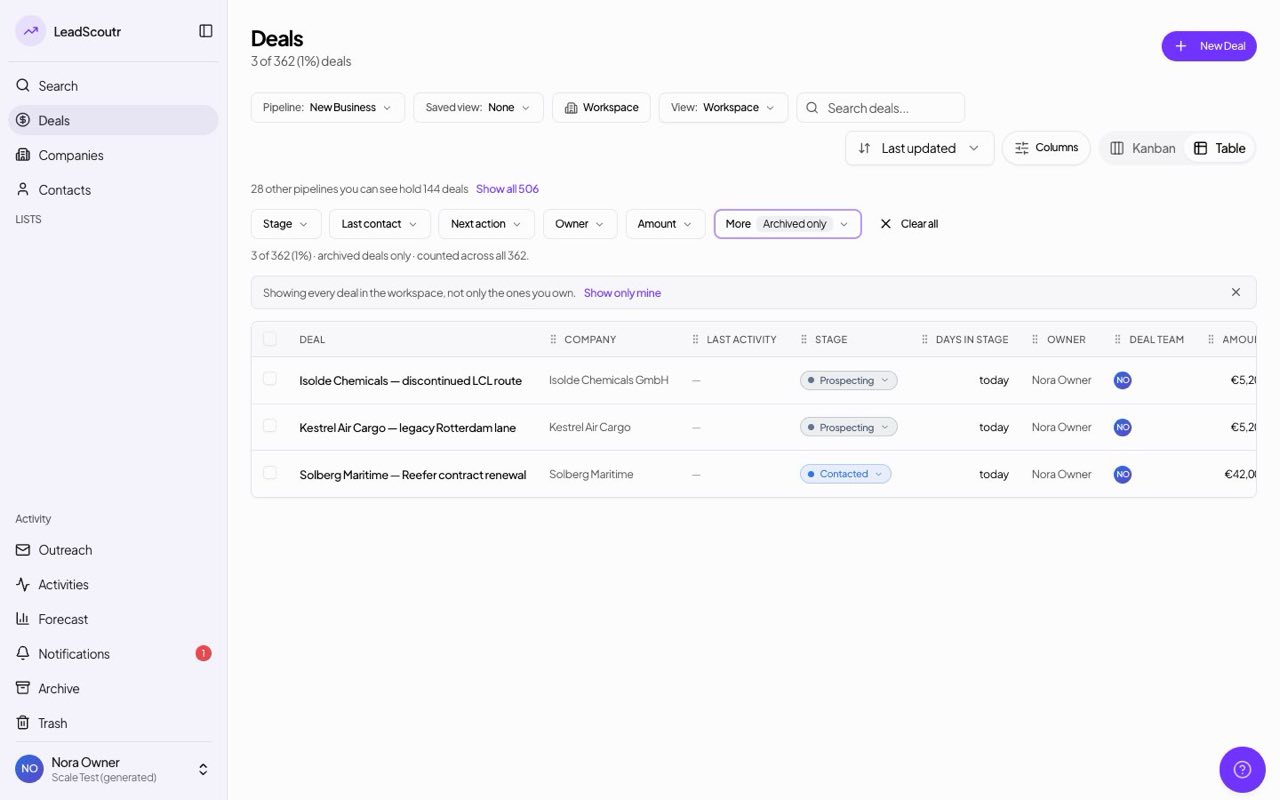
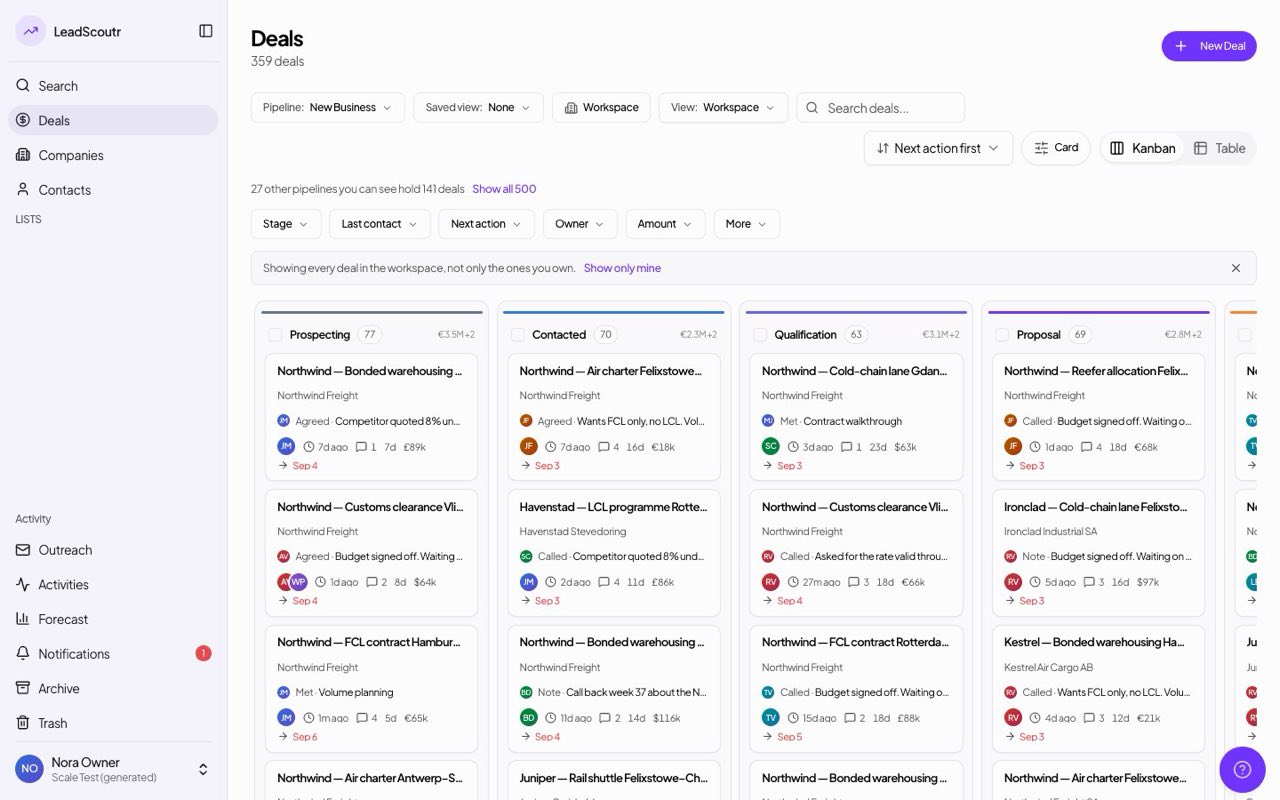
The deals table and board cards now show both how long a deal has sat in its stage and when anyone last worked it, so a freshly moved deal can't hide that nobody has touched it. Both are on by default and either can be switched off per person.
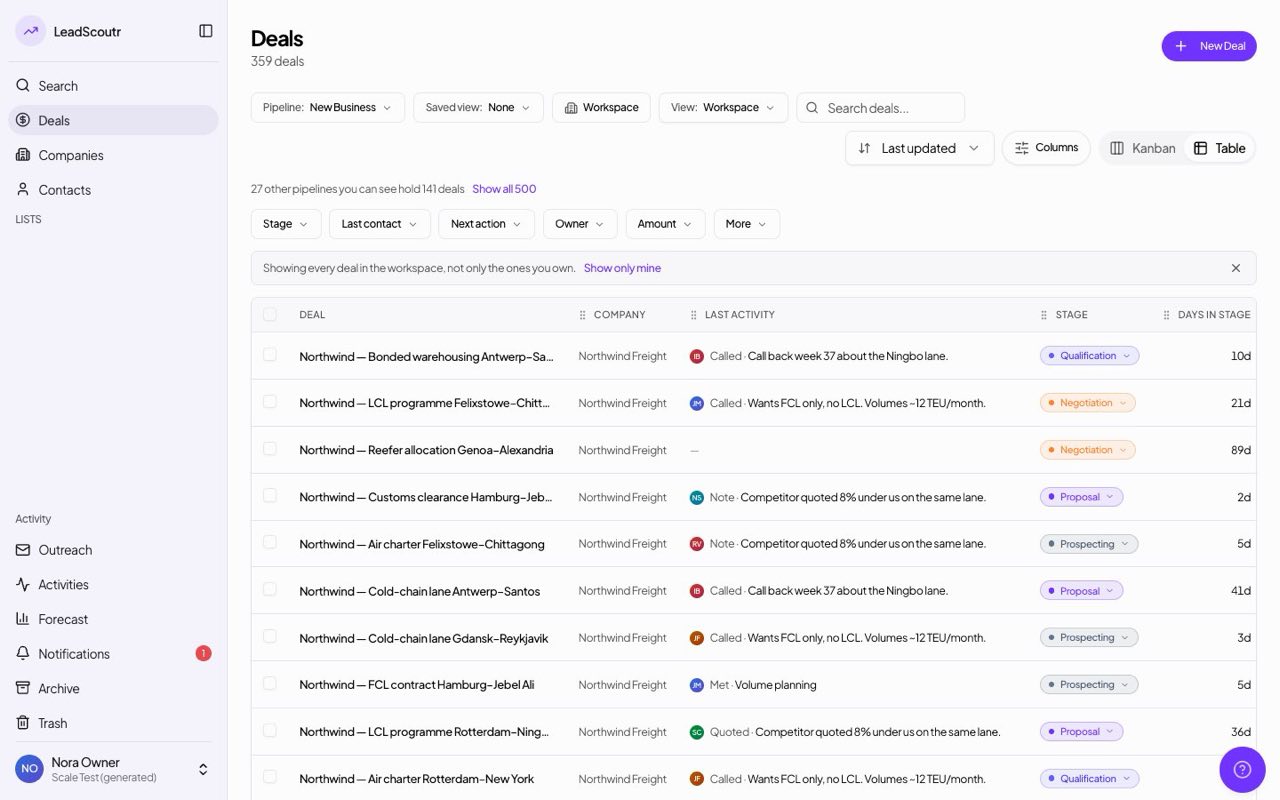
A deal that just moved stage but has had nothing logged for two weeks, or has sat well past its usual time in a stage while still being worked, now says so on its record line and board card, reading both facts together.
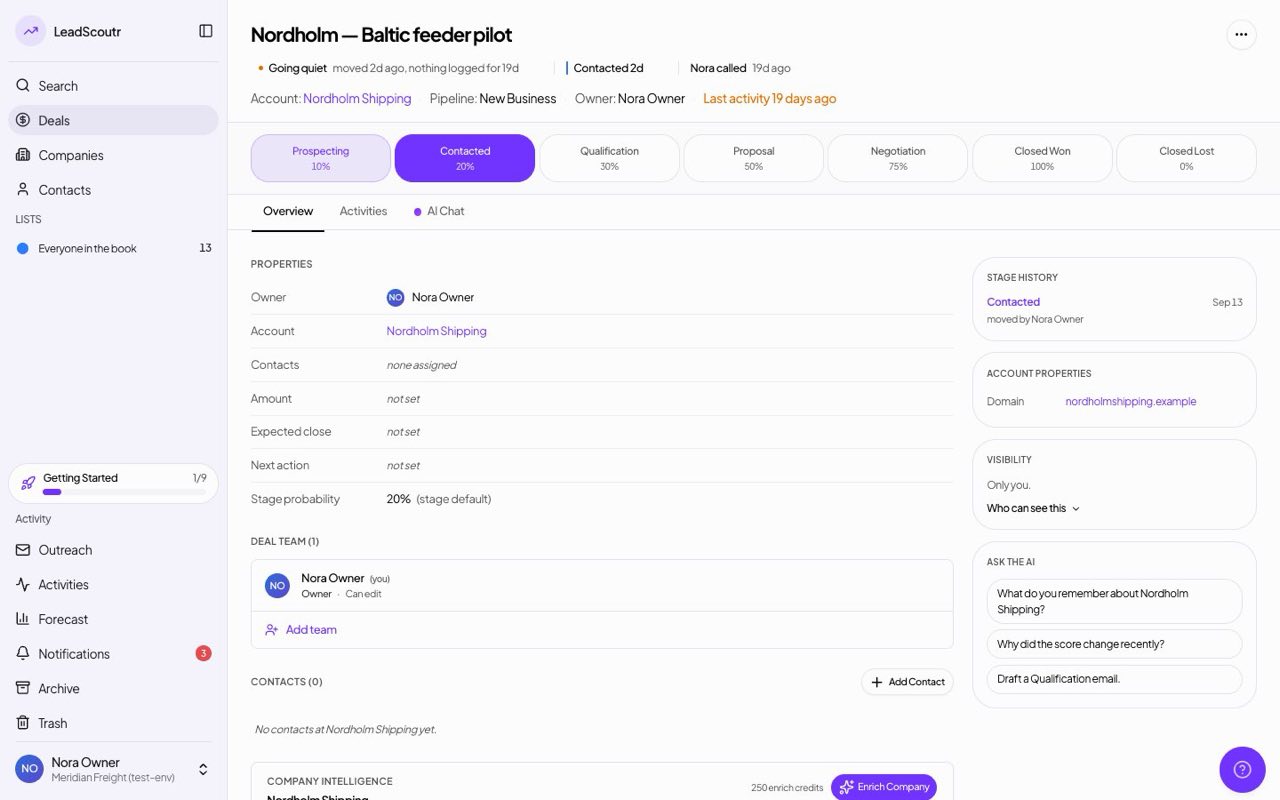
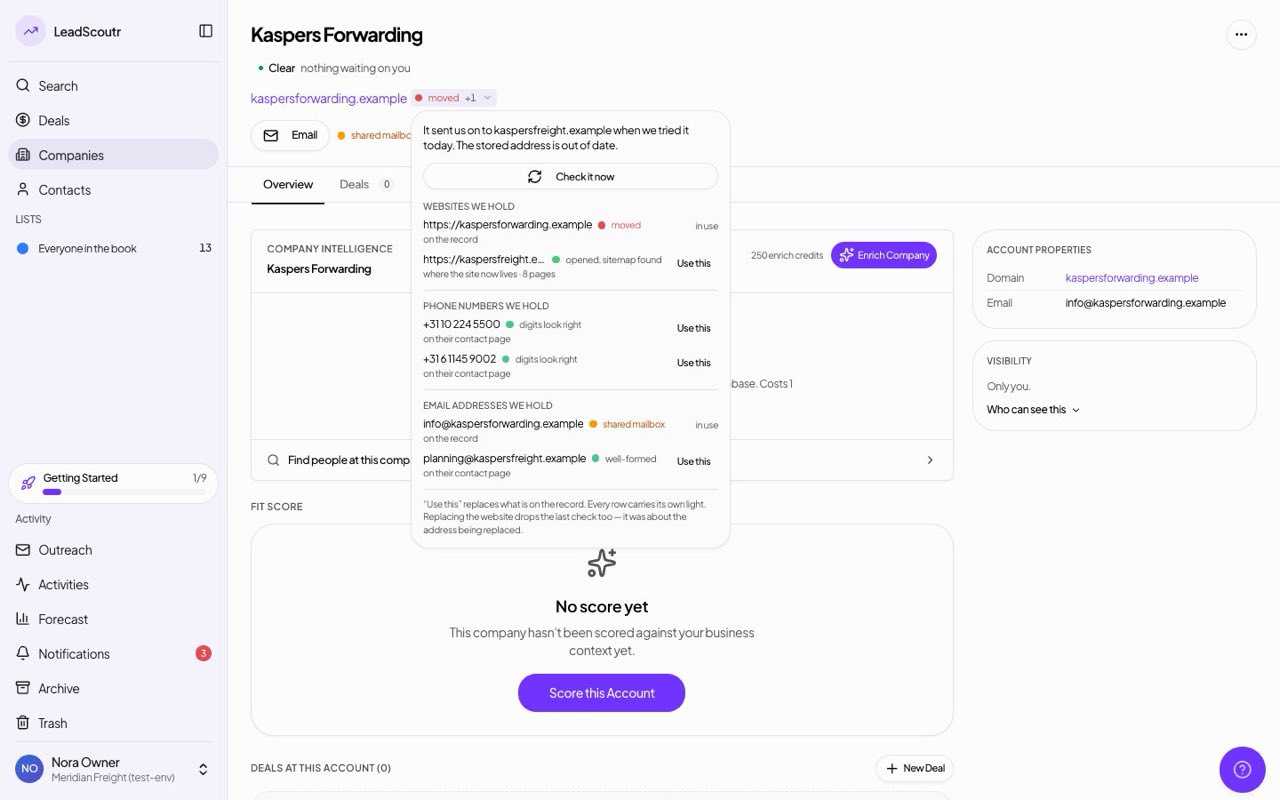
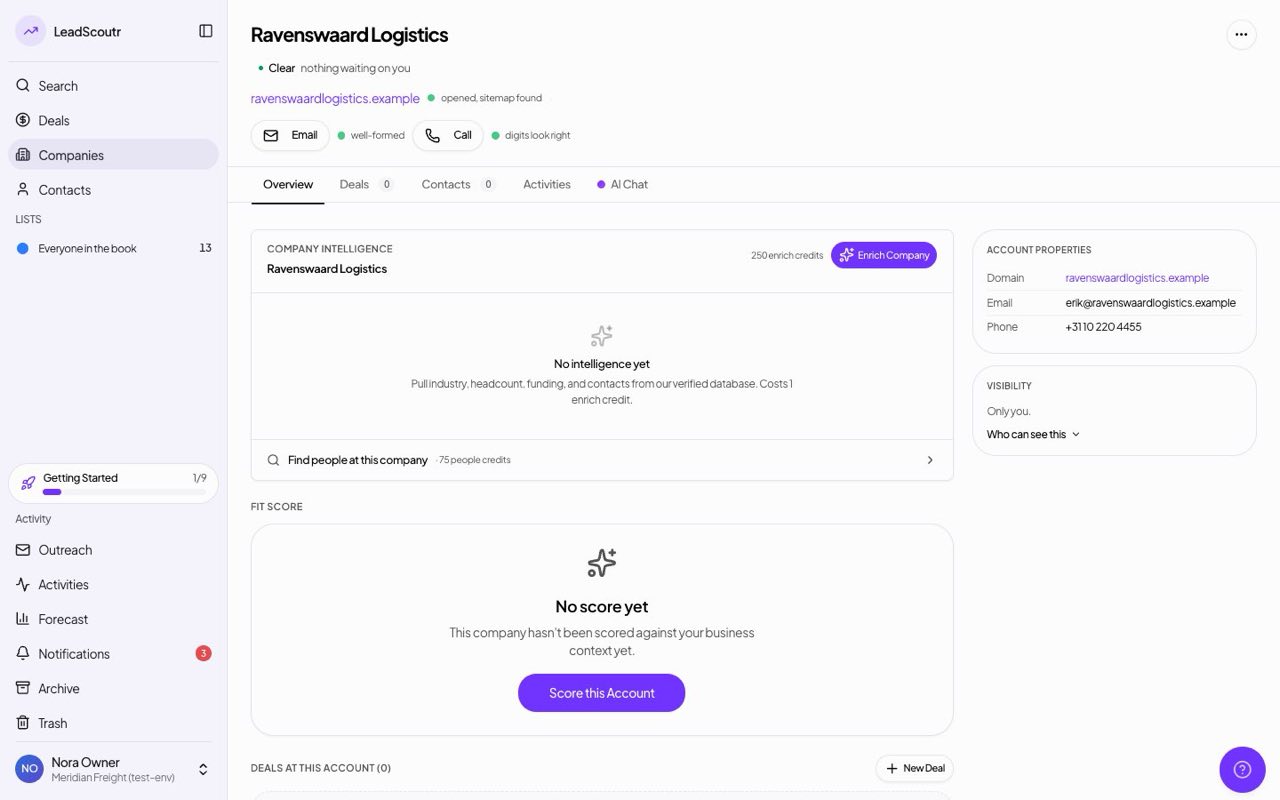
Website checks now open the site and look for a sitemap, and email addresses get a light of their own. Every light, green ones included, opens to say in words what was checked, such as "opened, sitemap found" or "digits look right".
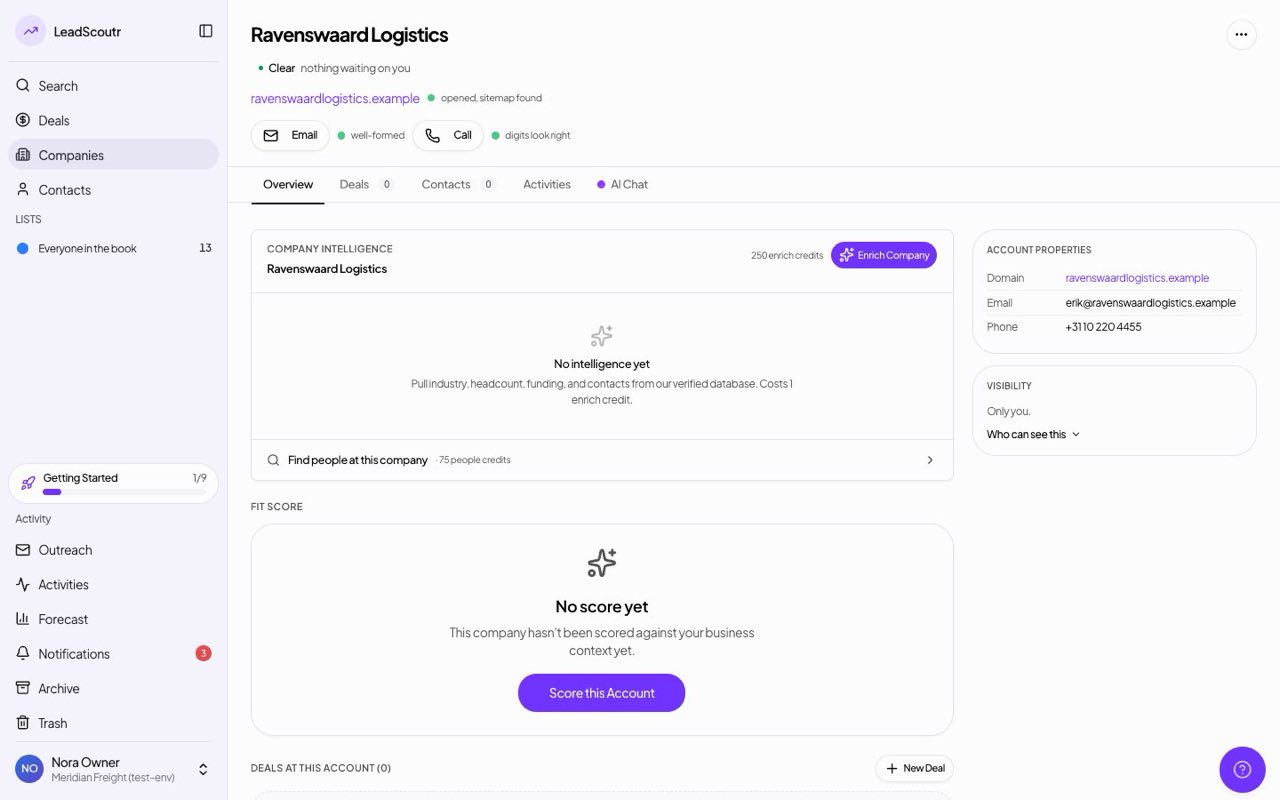
A contact light now shows a count such as "+2" when we hold other phone numbers, emails or websites for that record, with a small arrow that shows the list opens.
Open any contact light, including a green one, to see every other phone number, email address or website we found for that record and where it came from, and put one on the record with "Use this".
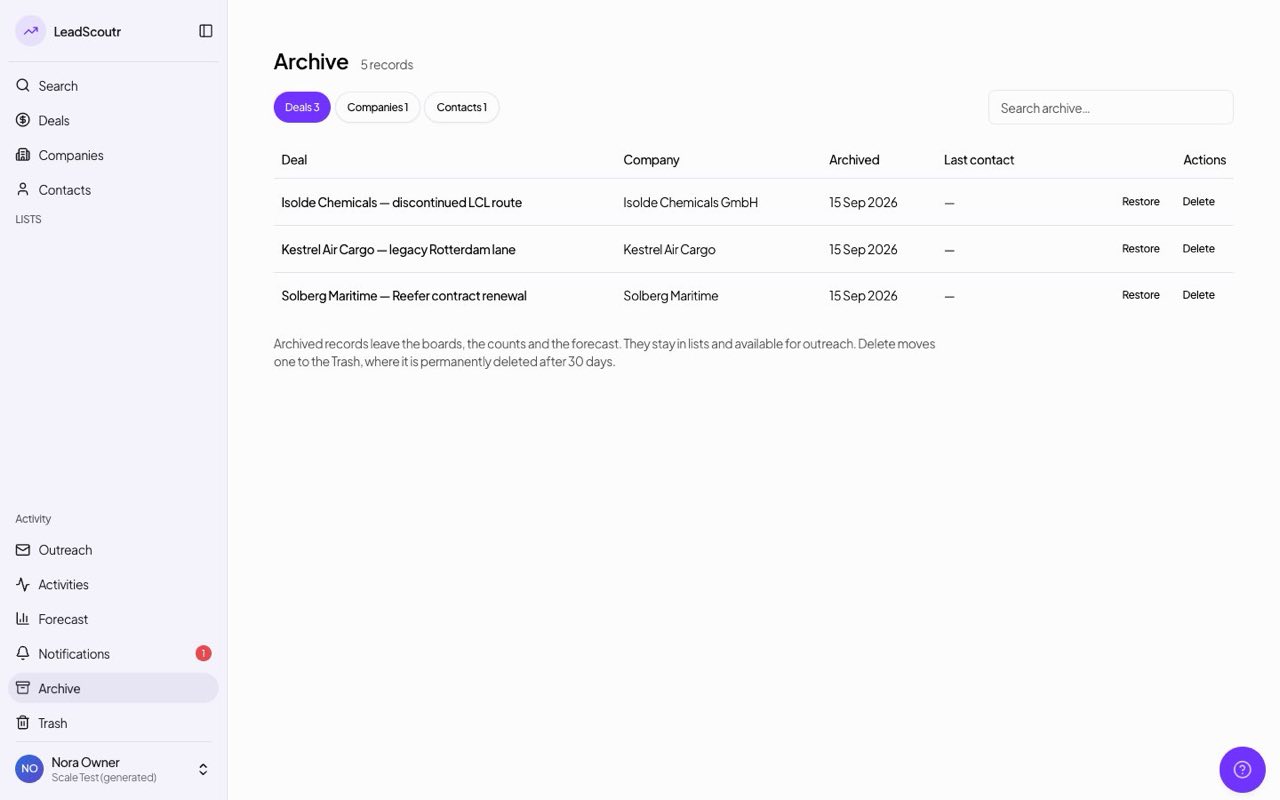
Deals, companies and contacts can now be archived: they leave your boards, counts and forecast but stay findable in search, in lists and for outreach. The new Archive page lets you restore them or move them to Trash.
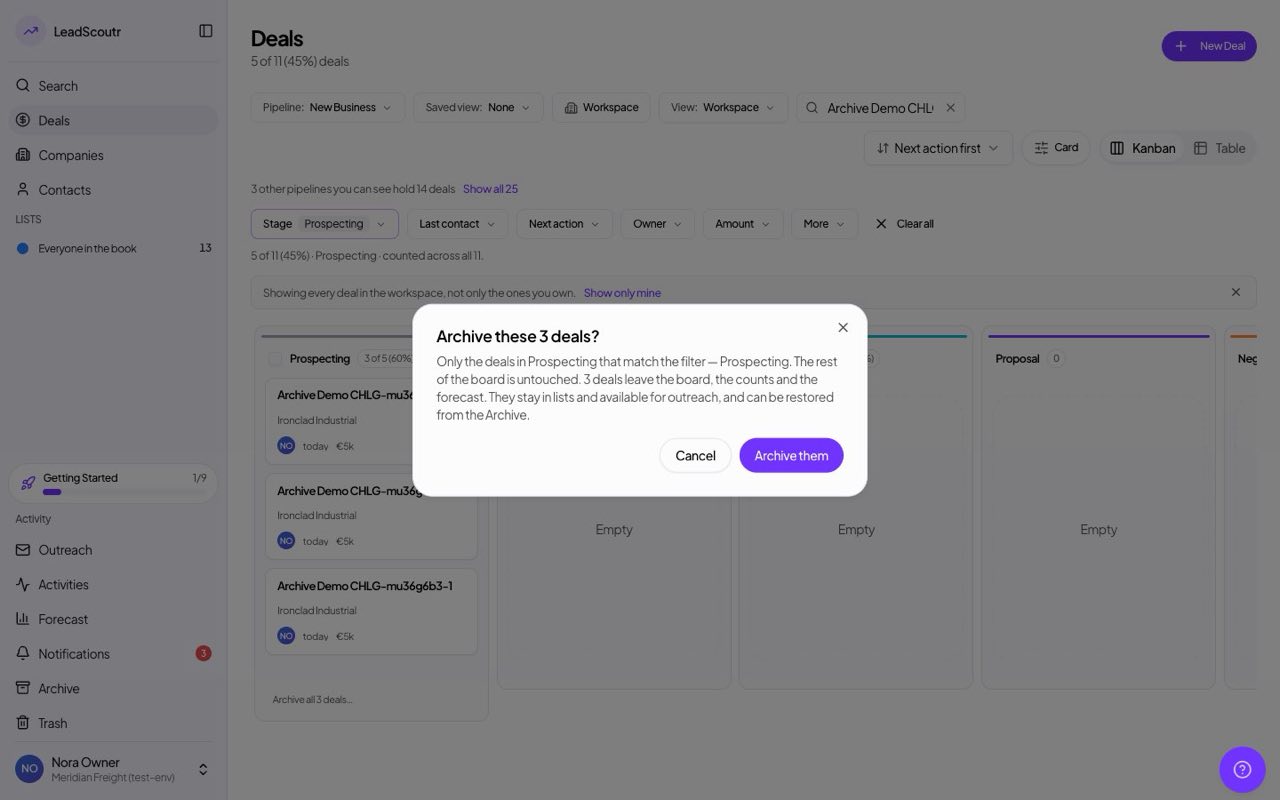
On a filtered board, one action in a column archives every deal there that matches your filter, and tells you exactly how many before you confirm.
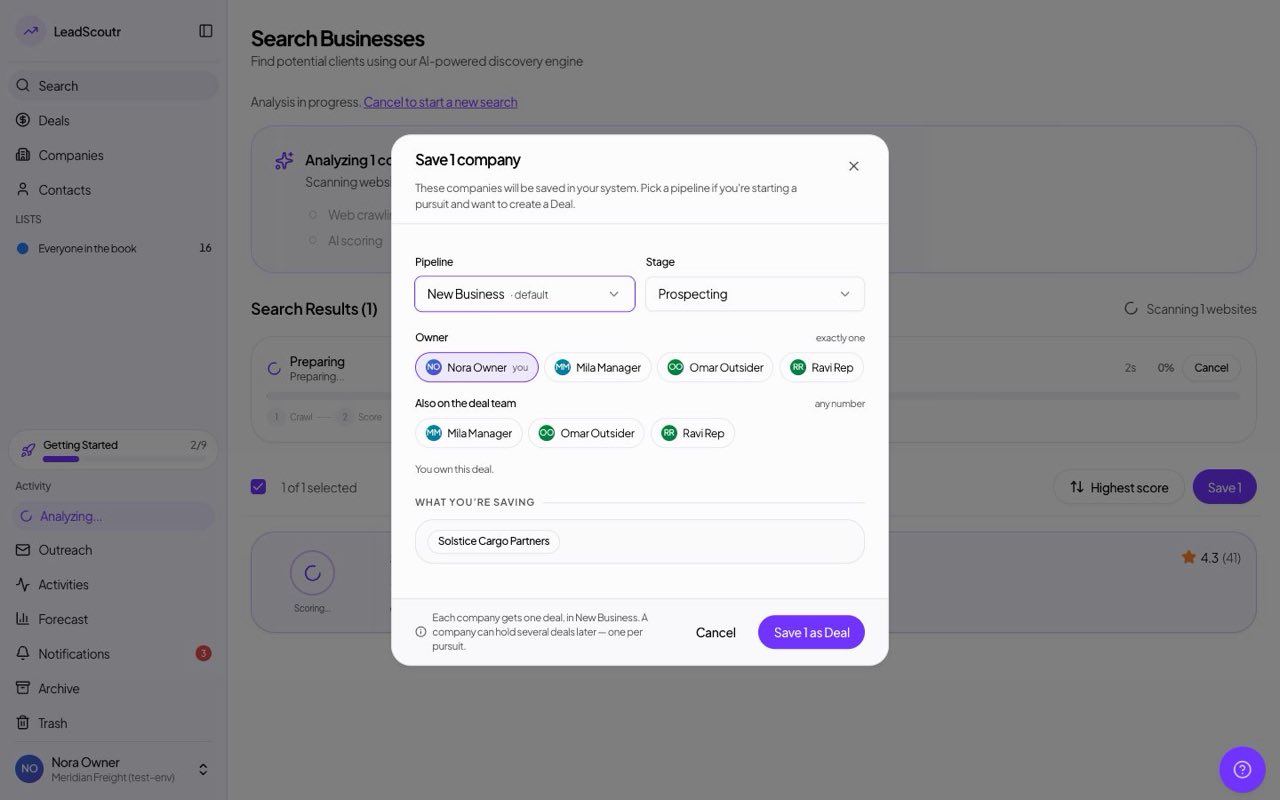
When you save companies or deals from search, or create a company, contact or deal by hand, you can now pick who owns it and invite colleagues onto it instead of everything defaulting to you. Hand a record to a colleague and you keep your own access to it.
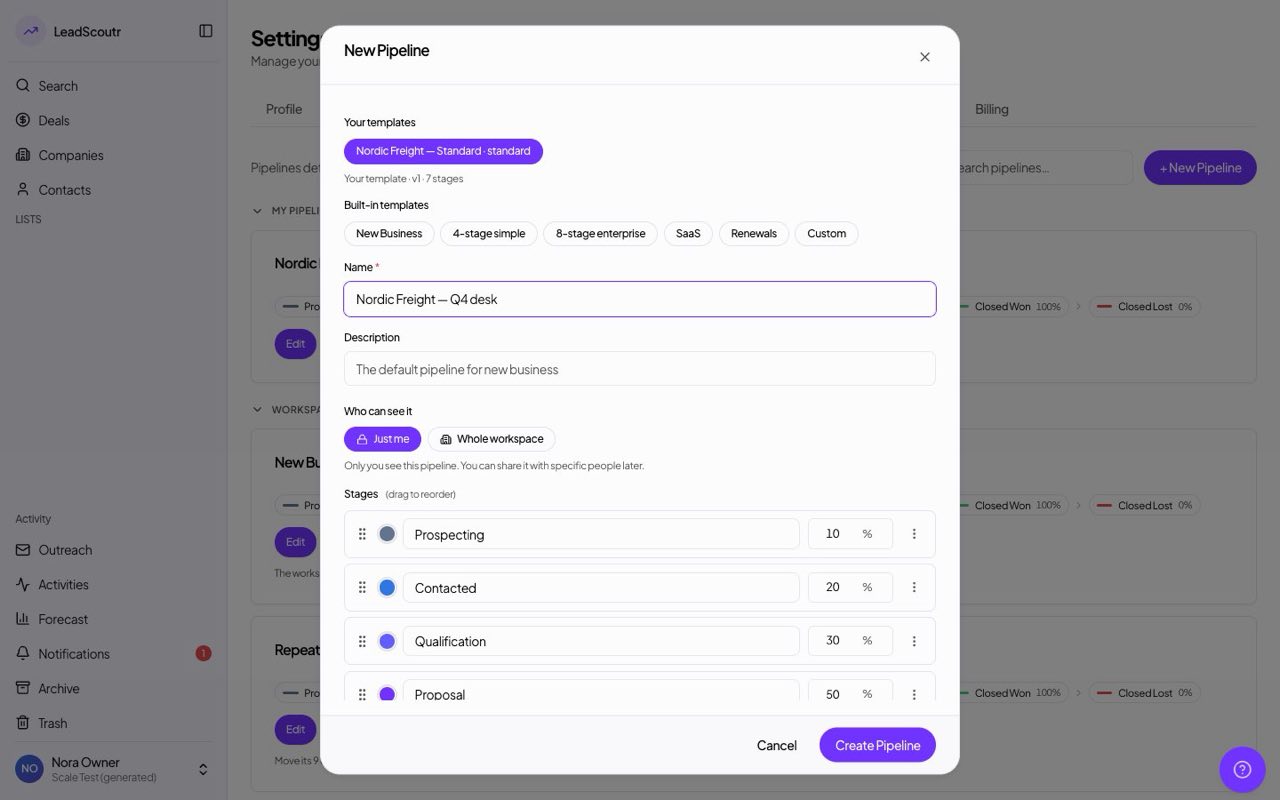
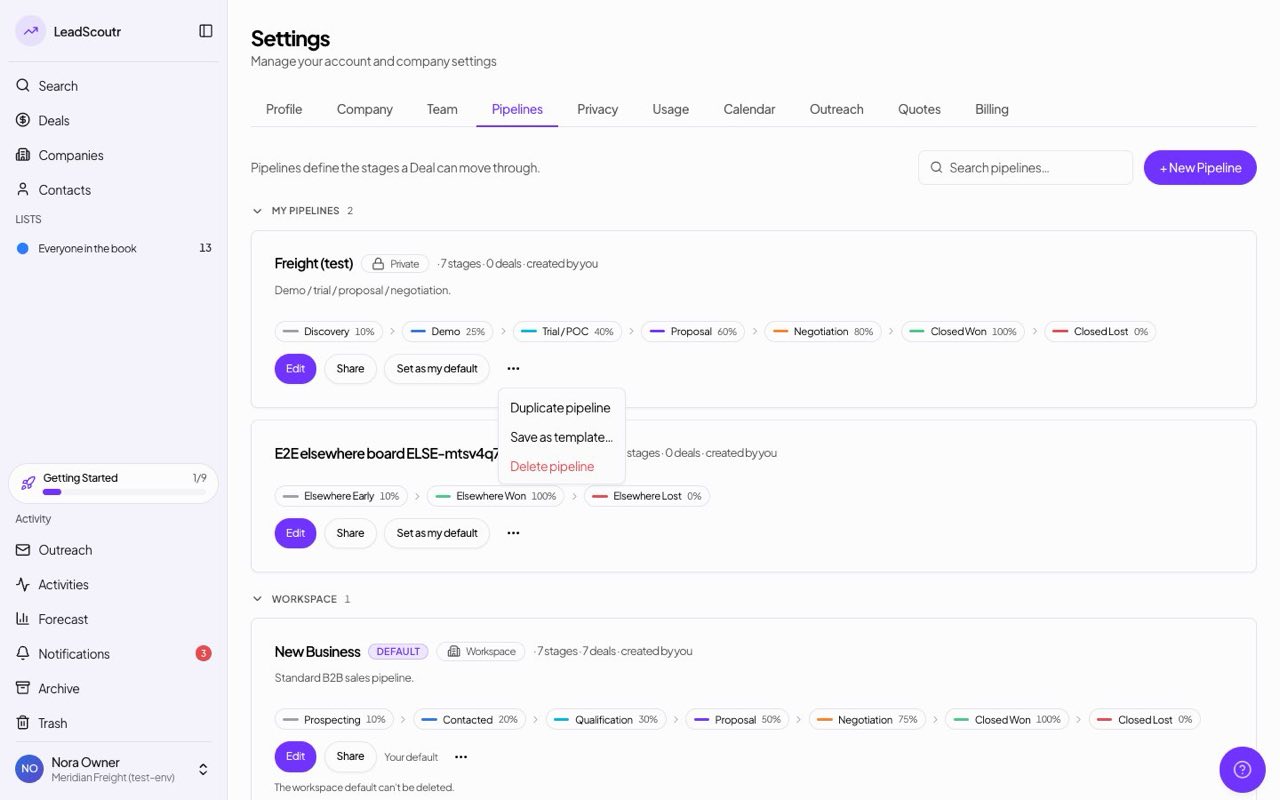
Any pipeline can now be saved as a template, and its stages, colours and win percentages appear under "Your templates" when you create a new pipeline, without copying its deals or sharing settings.
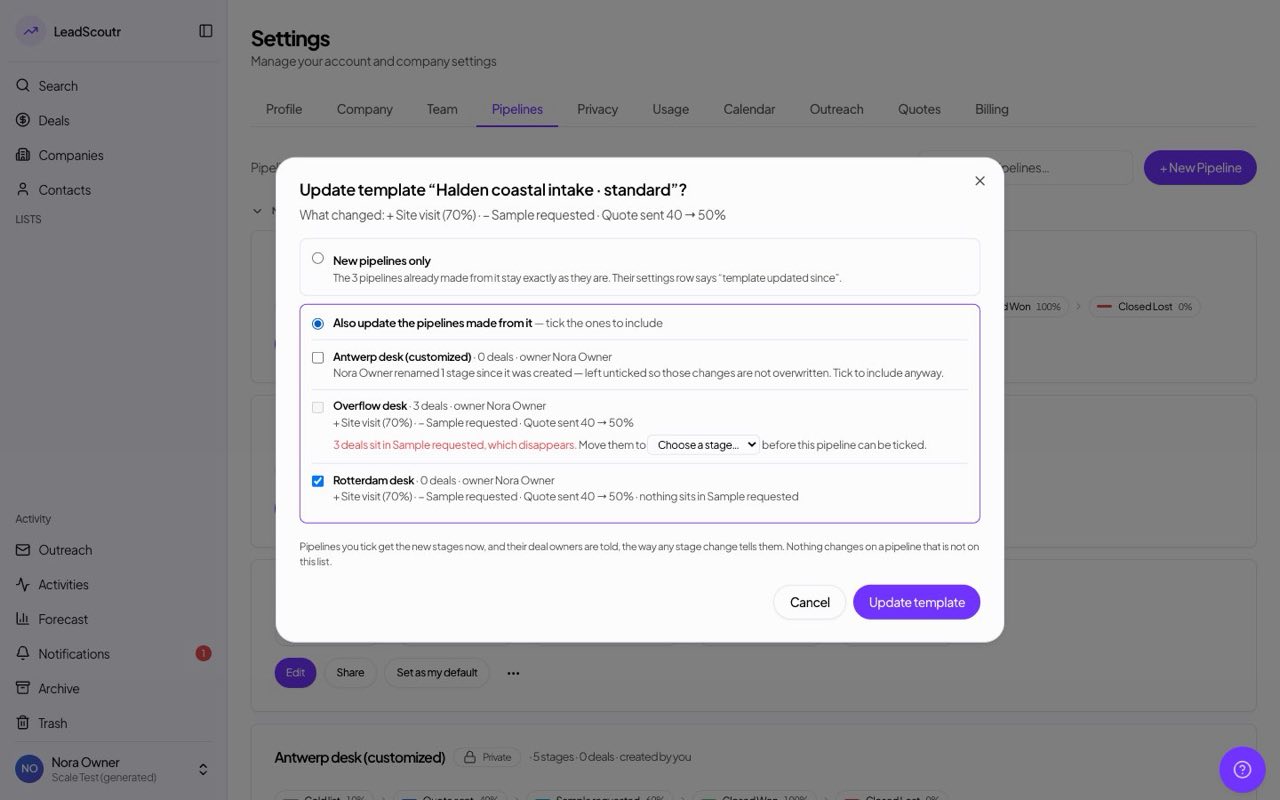
Editing a template that's already in use shows what changed and which pipelines it would affect, with their deal counts, and updates only the pipelines you tick. Deals in a stage that would disappear need a new stage before that pipeline can be updated.
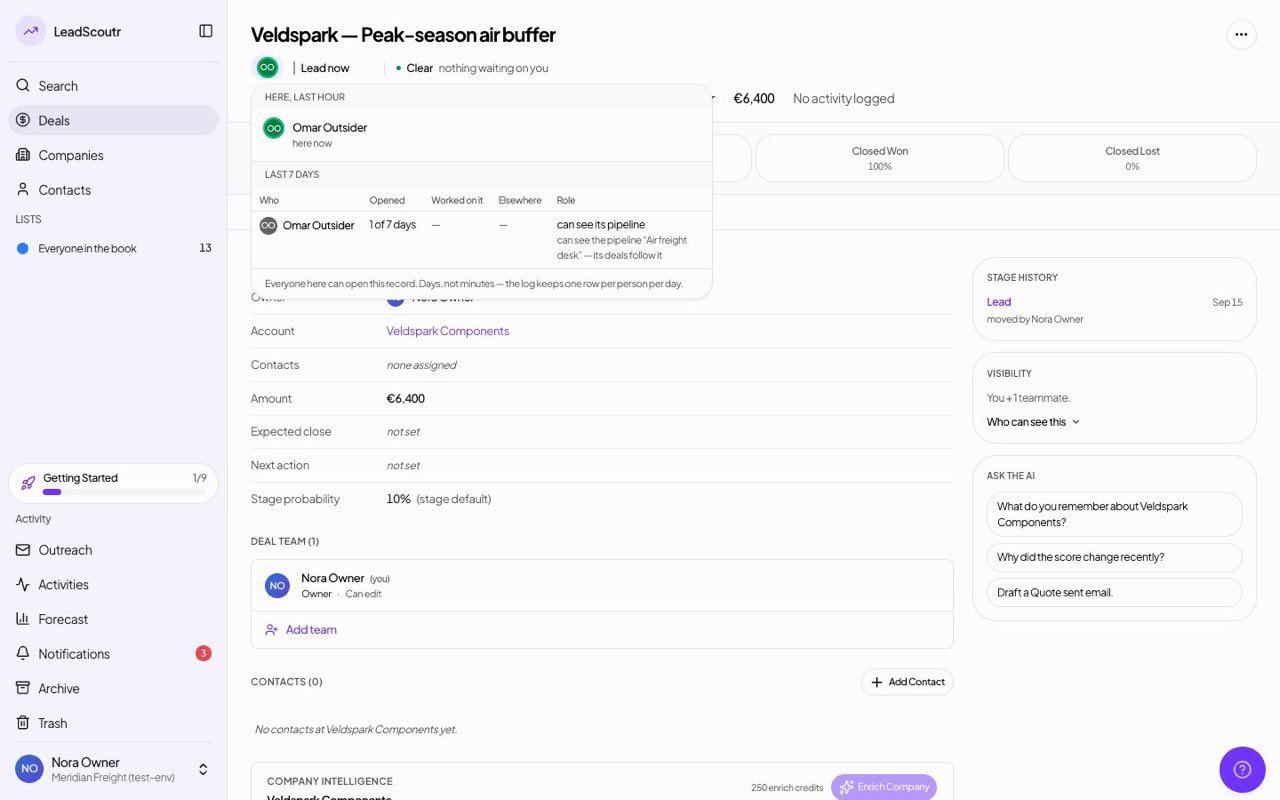
The panel behind the faces at the top of a deal now lists everyone who opened it in the last seven days, on how many days, what work they did, and how they're able to see the deal at all, not only people on its deal team.
The Activities page has a new Timeline view that splits what's coming up from what already happened with a line marking the current moment, using the same filters as the table and calendar.
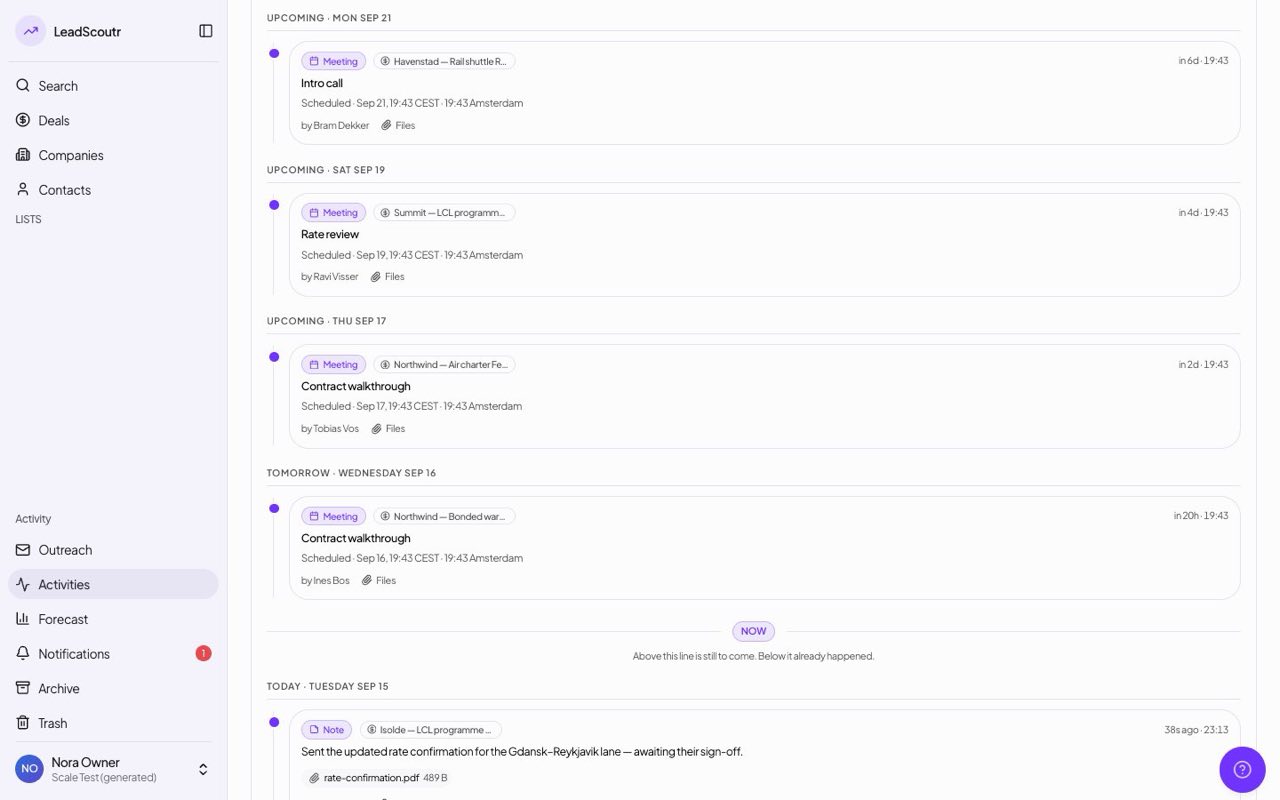
Email conversations now appear alongside notes, calls and meetings on the Activities list and timeline, for exactly the people who can already see the record they belong to. They show the subject, date and who it was with, never the message itself, and stay off the calendar.
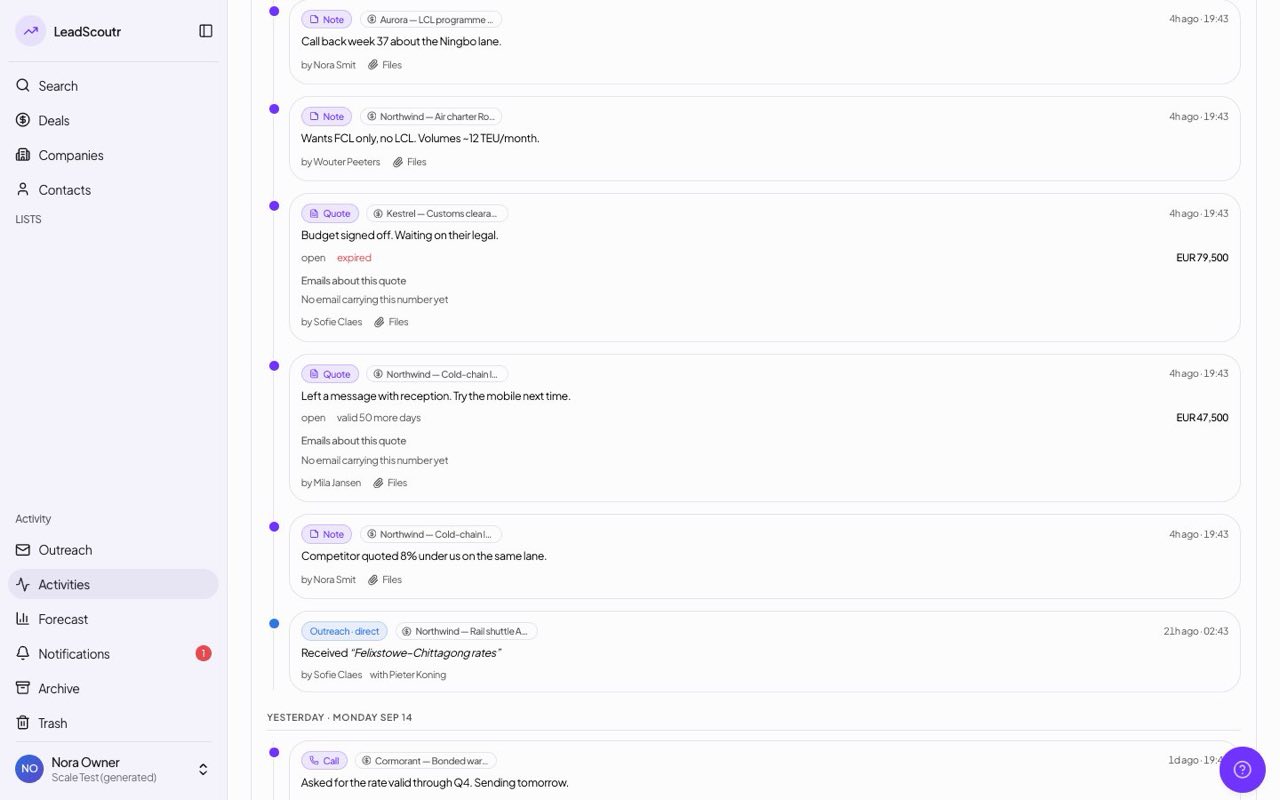
Saving a pipeline stage with a lower win percentage than the stage before it now warns you and suggests a fitting number, and lets you save anyway instead of refusing outright.
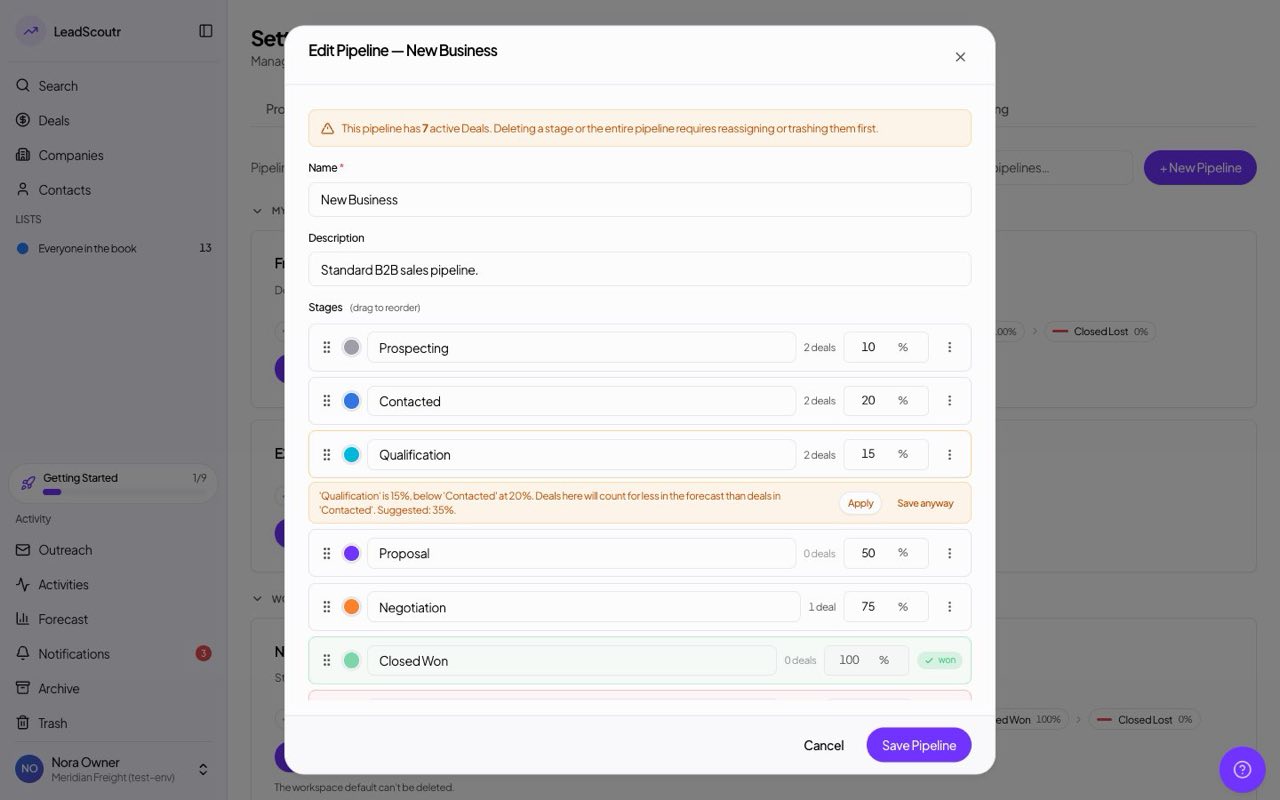
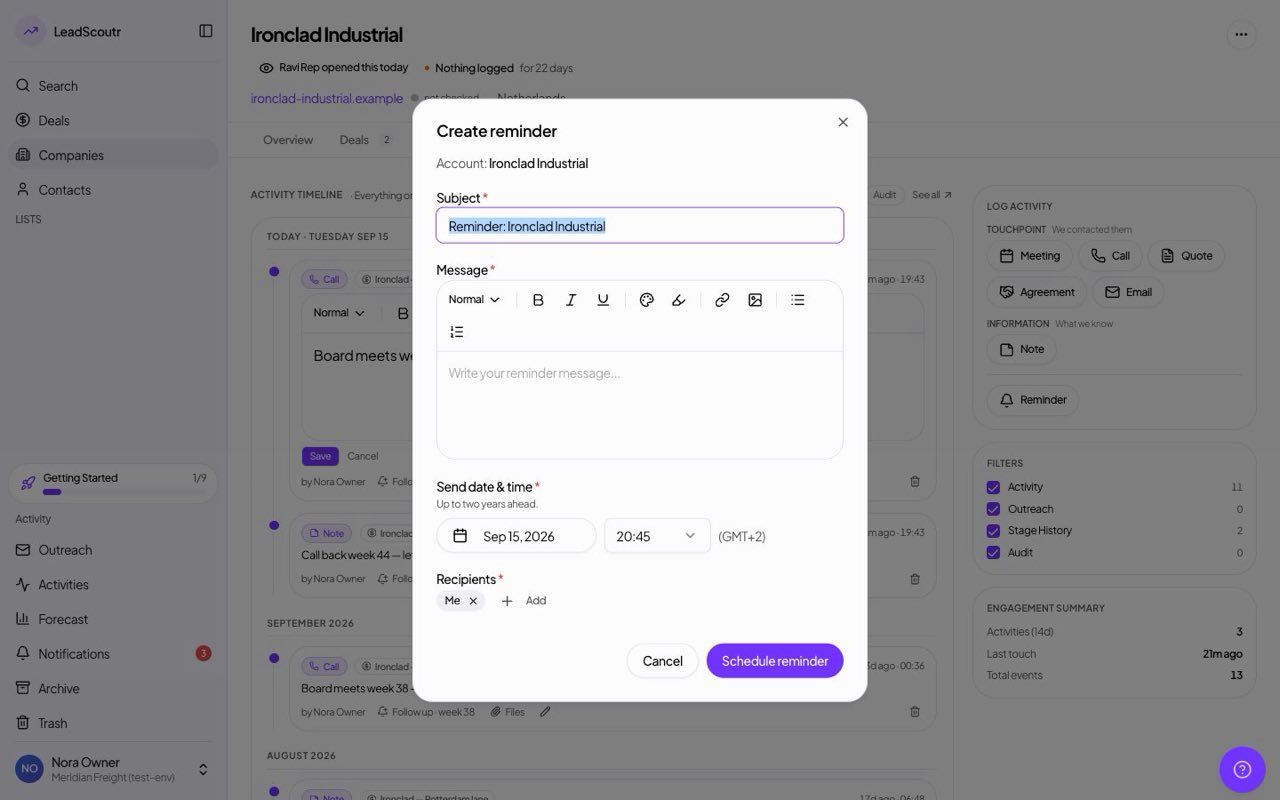
Reminders can now be scheduled up to two years out instead of thirty days, and one set more than a month ahead is still delivered on the right day.
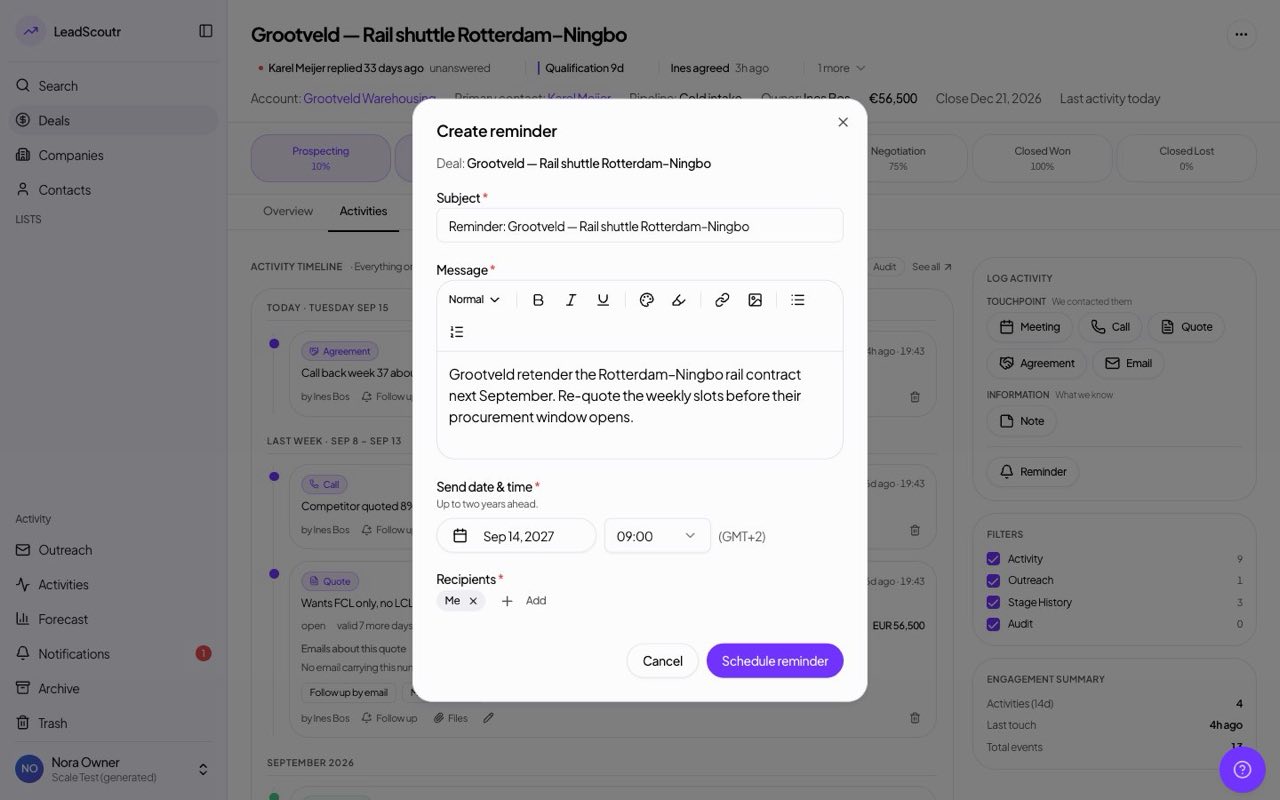
Logging a quote now has a field for the customer's own reference beside ours, and "Save and email it" saves the quote and opens an email with its file attached and the references in the subject.
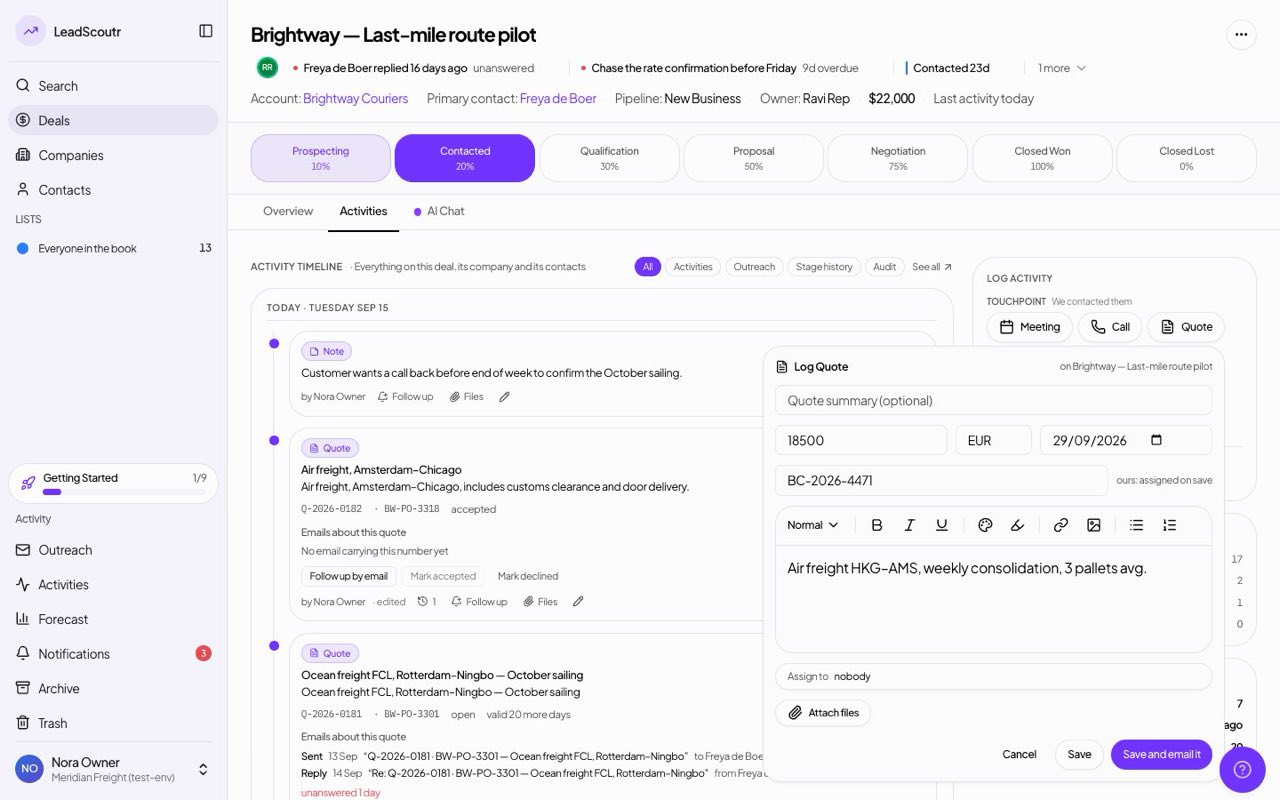
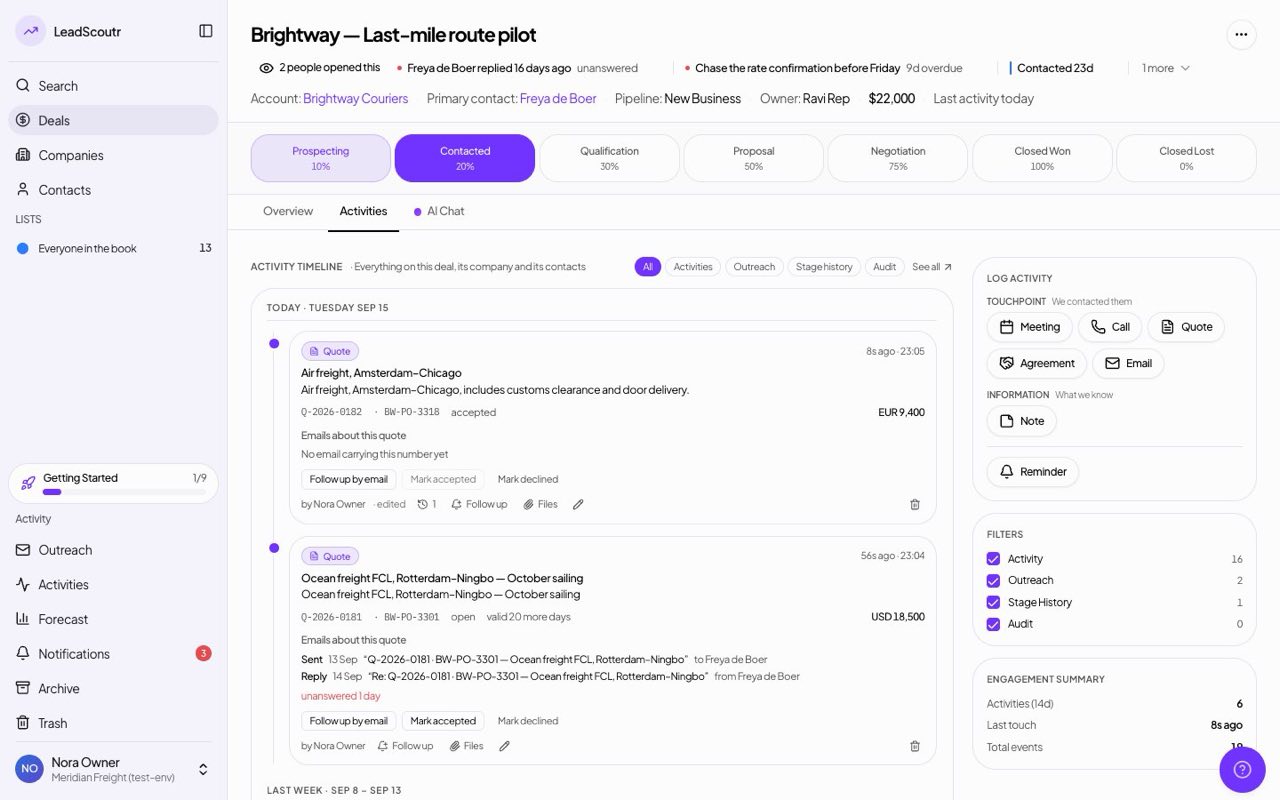
A quote's card now lists the email it went out in and any reply that carries one of its reference numbers, and flags a reply still waiting on you, so you can follow the conversation without digging through a mail folder.
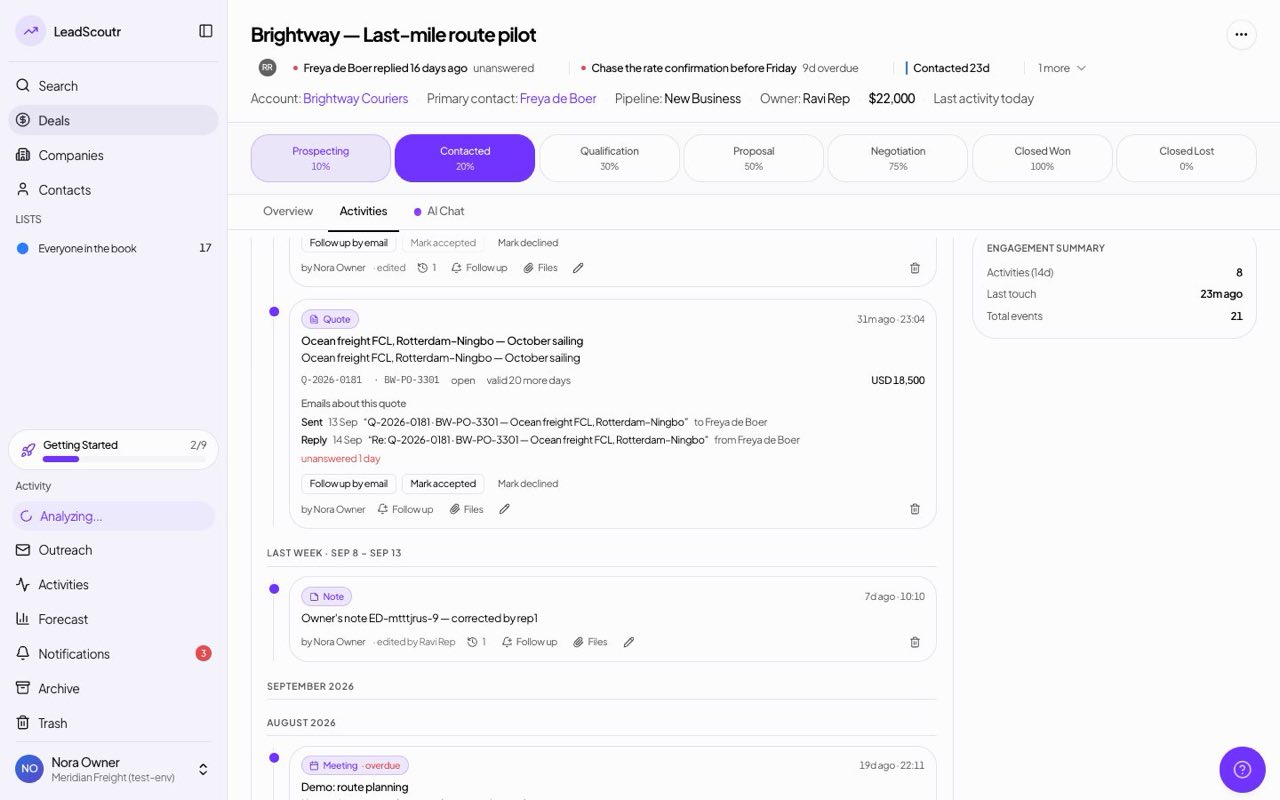
A quote now carries a status: it moves to sent when you email it, you mark it accepted or declined from its card, and it shows as expired once its validity date passes.
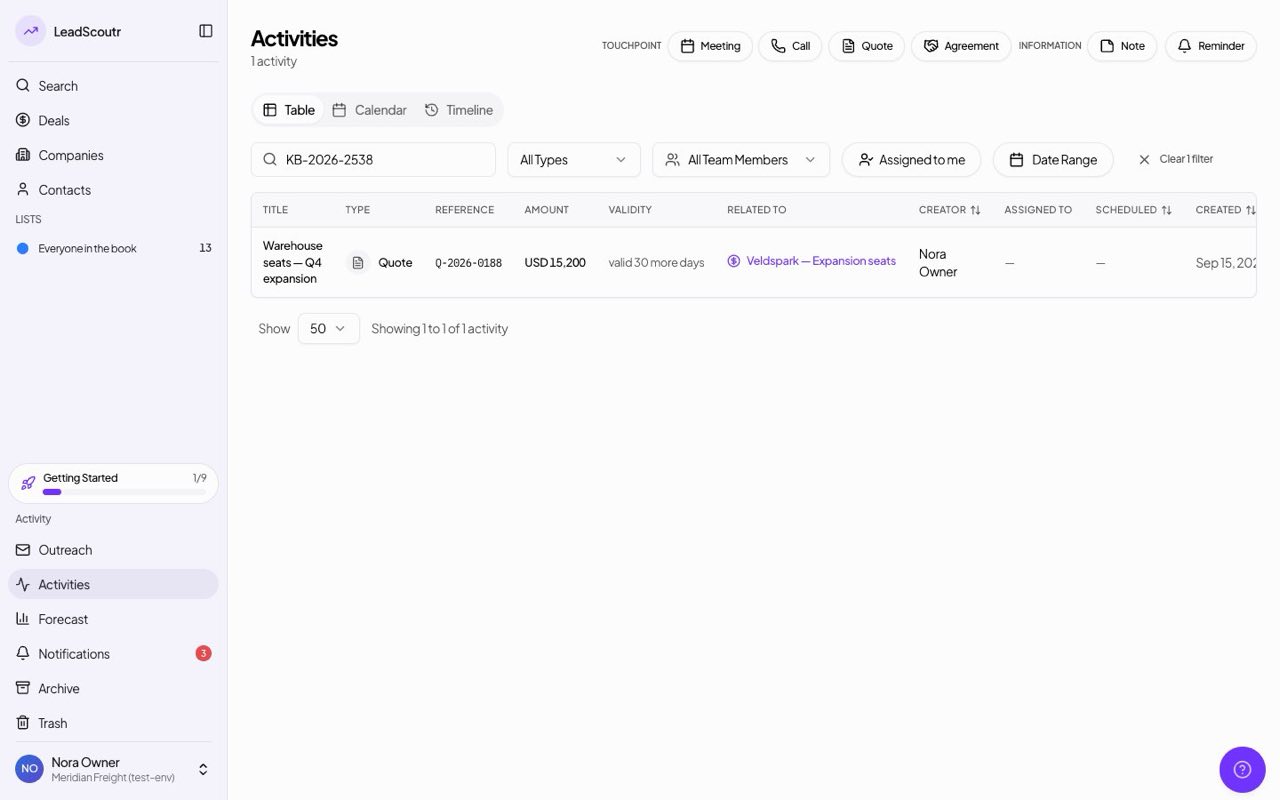
Search now also finds a quote by the reference number the customer uses, not only by ours, so you can look it up however they read it back to you.
An email sent from a deal now always appears on that deal's timeline and in its AI chat, even when the recipient isn't one of the deal's contacts, and email sent from a company is linked to that company.
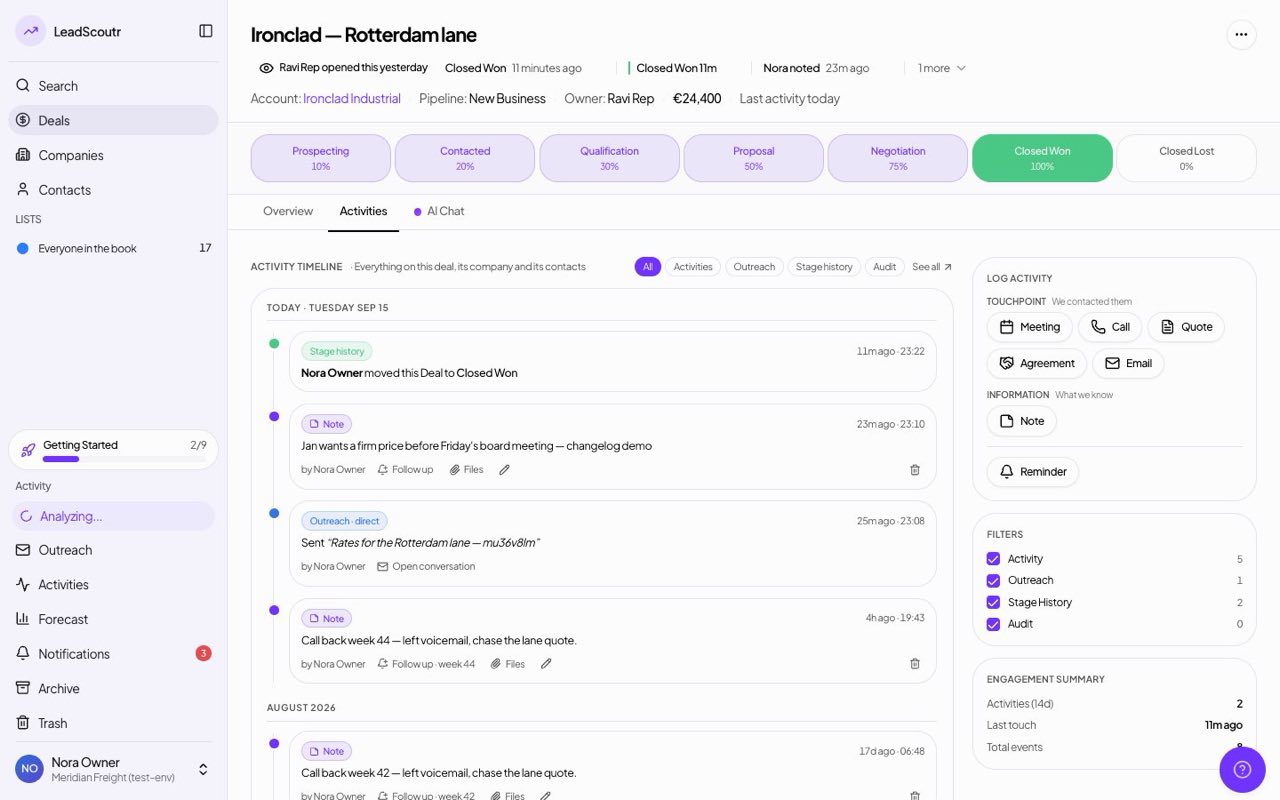
Save any combination of filters as a named view and make one the board you land on by default, instead of rebuilding the same filter every time you open Deals.
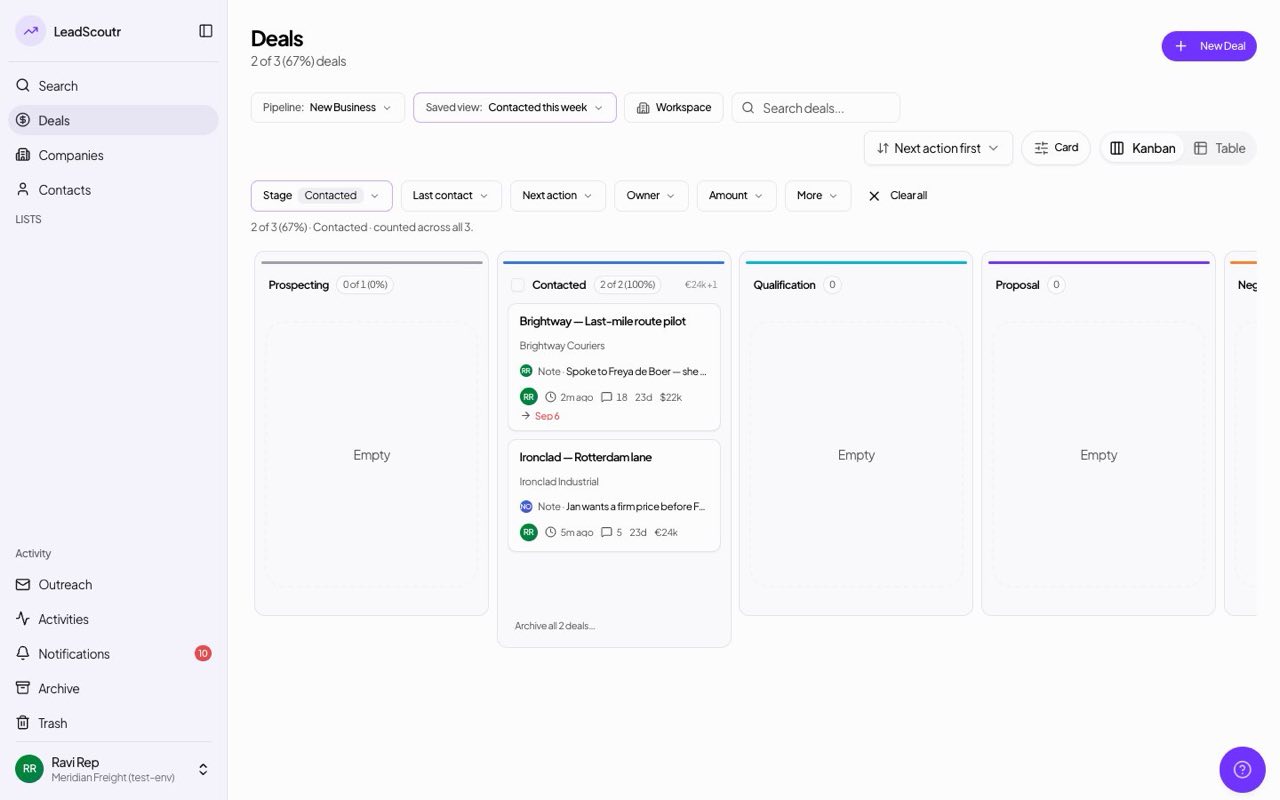
A saved view is now visible to your whole workspace by default, showing who saved it, with an option to keep one private. Only the person who saved a shared view can edit it; anyone else saves their own copy.
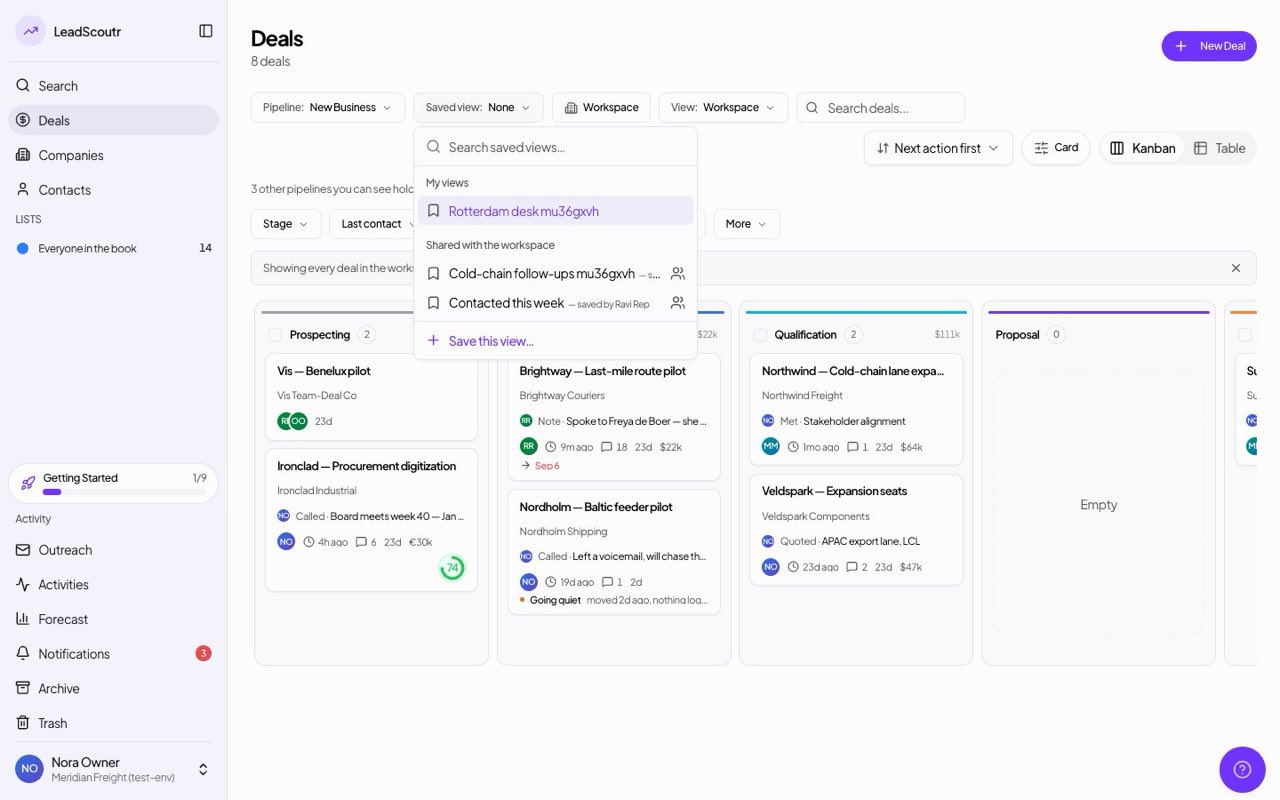
Every activity now keeps its full edit history behind a history icon, showing when it was edited, by whom and exactly what changed.
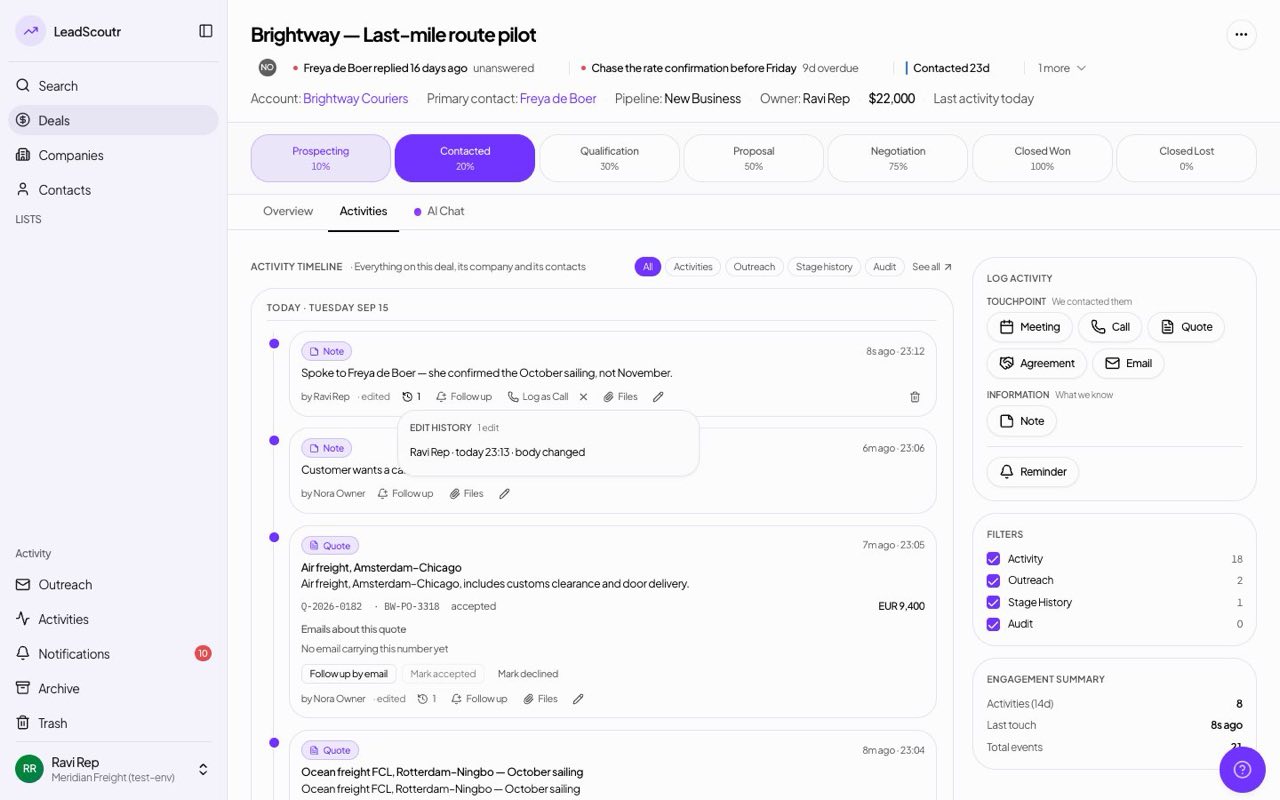
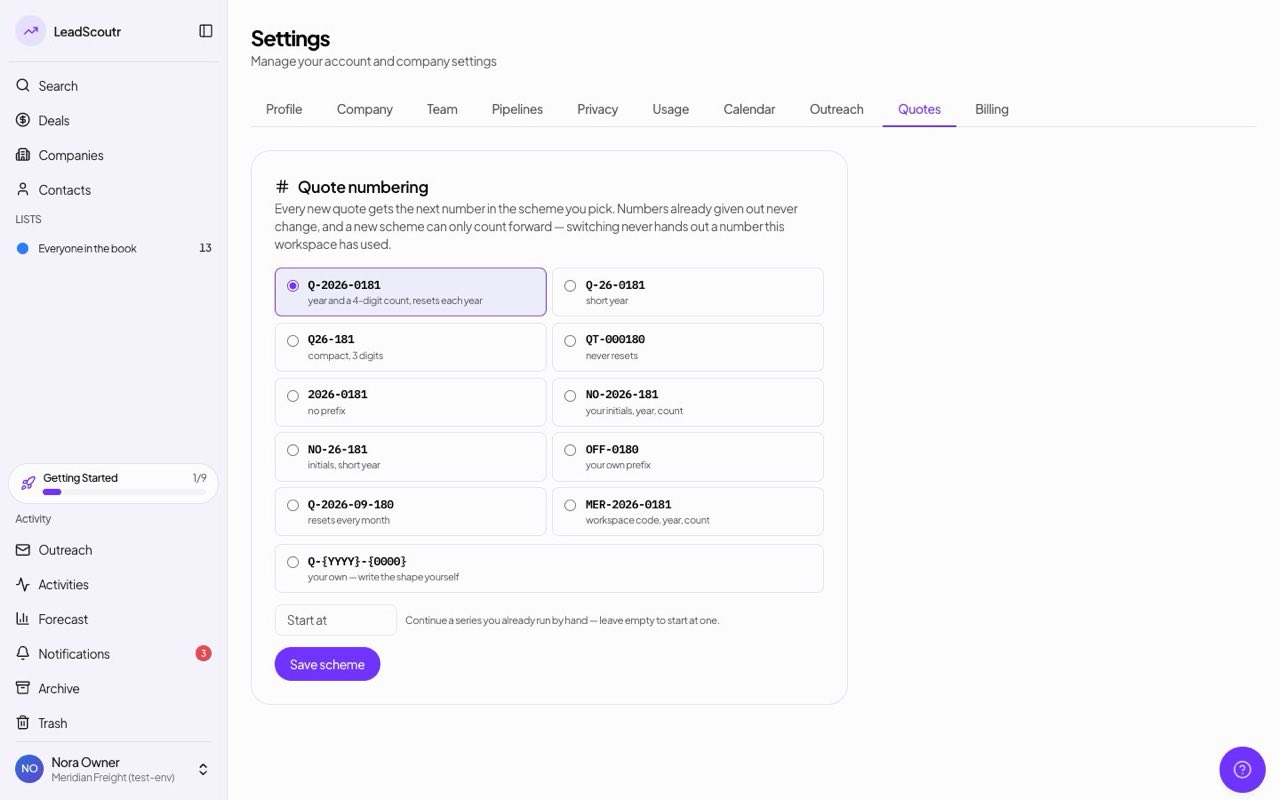
A new Quotes page in Settings offers ten ready-made numbering formats, including ones built from the rep's initials, or your own pattern of letters, separators, year, month and counter, with a live preview of the next number.
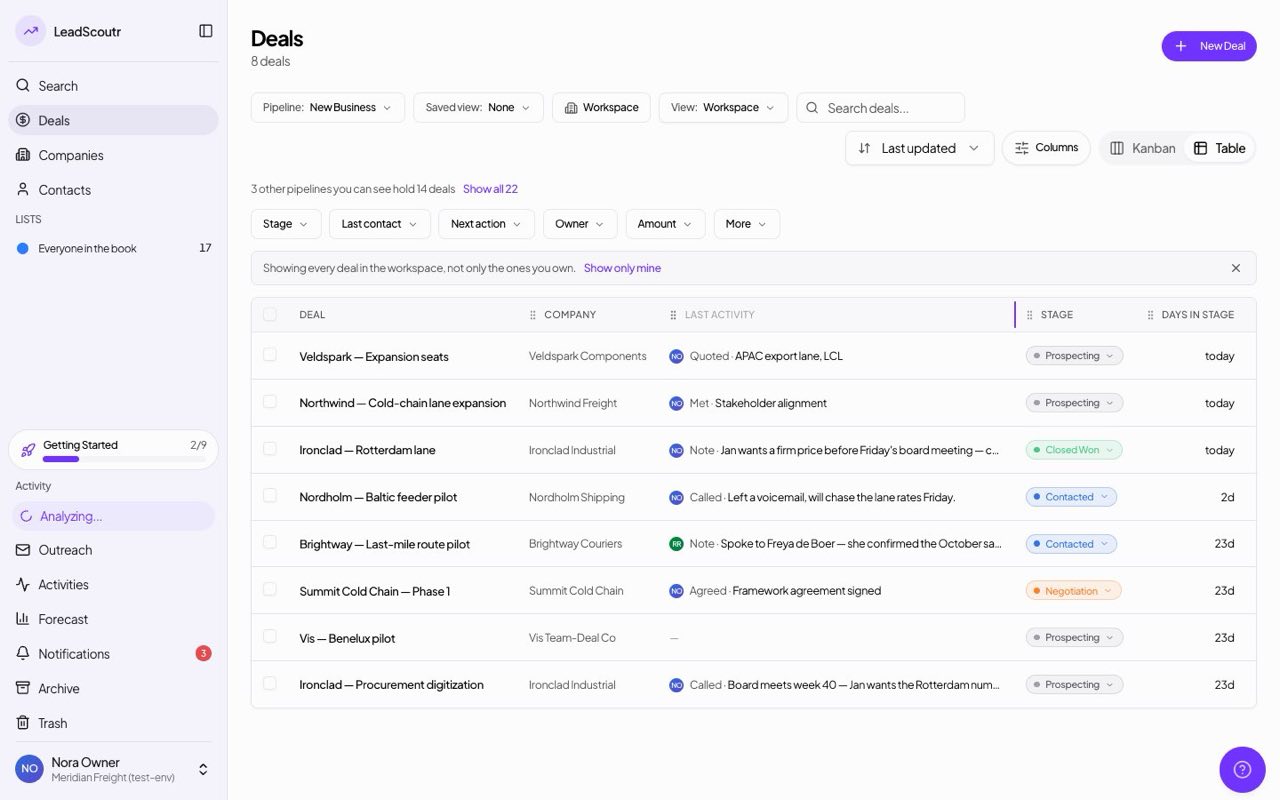
Drag a deals-table column header to move it or drag its edge to resize it; your layout is remembered for you and stays in sync with the column settings menu.
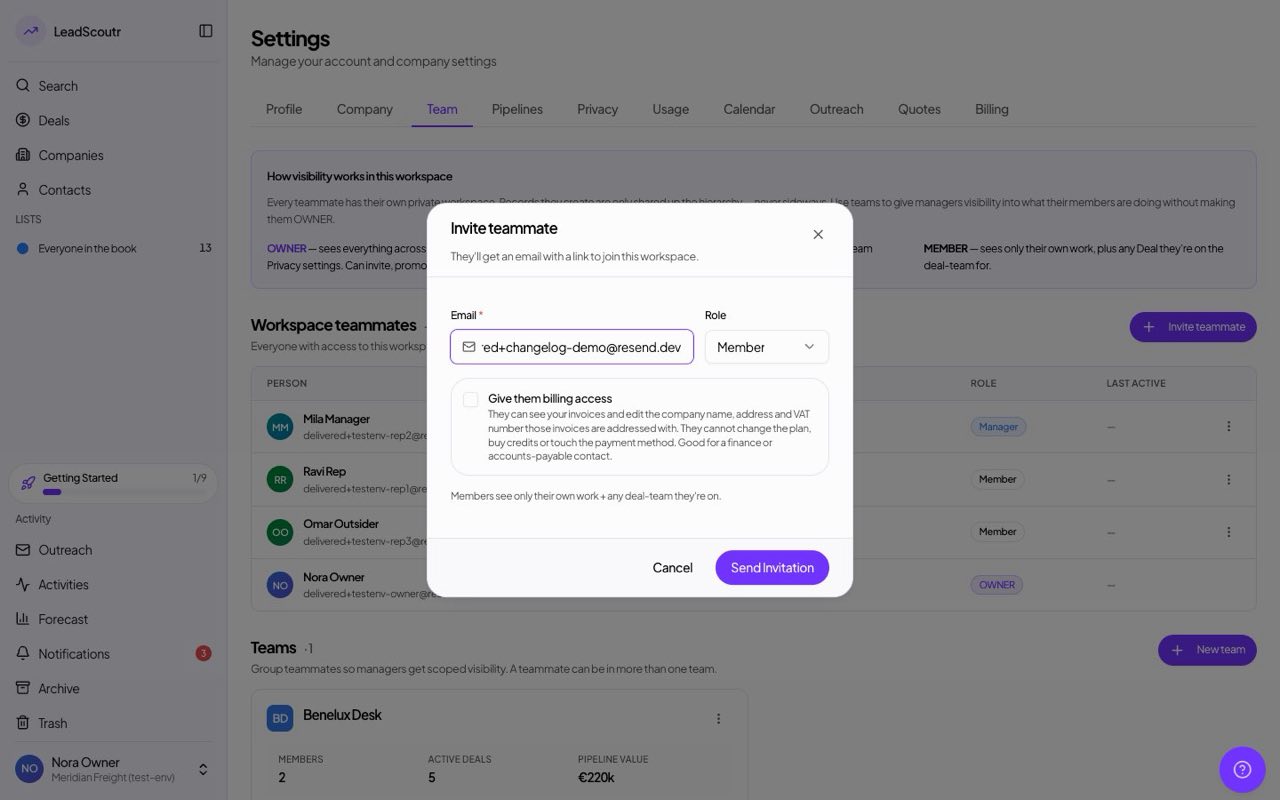
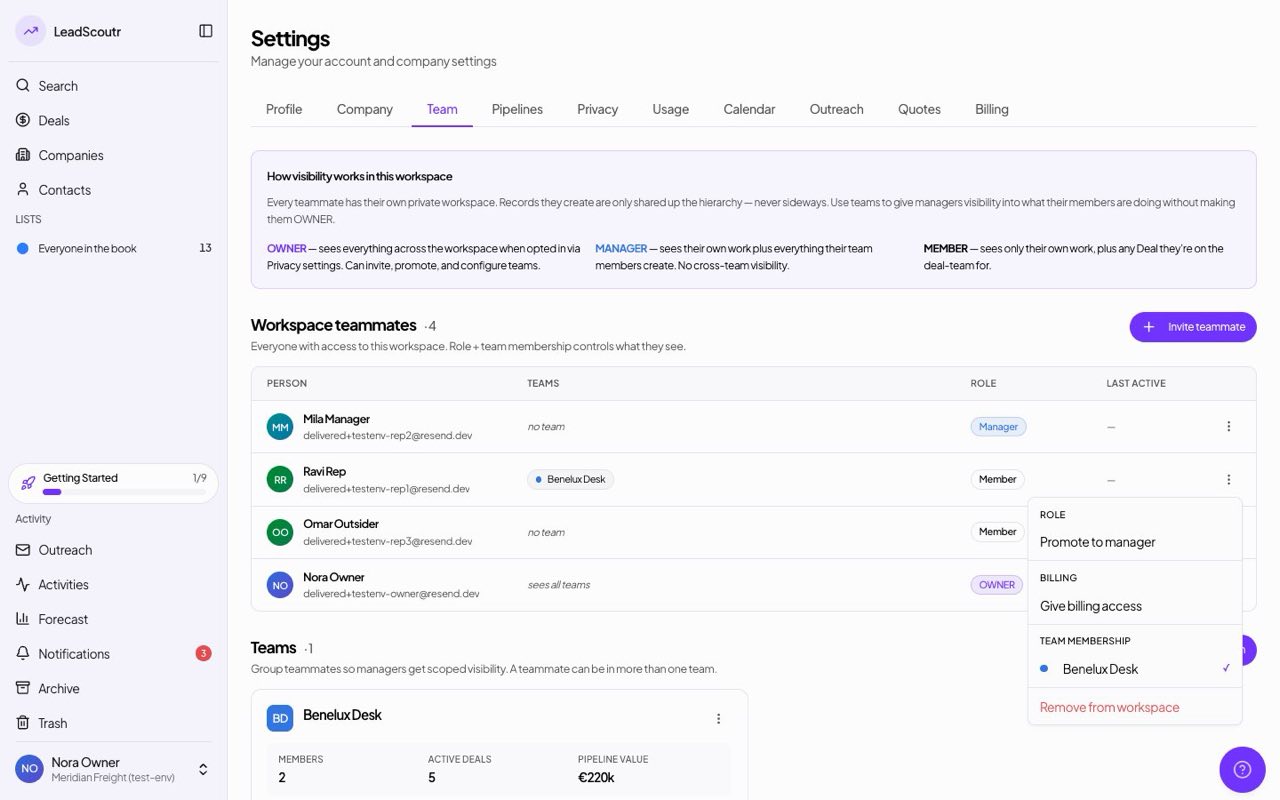
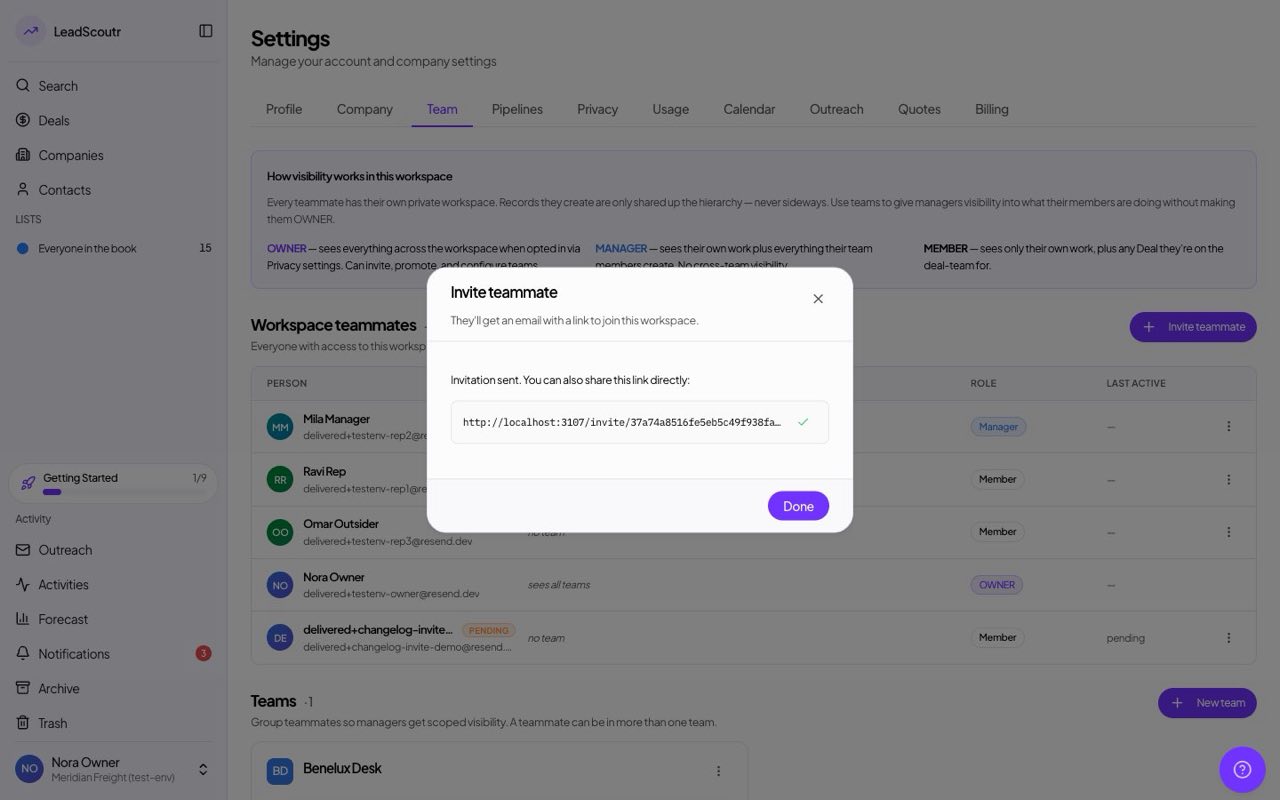
When inviting a new teammate, owners can tick a box to make them a billing contact from the moment they accept, instead of adding them first and granting access later.
If a bank transfer reaches us with a reference we can't match, payment reminders now pause when it came from an account that has paid us before. A reminder is also never sent for an invoice that has already been paid.
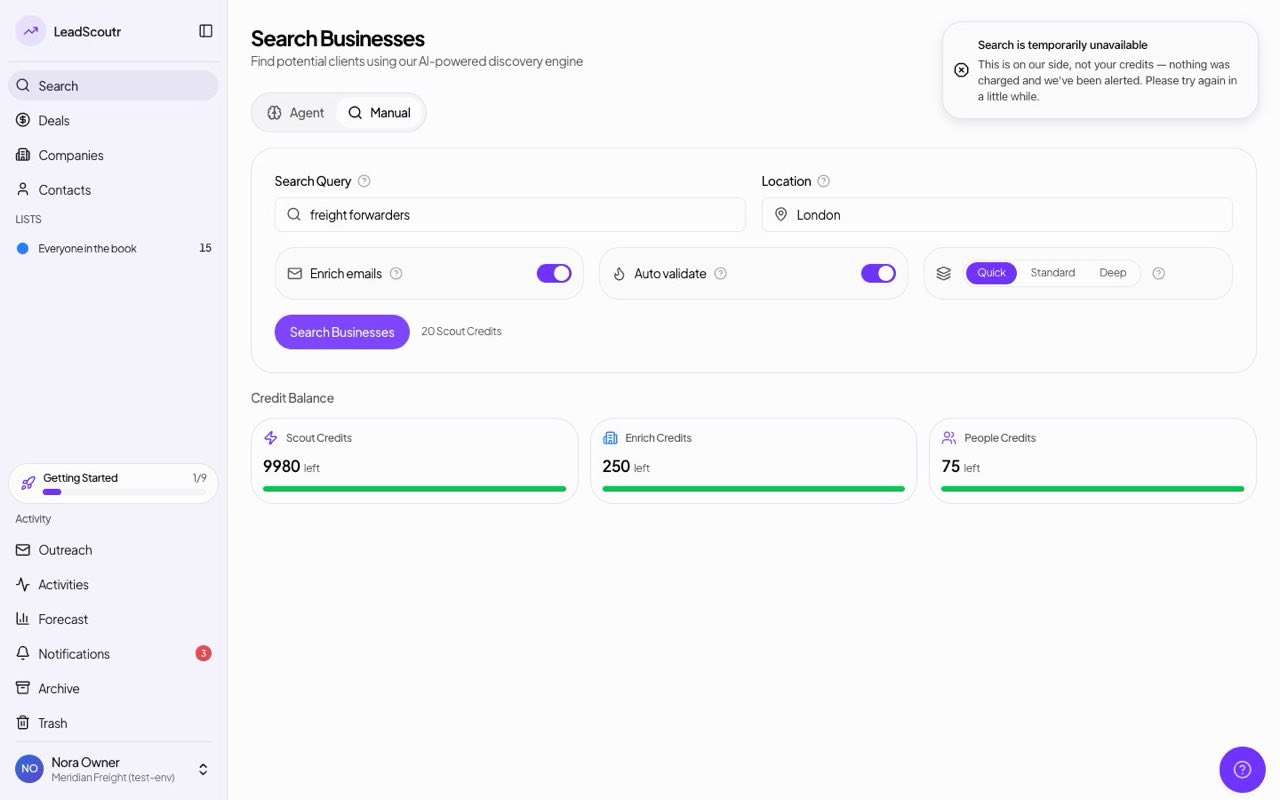
If our search provider has an outage, you now see a plain notice that the problem is on our side, that nothing was charged and that we've been alerted, instead of a generic error.
Workspace owners can now let a specific teammate see invoices and correct billing details such as the company name, address and VAT number, without letting them change the plan, buy credits or touch the payment method.
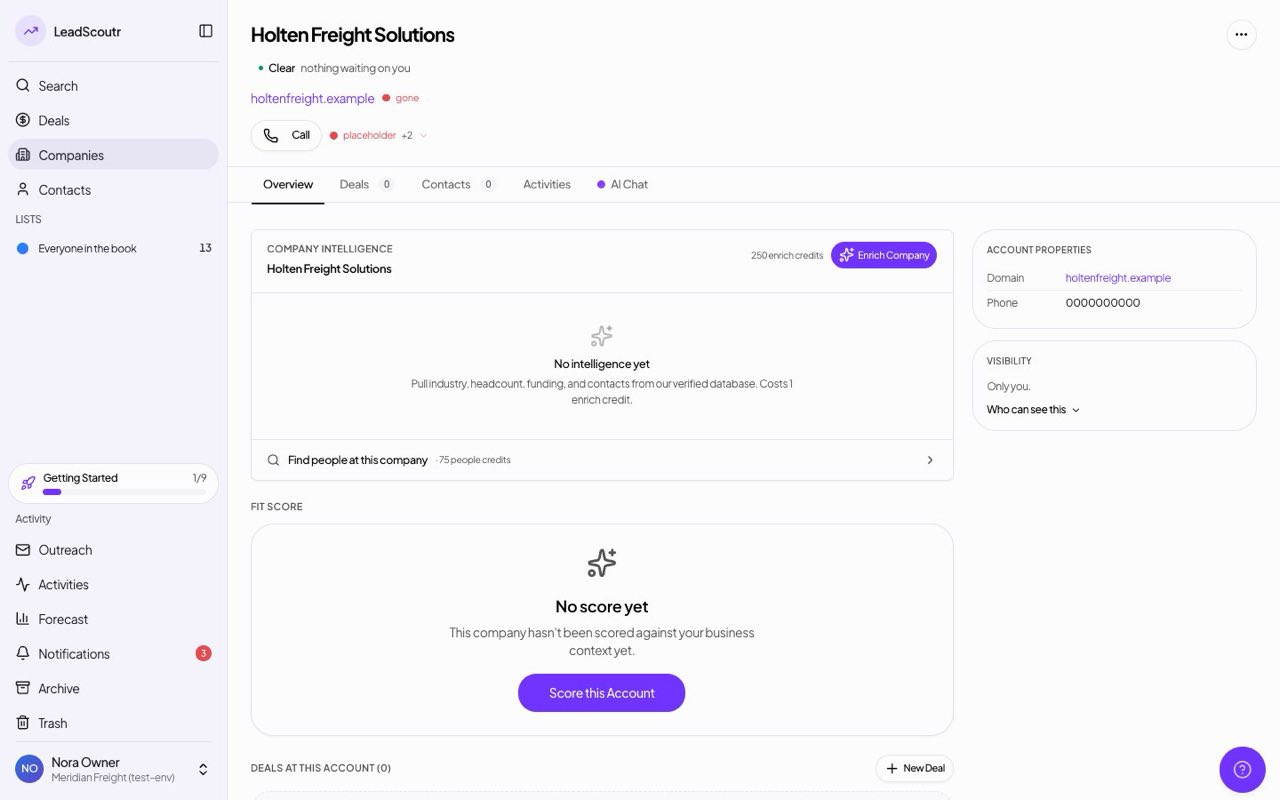
Company and contact records now carry a light beside the website and phone number. A website check shows whether the site answers or is gone, and the phone light only judges whether the digits look valid, never claiming anyone picked up.
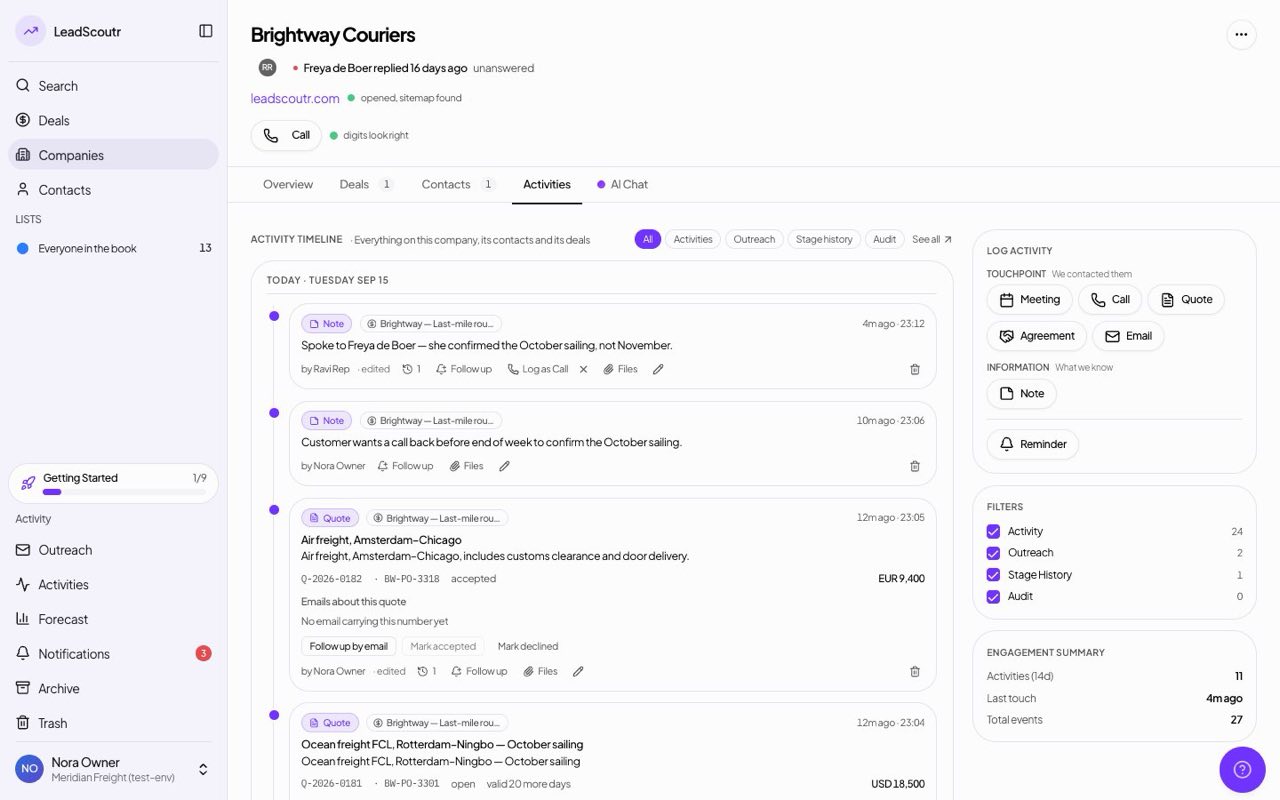
You can now start an email straight from a deal, company or contact's Activities tab, not only from the header, and it's linked to that record so the conversation shows up on its timeline.
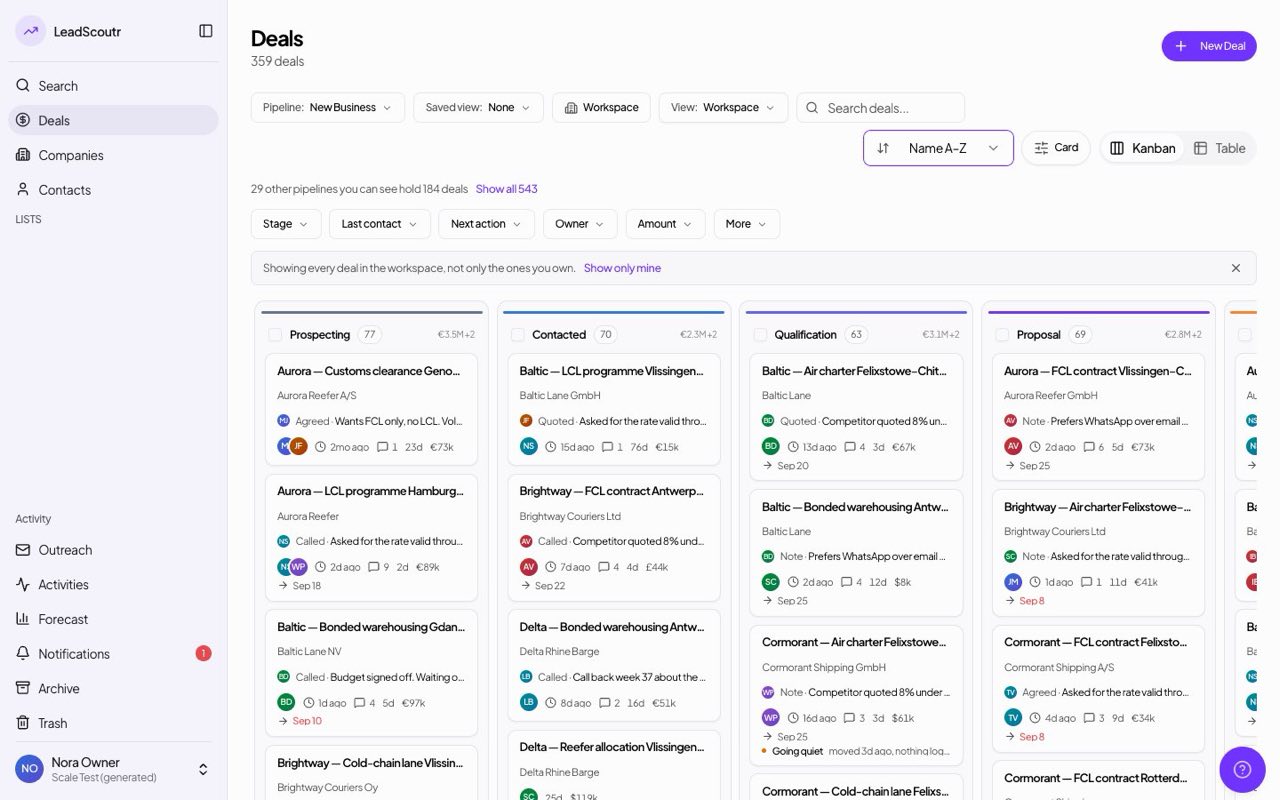
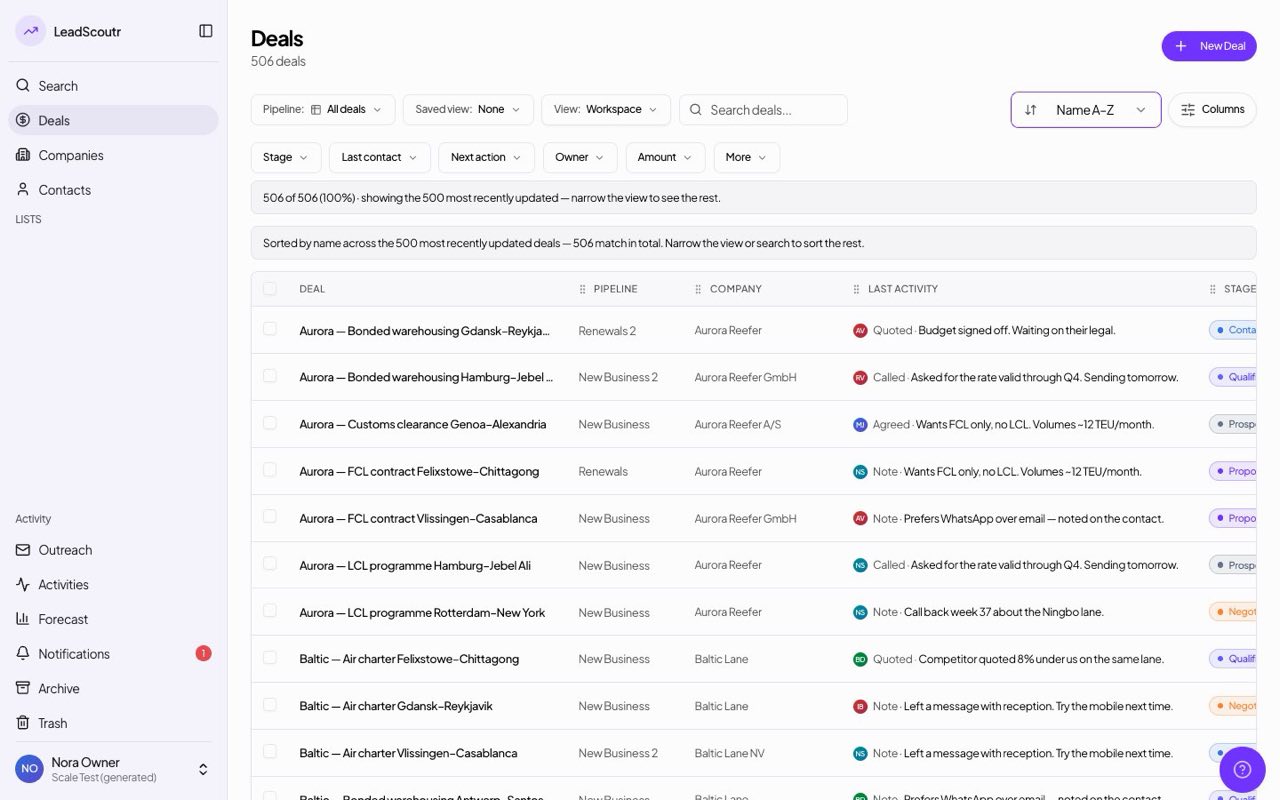
Sort deals by name A–Z or by date added on both the board and the table. The board still opens on next action first, and can keep the order you dragged cards into.
Changing a logged activity's type, such as turning a note into a call, now actually applies the change; before, it showed success and changed nothing.
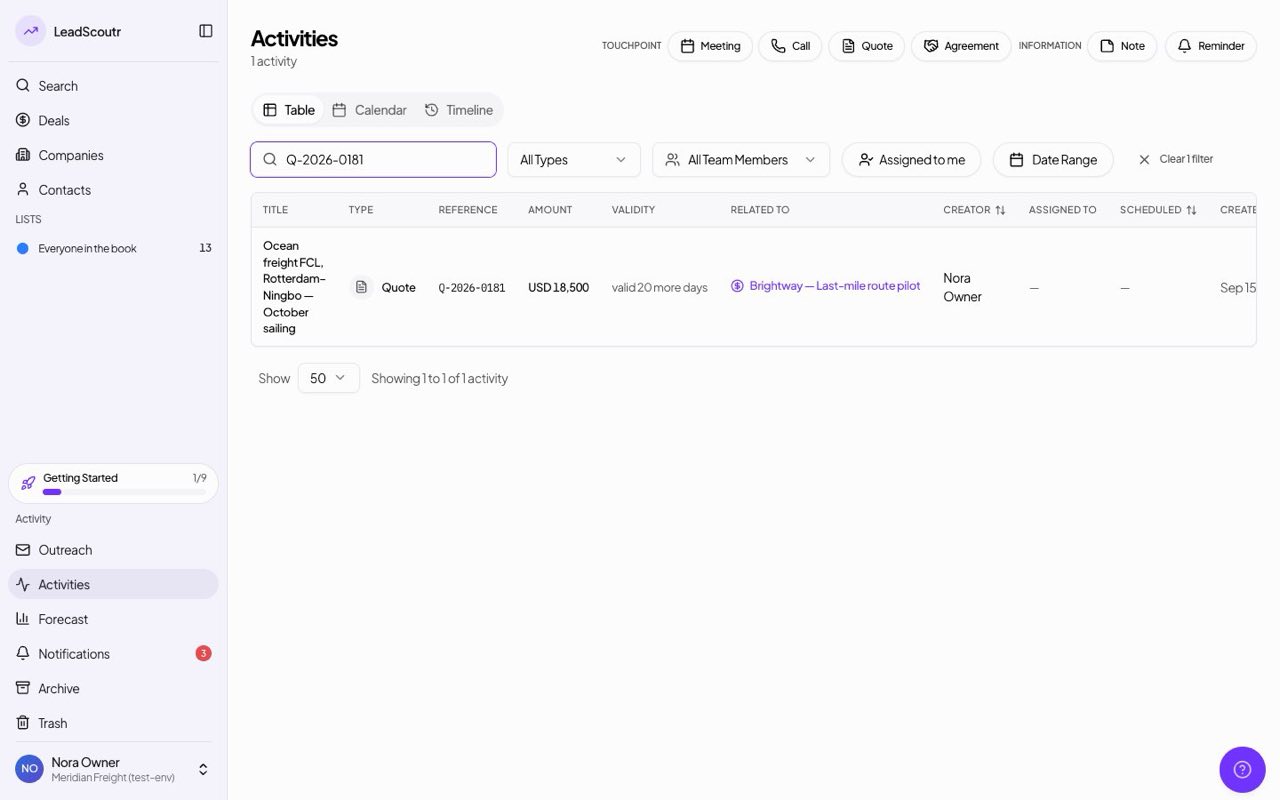
Search on the Activities page now finds a quote by its reference number or by the customer it belongs to, and the list and detail view show each quote's reference, amount and validity.
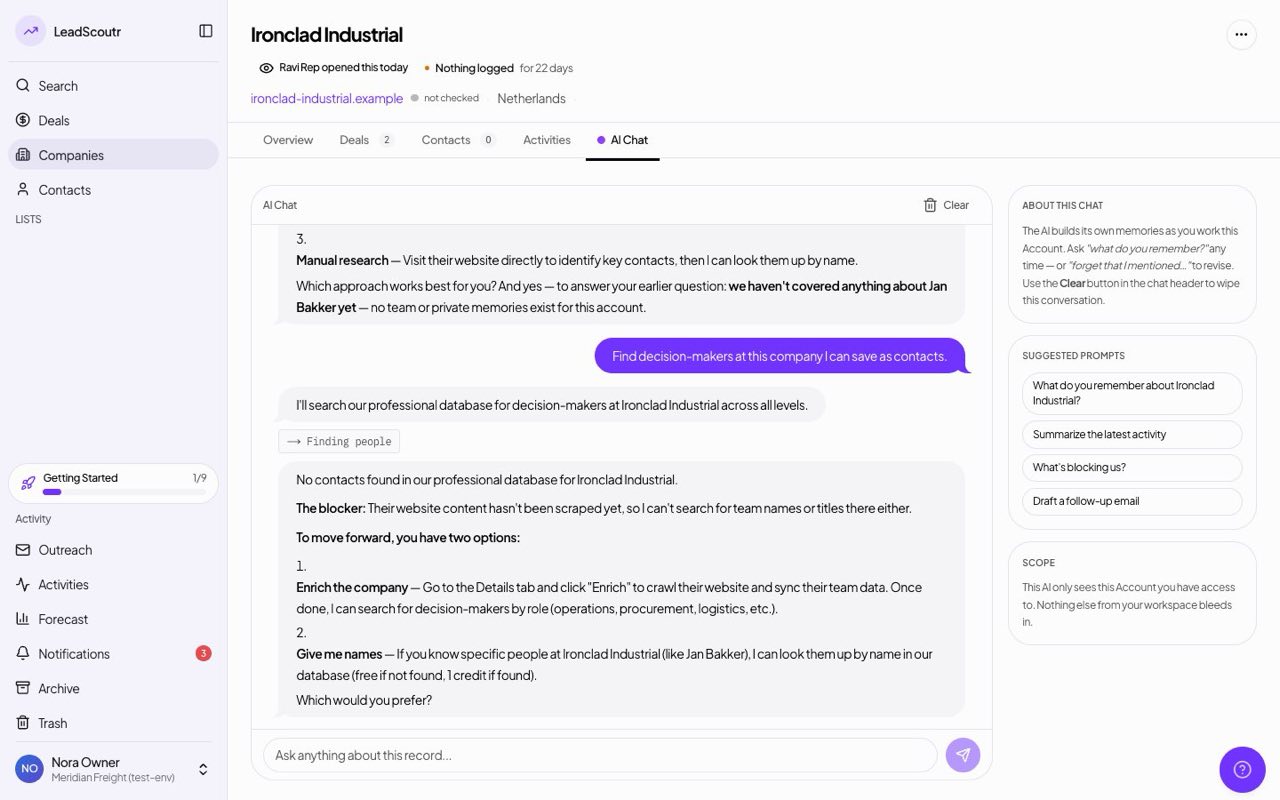
Asked about a contact on a record, the AI assistant now looks them up itself instead of telling you to go and find them.
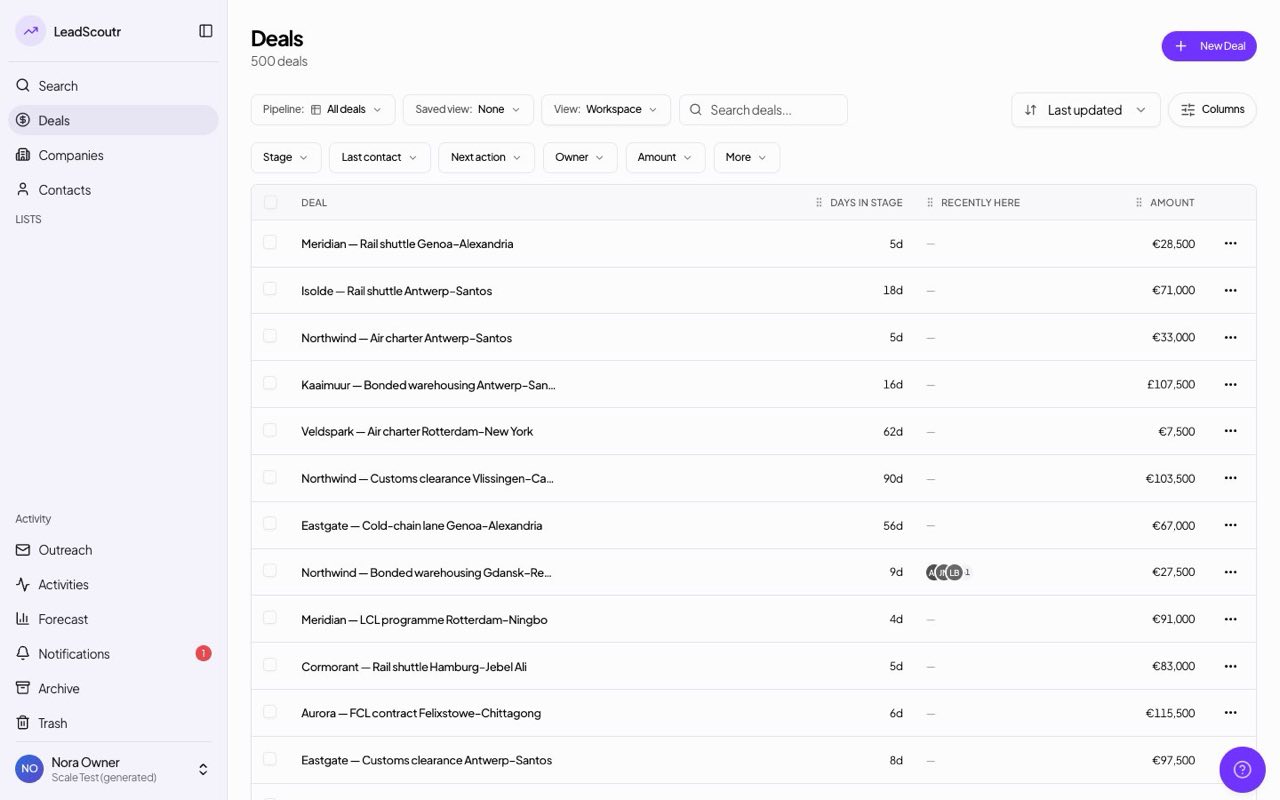
The deals table can show a "Recently here" column with the faces of colleagues who opened each deal this week, lit up while they're on it now, and board cards show the same.
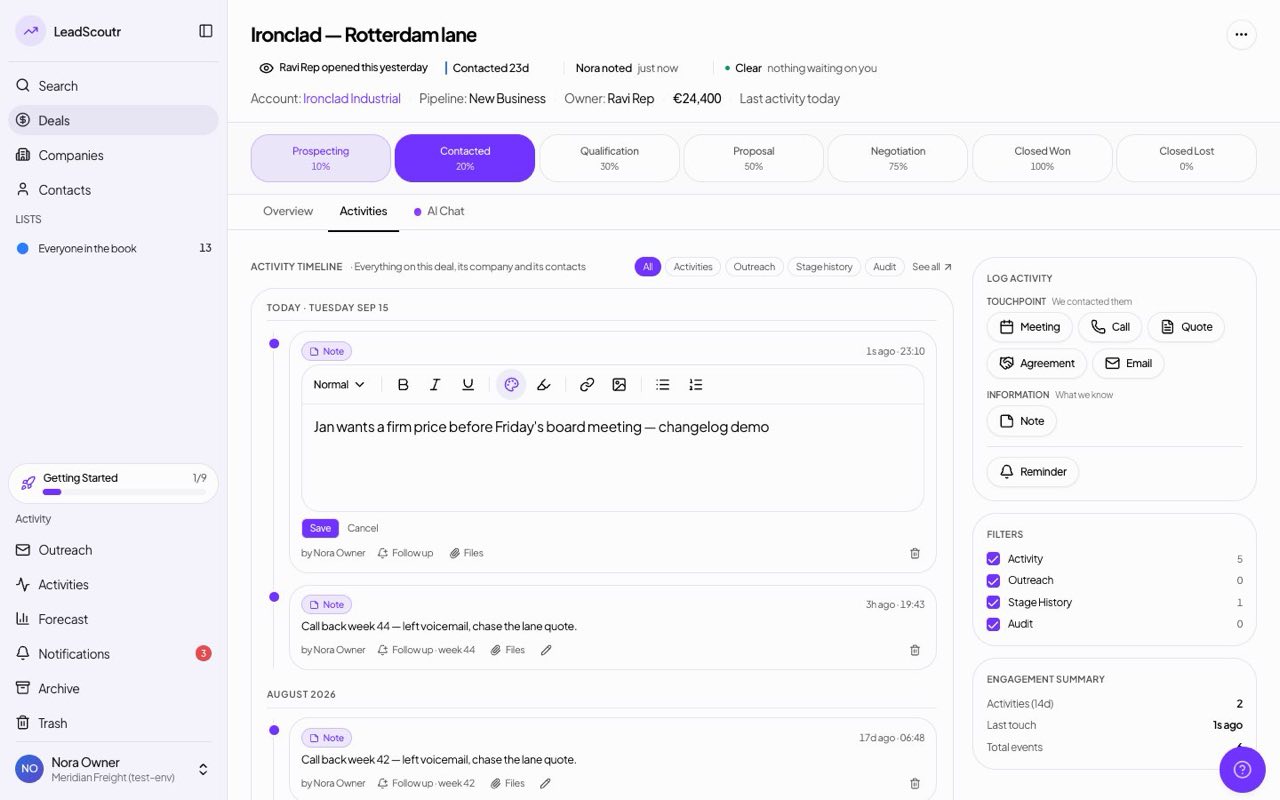
You can now edit a note directly on a record's timeline, in the same editor that wrote it so links and lists survive, instead of logging a second note to correct the first.
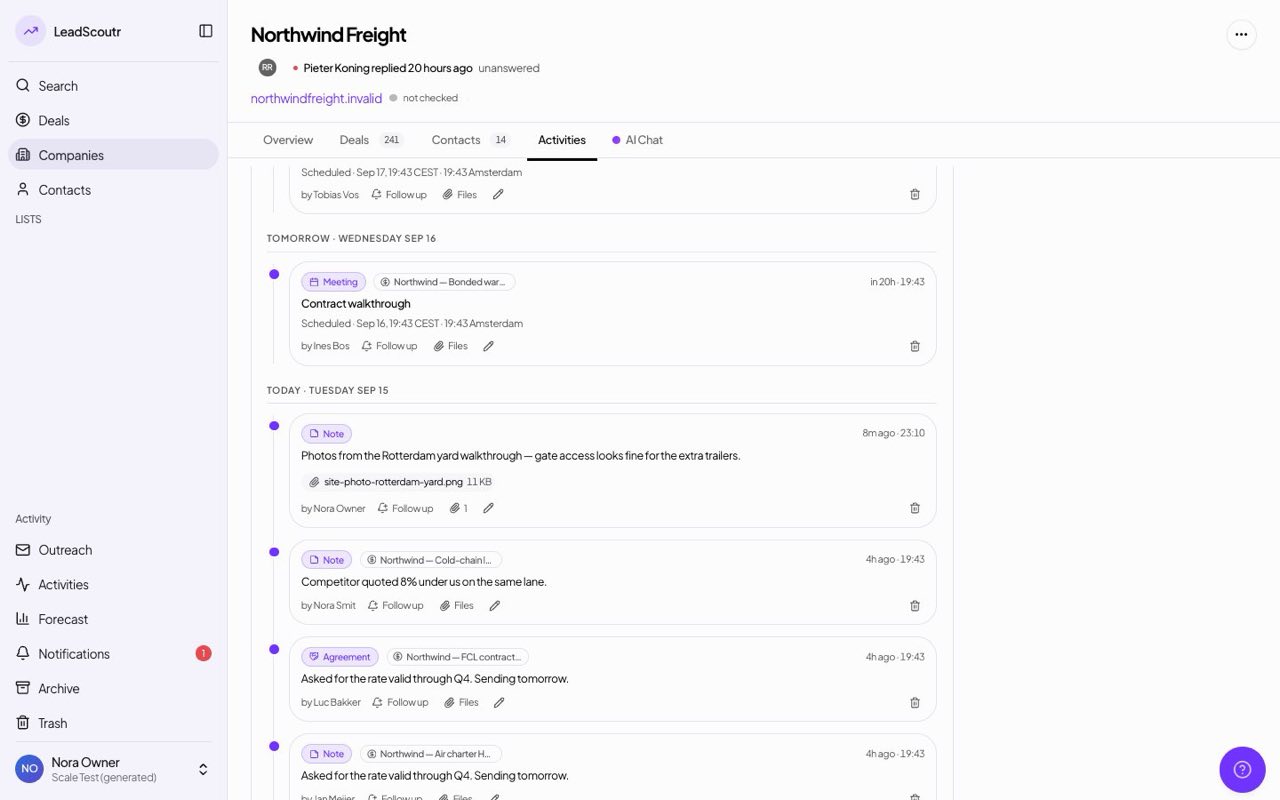
You can now attach a file when logging any activity, not just a quote, and open it again later straight from the record's timeline.
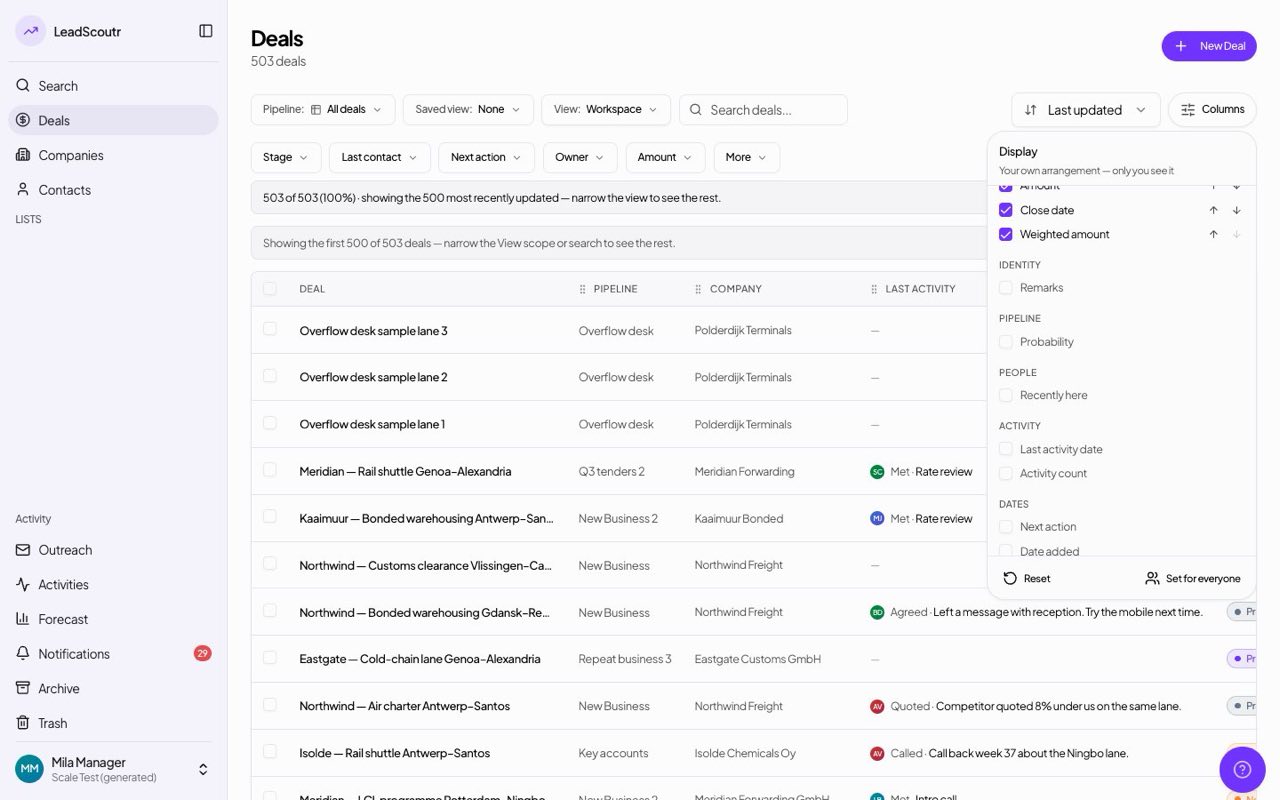
Choose which fields appear on your deals table and kanban cards, and in what order; your choice is remembered per person.
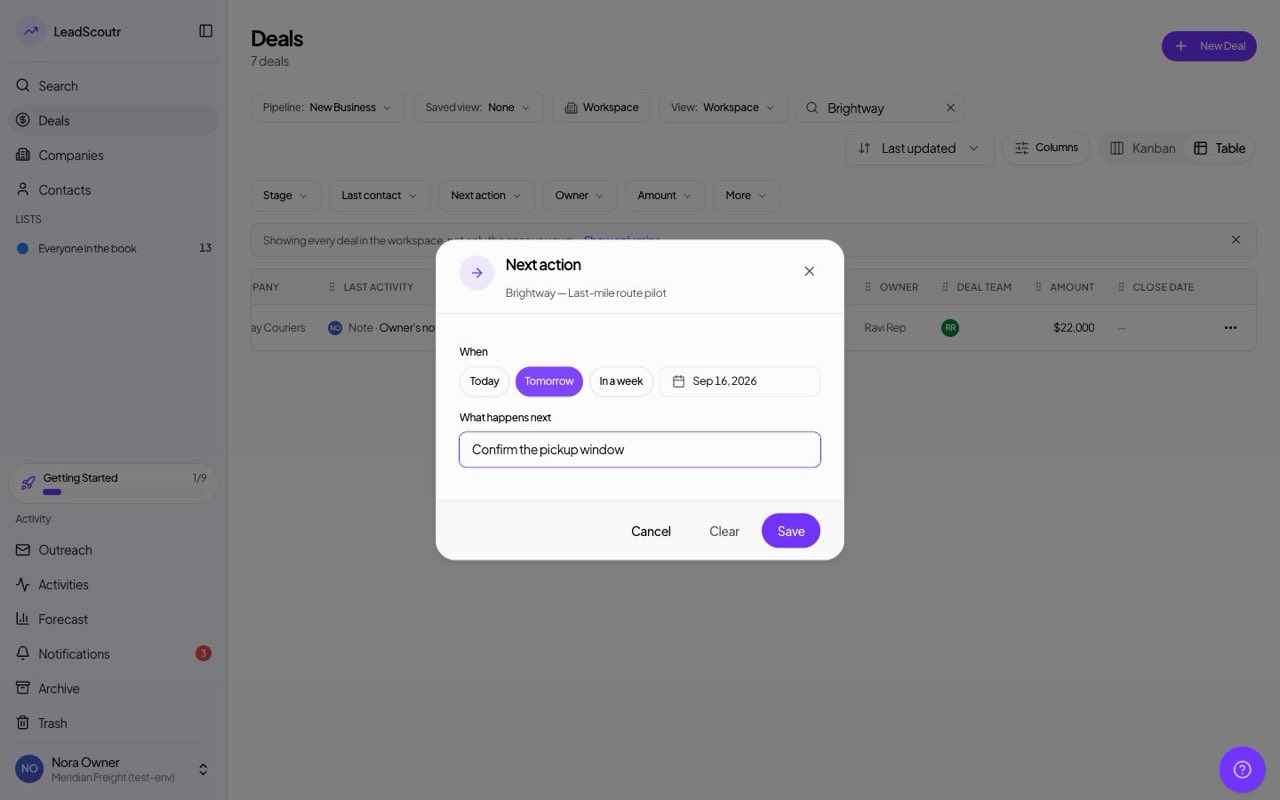
You can now set what happens next on a deal, and when, directly from its kanban card without opening the full record.
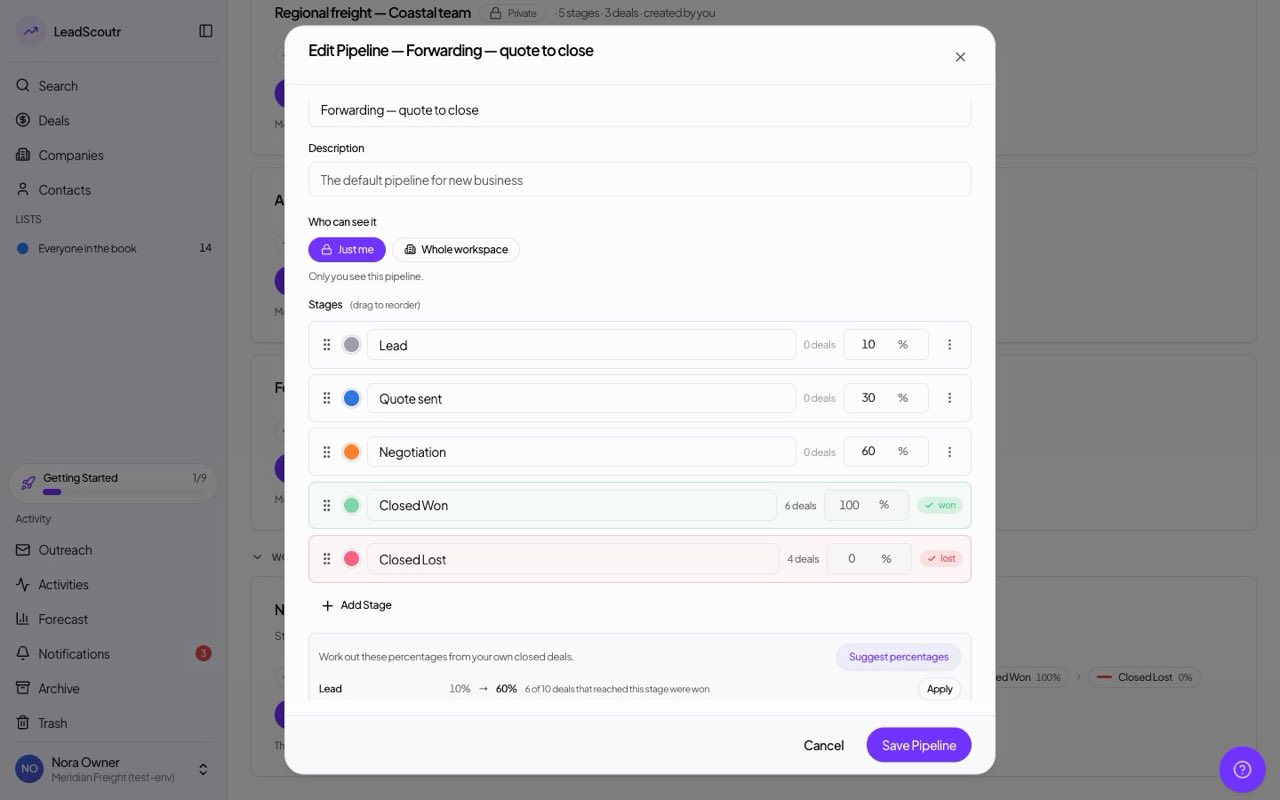
When editing a pipeline, "Suggest percentages" works out a win percentage for each stage from how your own closed deals actually went, and you apply the ones you want.
You now get an in-app notification when a reminder you set or a meeting you booked comes due; before, the person who set it got no pop-up at all. Cancelling a reminder now clears its notification too.
Attaching a screenshot when you report a problem now actually uploads it and tells you if it fails, instead of silently dropping it.
The deals table now has a Company column linking to each deal's company, you can search deals by company name, and new deals are named after their company without a date added on the end.
Booking a call months ahead no longer records it as already ended; a meeting's end time now follows its start time.
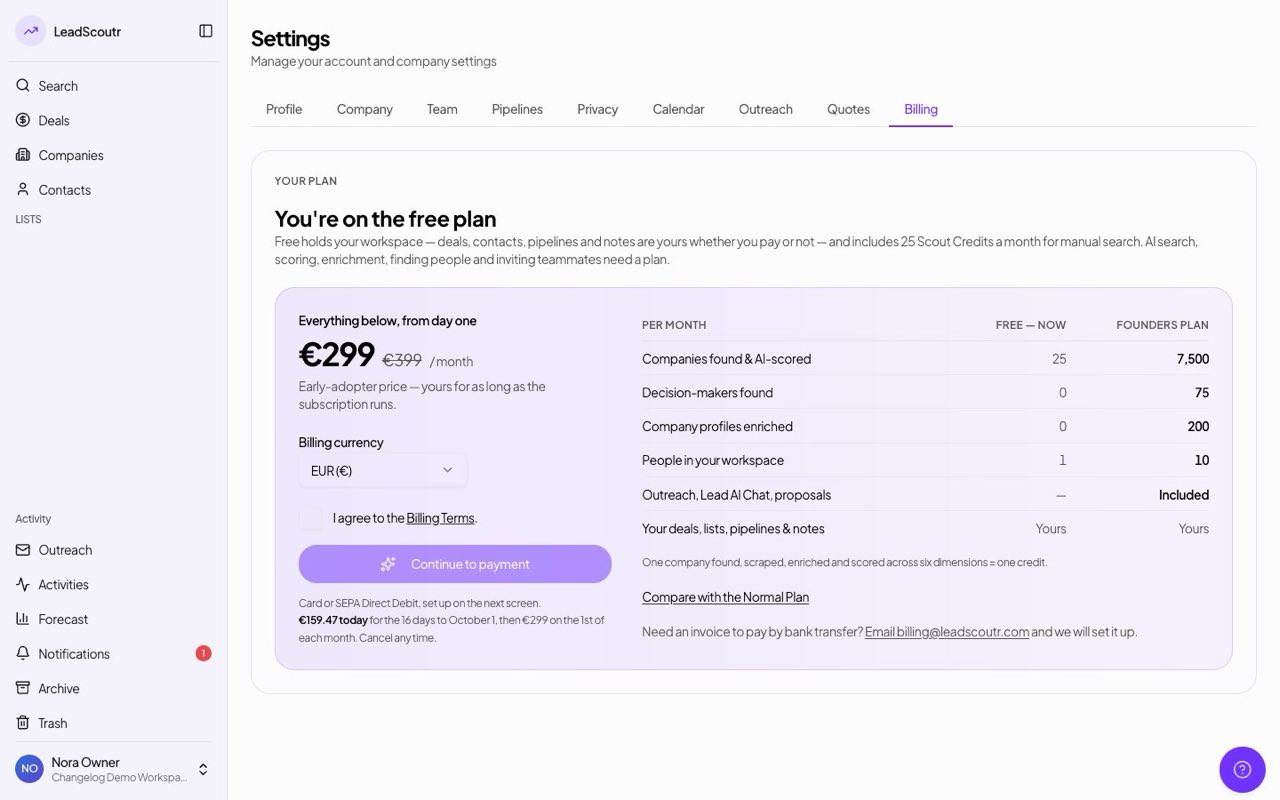
Workspaces on the free plan now get search credits every month, enough for a manual business search, instead of none. The credits reset automatically at the start of each calendar month.
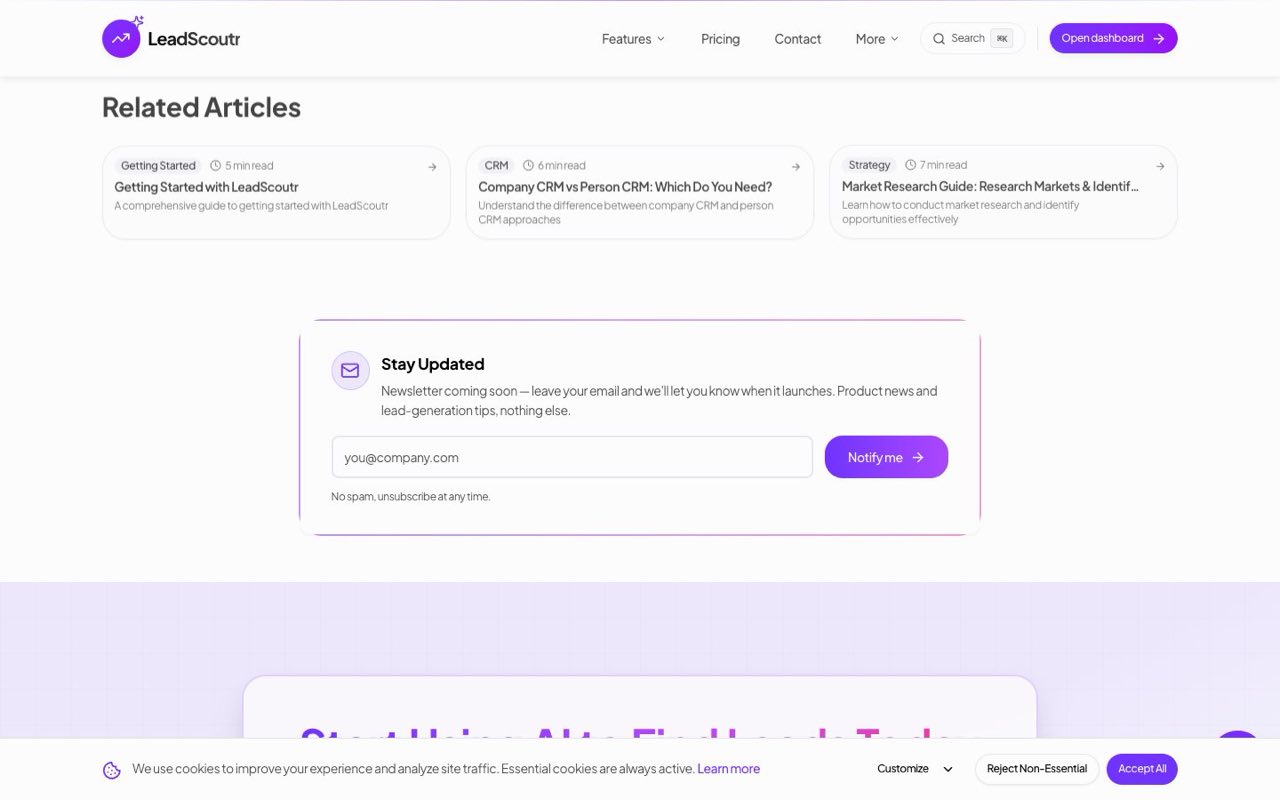
The newsletter form on our blog posts now really submits your email address, instead of only showing a success message.
The main button in the welcome email and in feedback emails now opens the search page instead of a page that doesn't exist.
A note that reads like a phone call now shows the suggestion to log it as a call instead; the prompt never appeared on screen before.
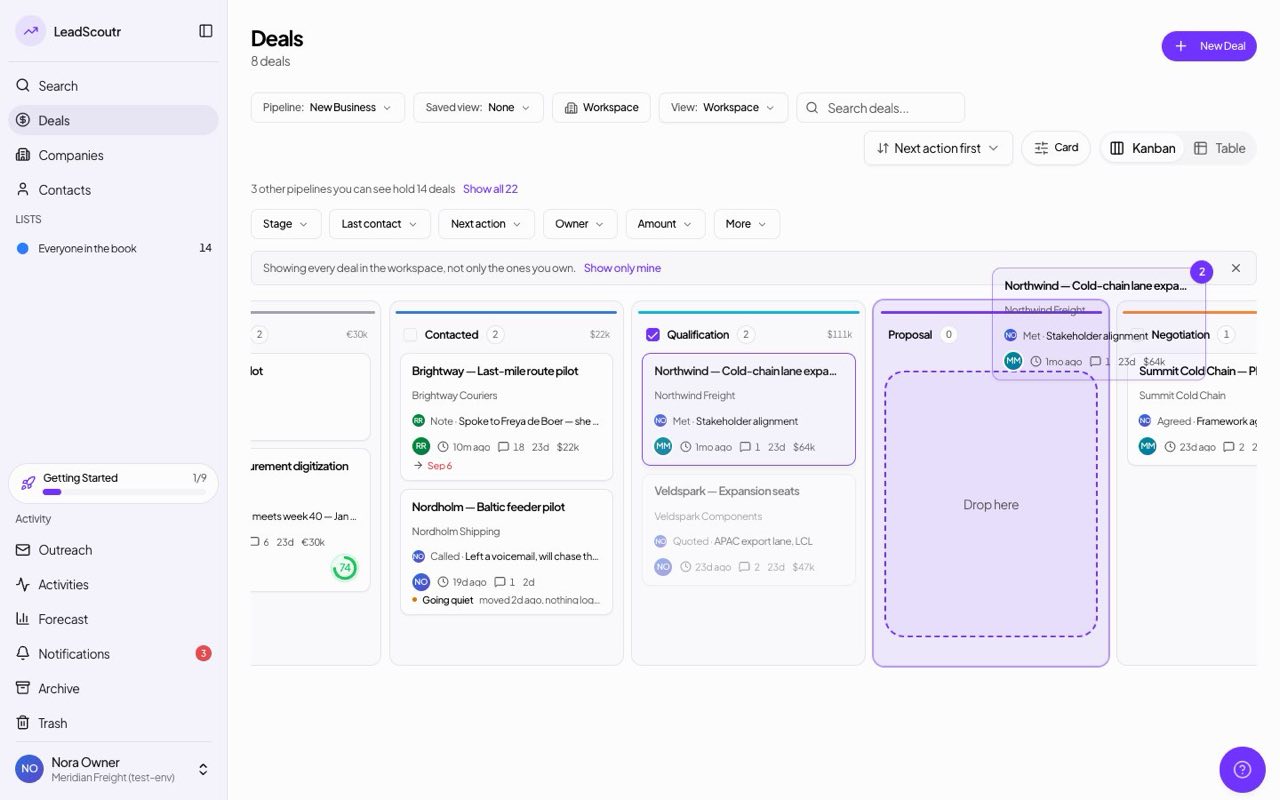
Selecting deals across different stages and dragging one of them now moves the whole selection to the new stage, instead of leaving some behind.
A password reset email now stays valid for 24 hours instead of one, so it doesn't expire before you get to it.
Duplicate any pipeline from the menu on its card: the copy keeps the stages, colours and percentages, starts out private to you, and opens ready to rename.
An image pasted straight into your email signature now shows up for everyone who receives your emails, instead of appearing in the app and vanishing in their inbox.
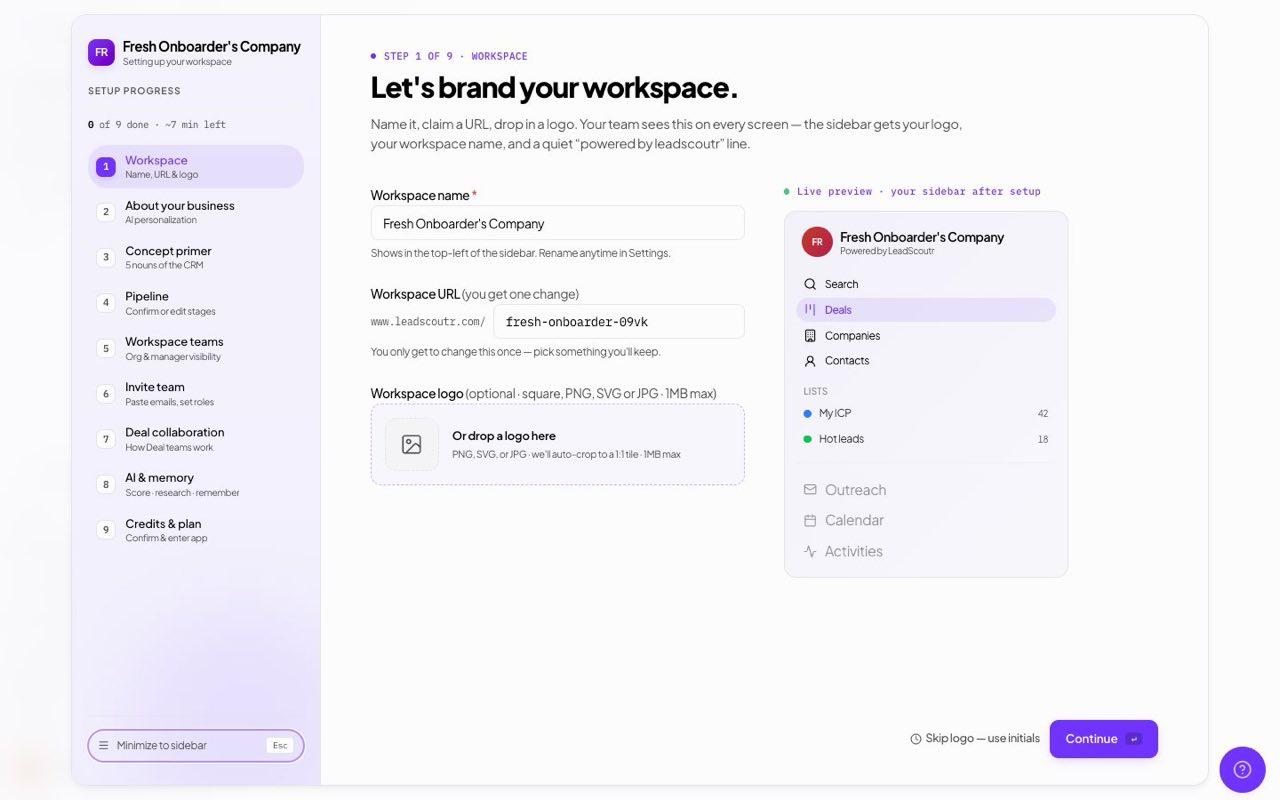
The setup wizard now scrolls on shorter screens, so the Continue button and the way to close it are always reachable.
Starting a new search conversation no longer brings back a search plan from an earlier chat with its launch button ready to fire.
Your search results, extracted emails and AI conversation are now saved to your account instead of the browser, so the next person to log in on a shared computer can't see them.
An AI search plan whose summary ran long, which happened often when planning in Dutch, no longer fails when you confirm it; the search now runs normally.
Adding a teammate to a team now shows a confirmation and an "Invited" badge on the roster while the invitation is pending, instead of looking like nothing happened.
A deal's timeline now shows each stage by its current name, including stages you renamed, instead of an internal label.
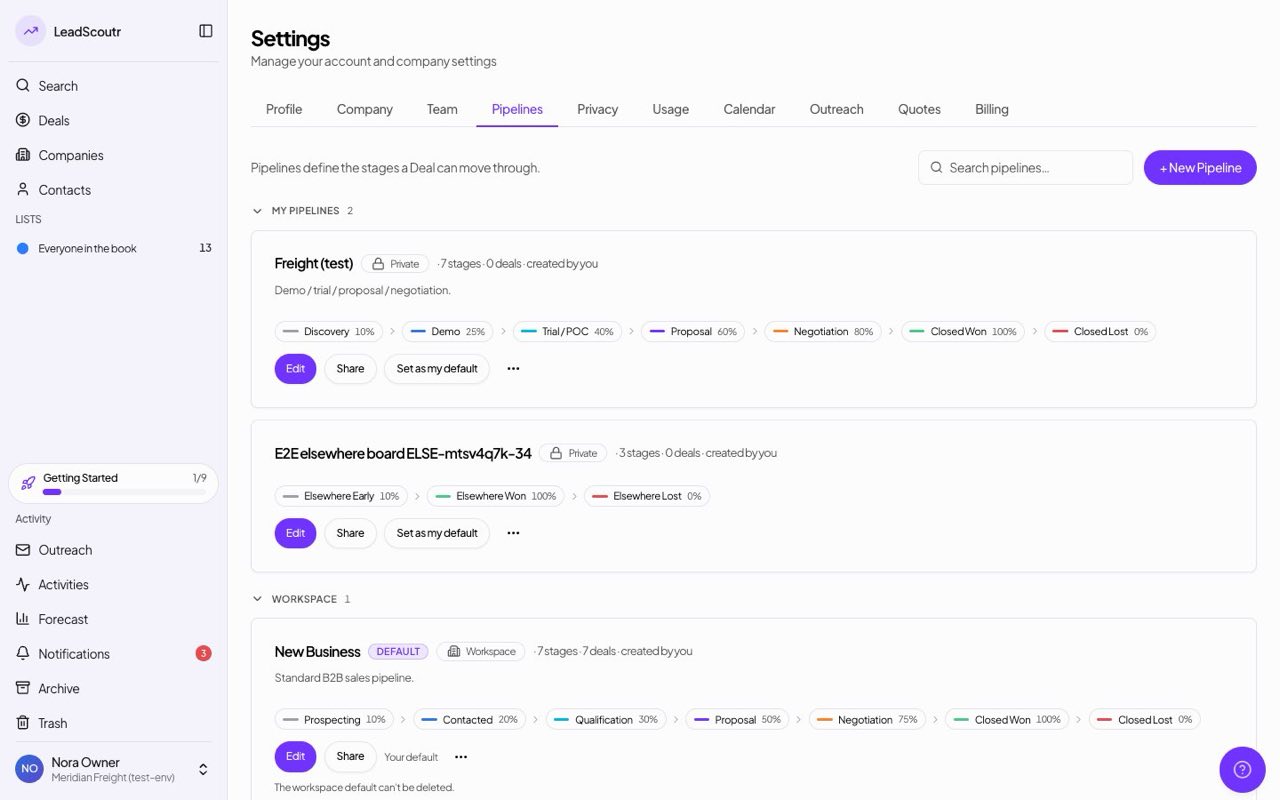
Pipelines are now private to their creator by default, and can be shared with specific teammates or opened up to the whole workspace.
Your profile photo now appears on the kanban board, sidebar, teams page and sharing dialogs, instead of a generic initial in some of them.
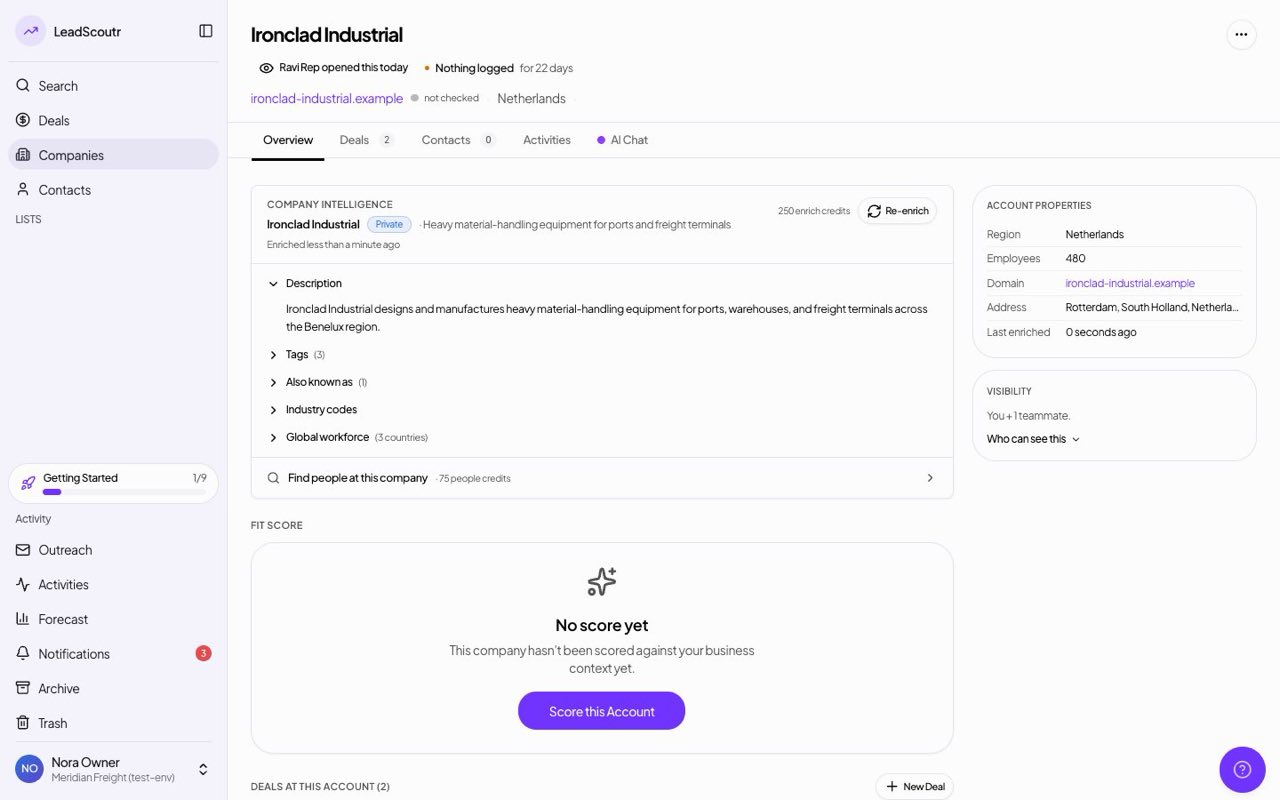
Every deal, company and contact now opens with a one-line summary at the top, such as how long it has sat in its stage or what last happened, marked with its board stage's colour. Each part opens to show the detail behind it.
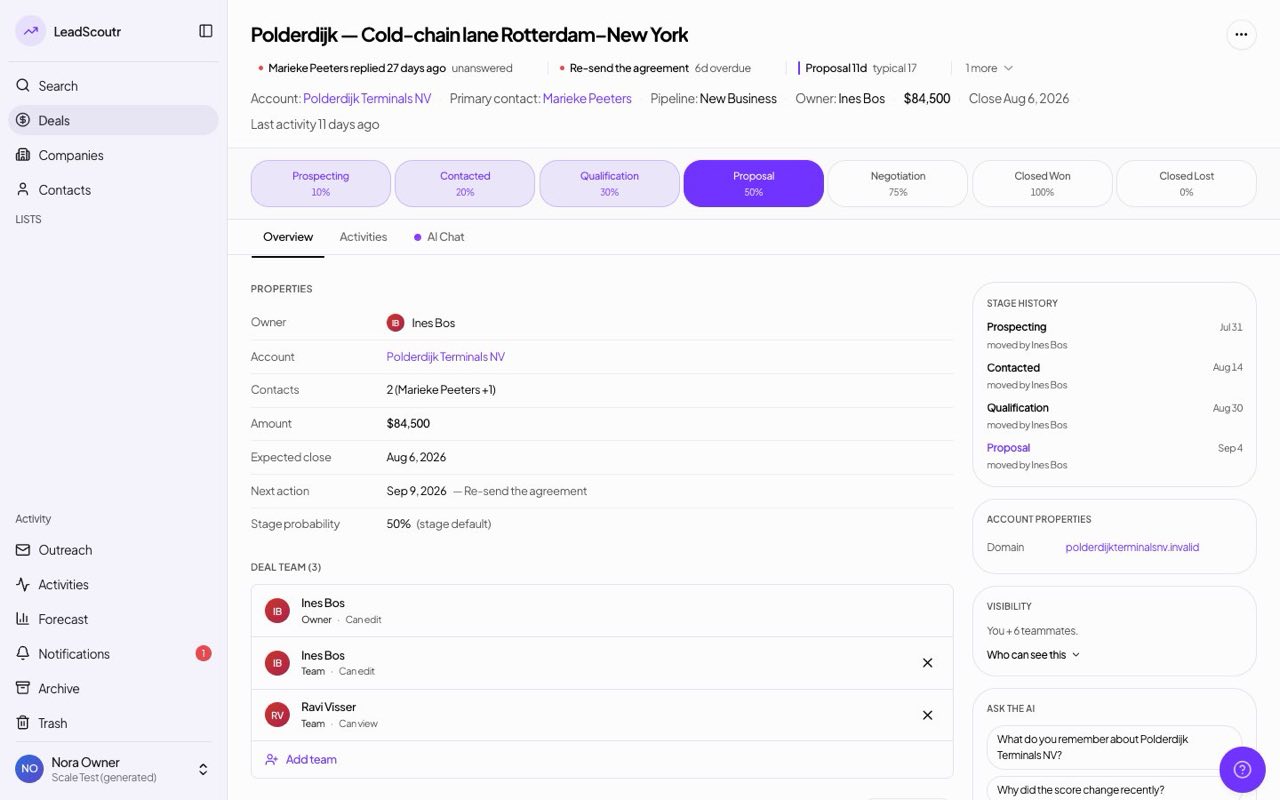
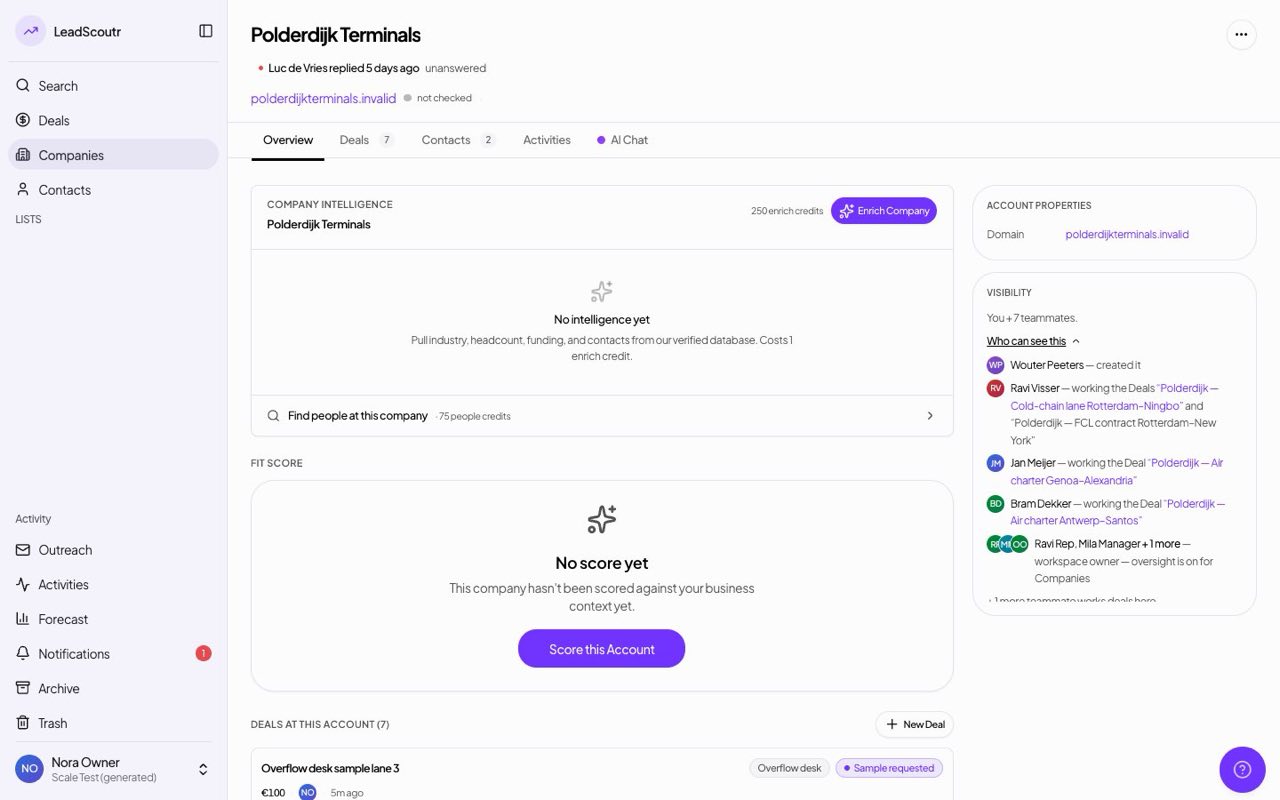
Every deal, company and contact page now shows a plain sentence such as "You + 3 teammates", plus a panel listing exactly who can see the record and why.
Search results now carry a chip showing whether a company is already in your own book, visible to your workspace, or tracked by a named teammate.
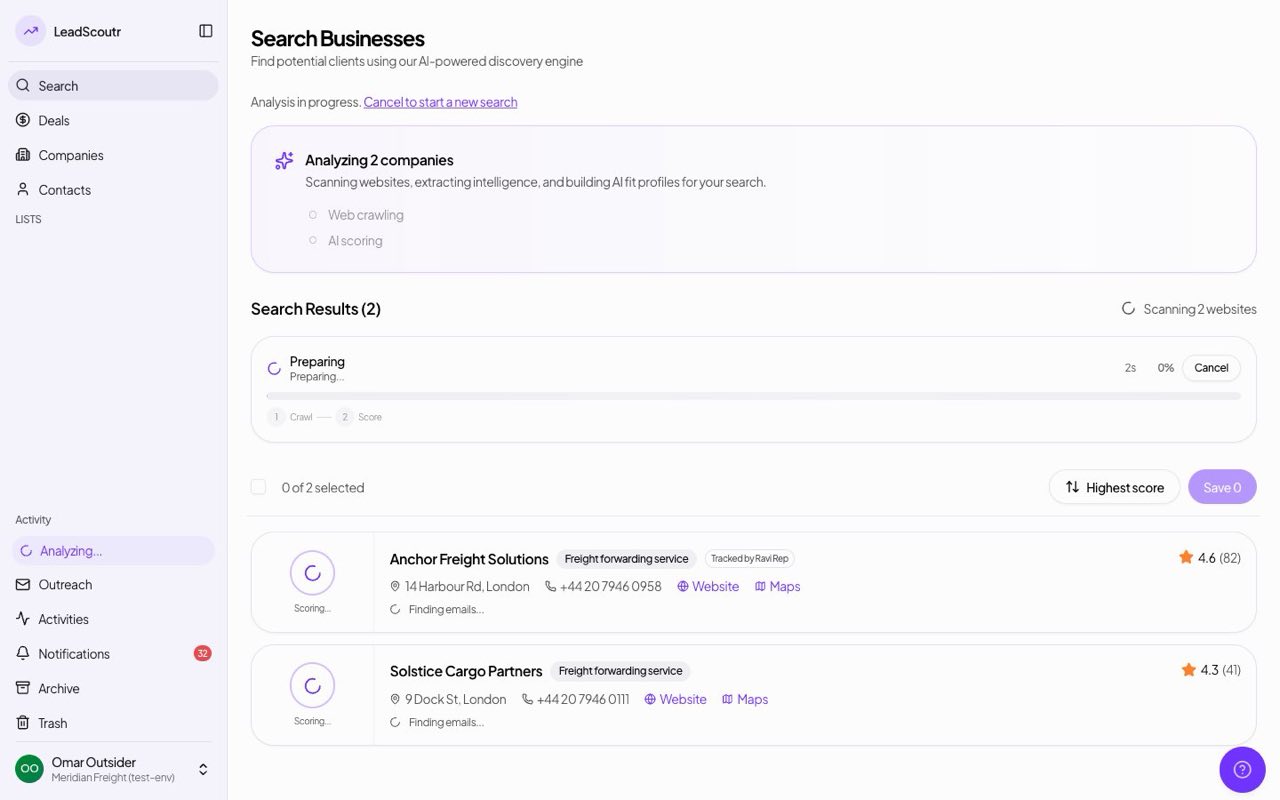
If a teammate already tracks a company you try to save, you're now joined to their record, after a confirmation that names who holds it, instead of creating a duplicate.
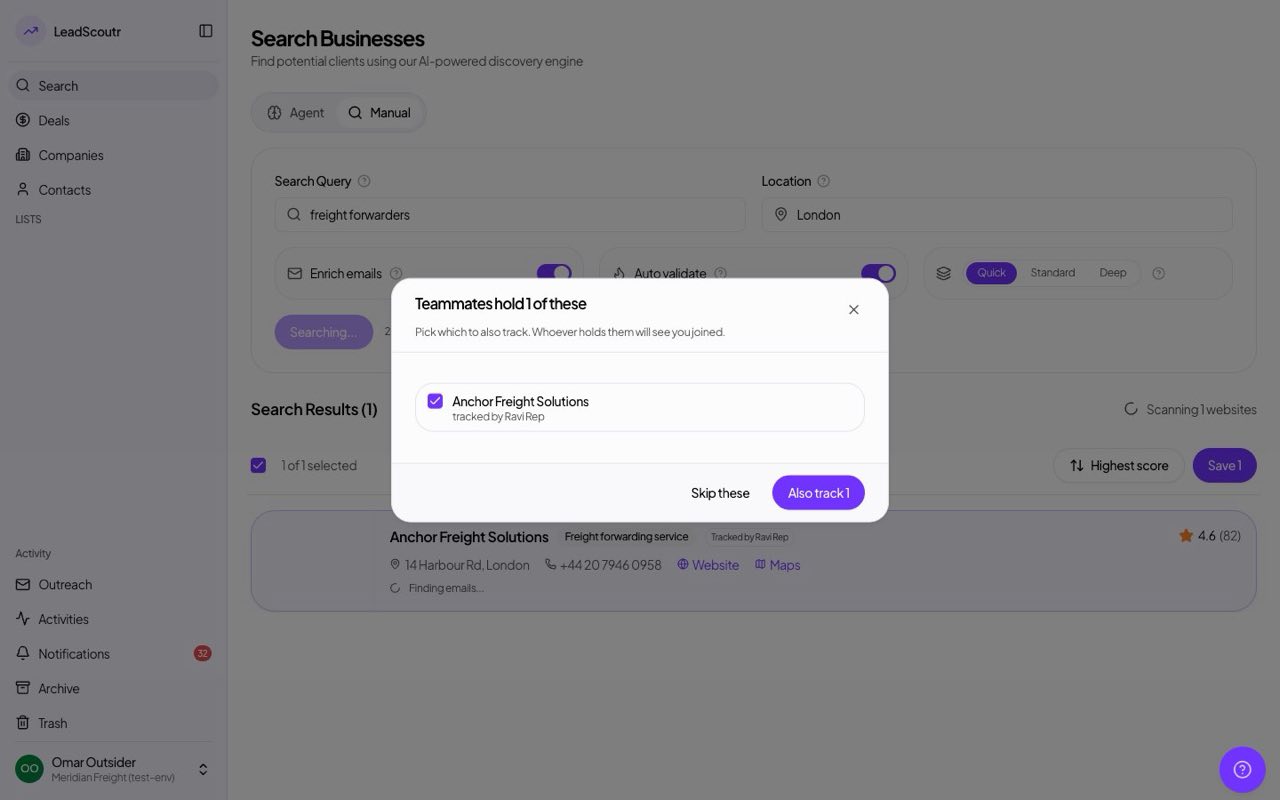
Every deal, company and contact page now shows who's looking at it right now, plus a seven-day history of who opened or worked on it.
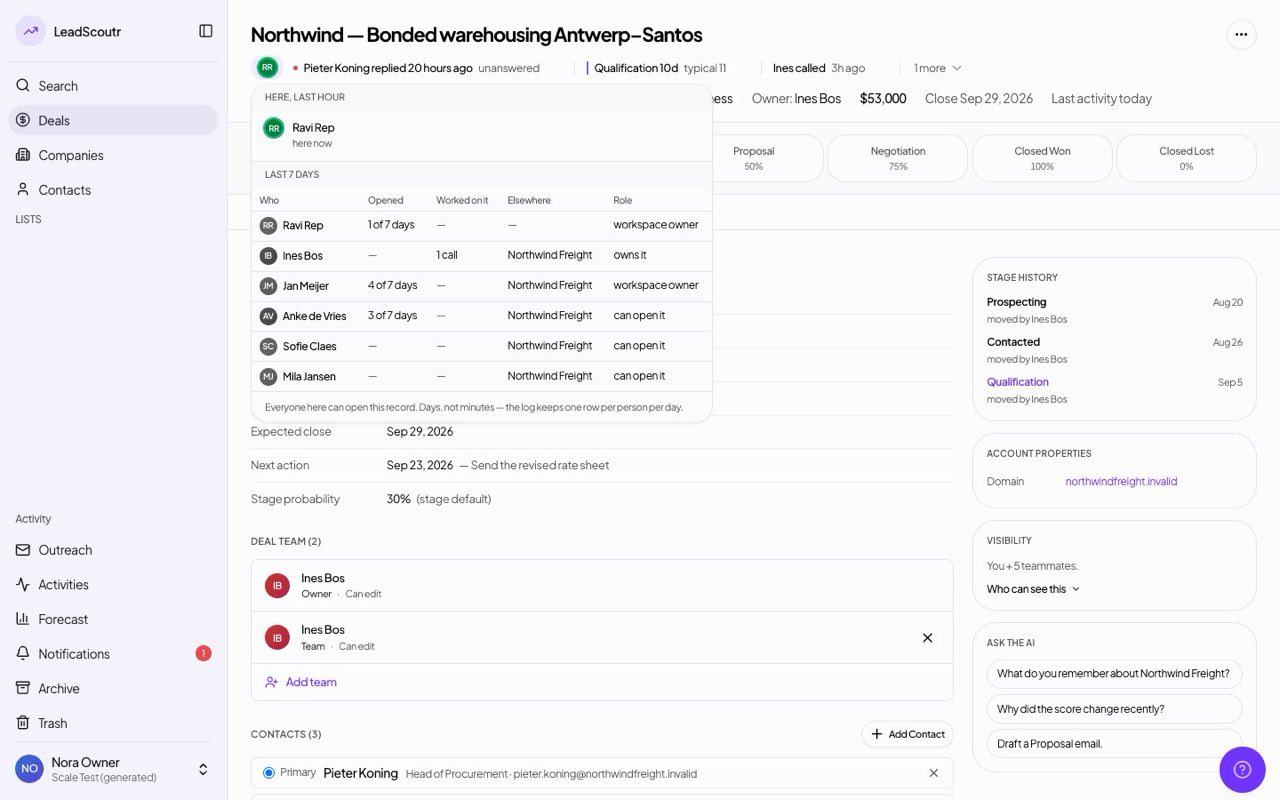
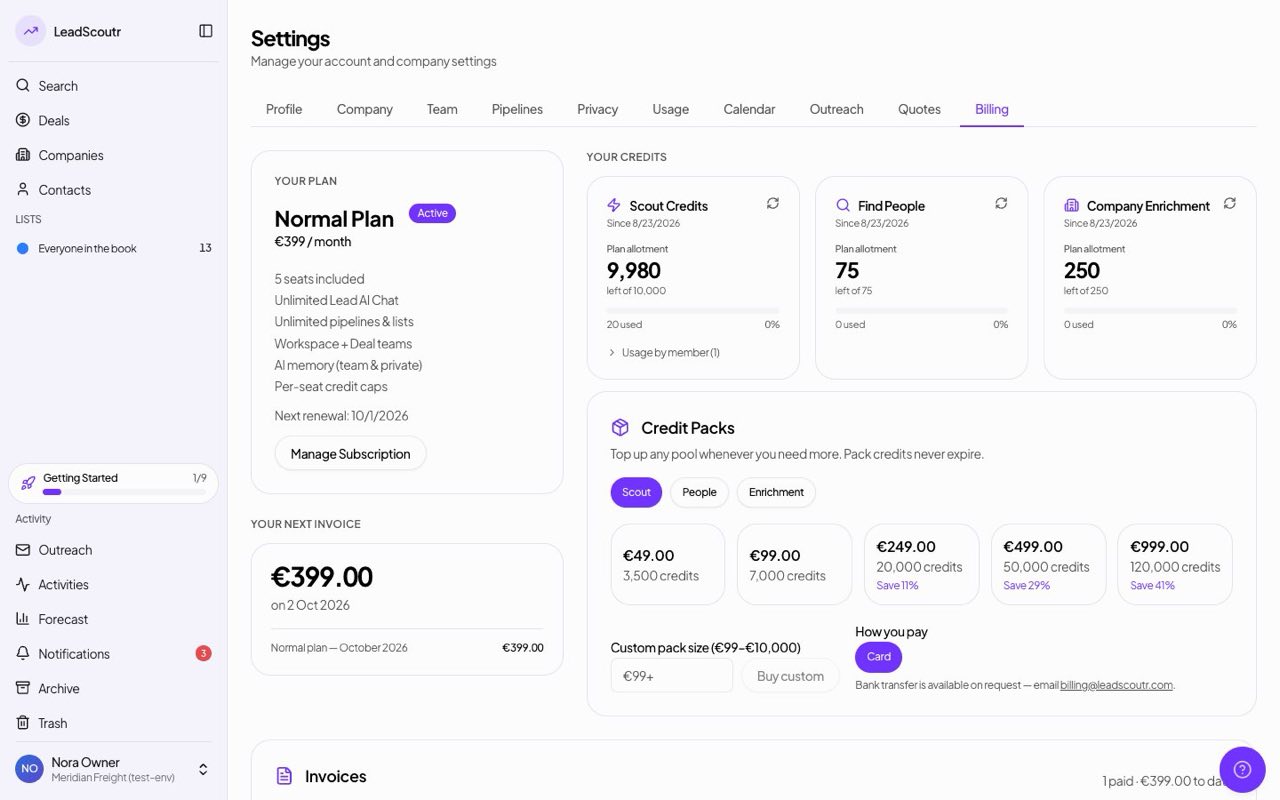
Settings → Billing now leads with what you owe and shows your total paid to date and when your next charge is due.
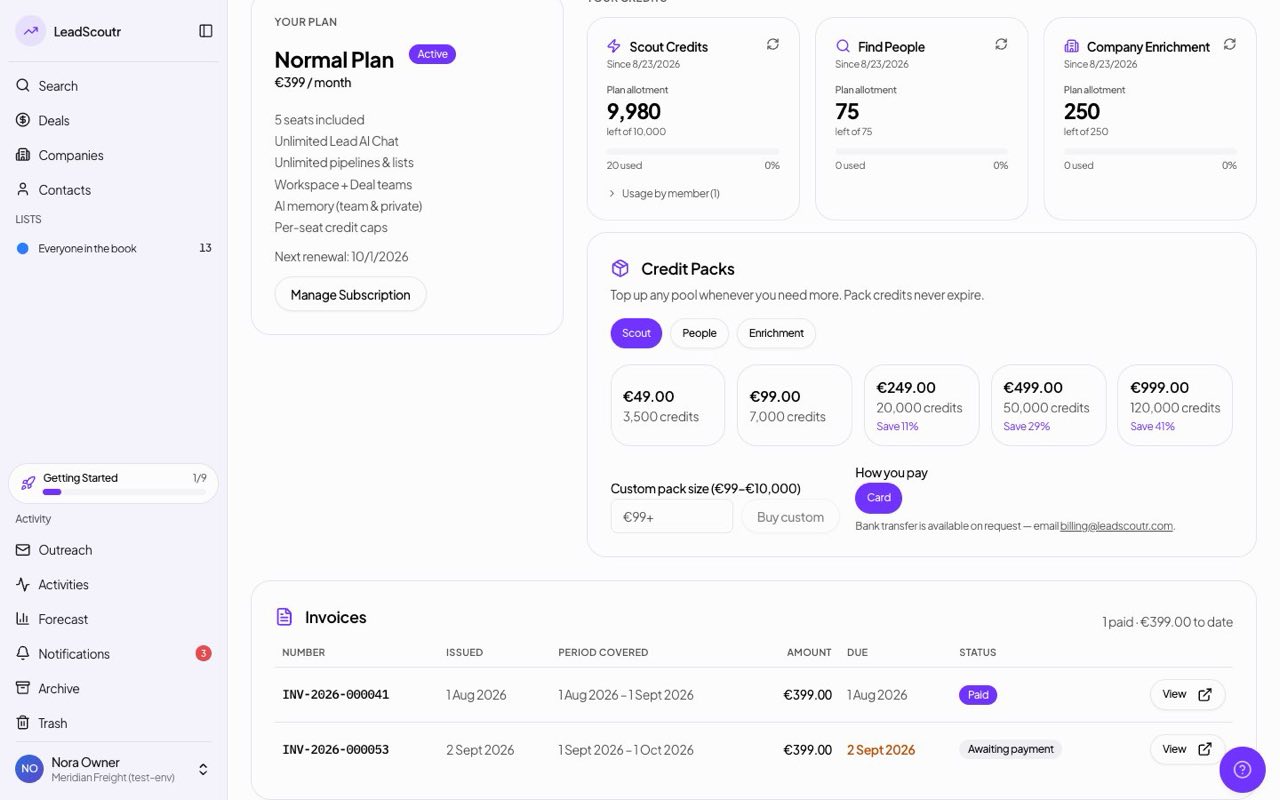
Before you're charged, your billing page now shows a line-by-line breakdown of what your next invoice will include, with its total.
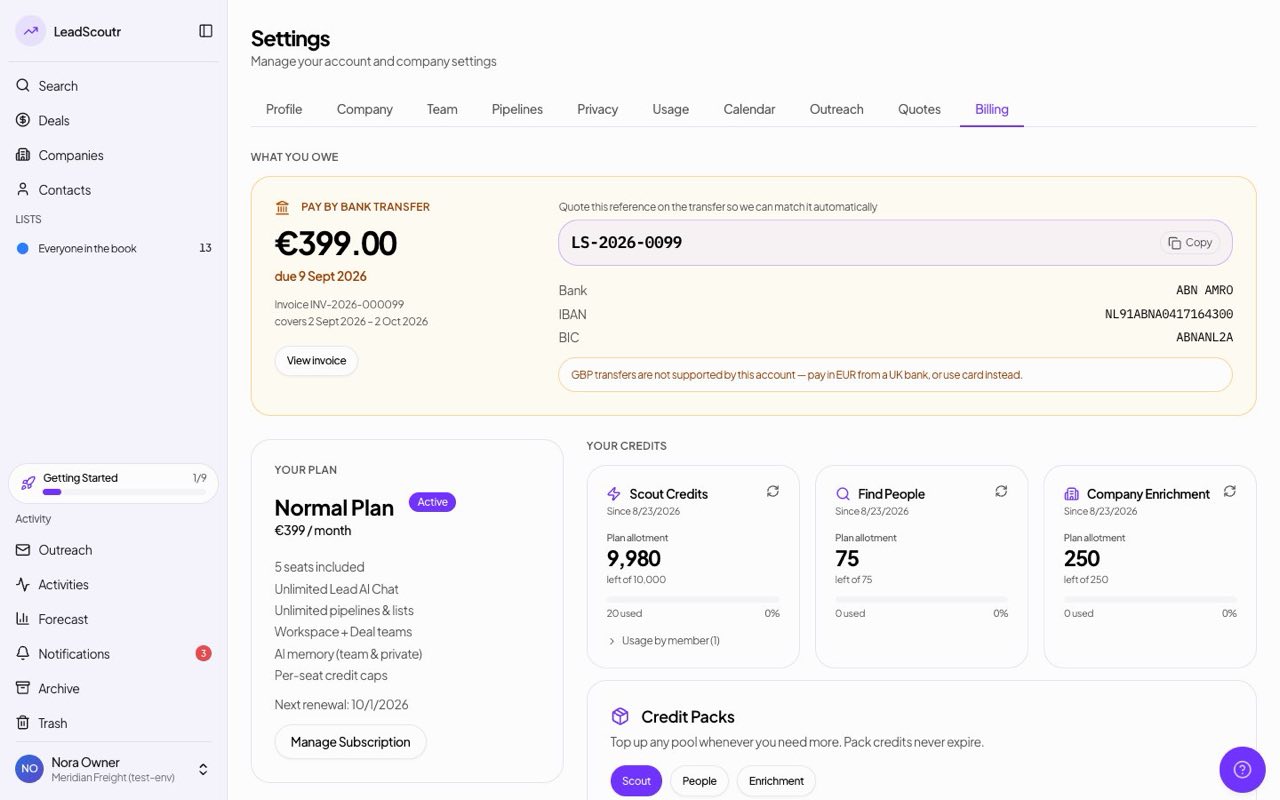
If you pay by bank transfer, the payment details now warn prominently when our account can't receive a method such as SWIFT, so a wire doesn't bounce.
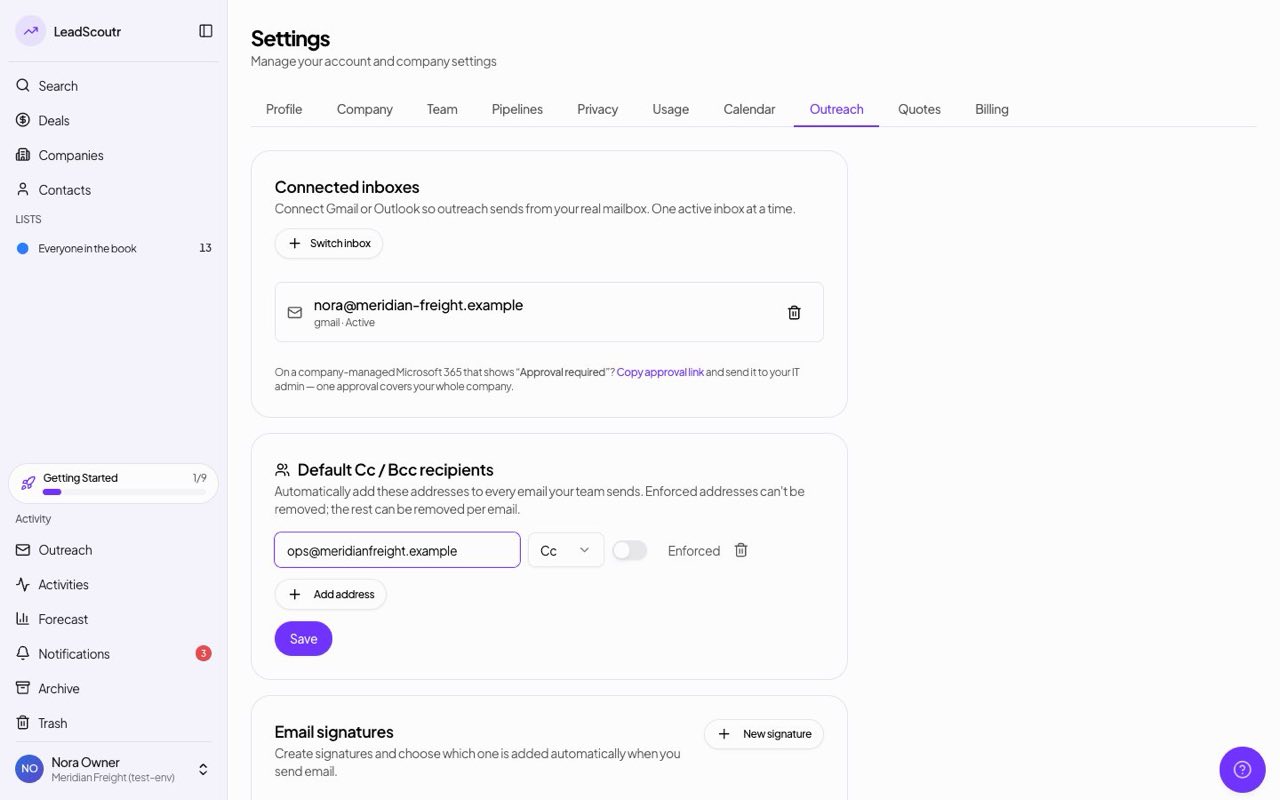
Workspace owners and managers can set default Cc or Bcc addresses that apply to every teammate's outgoing one-to-one emails, and choose whether teammates may remove them.
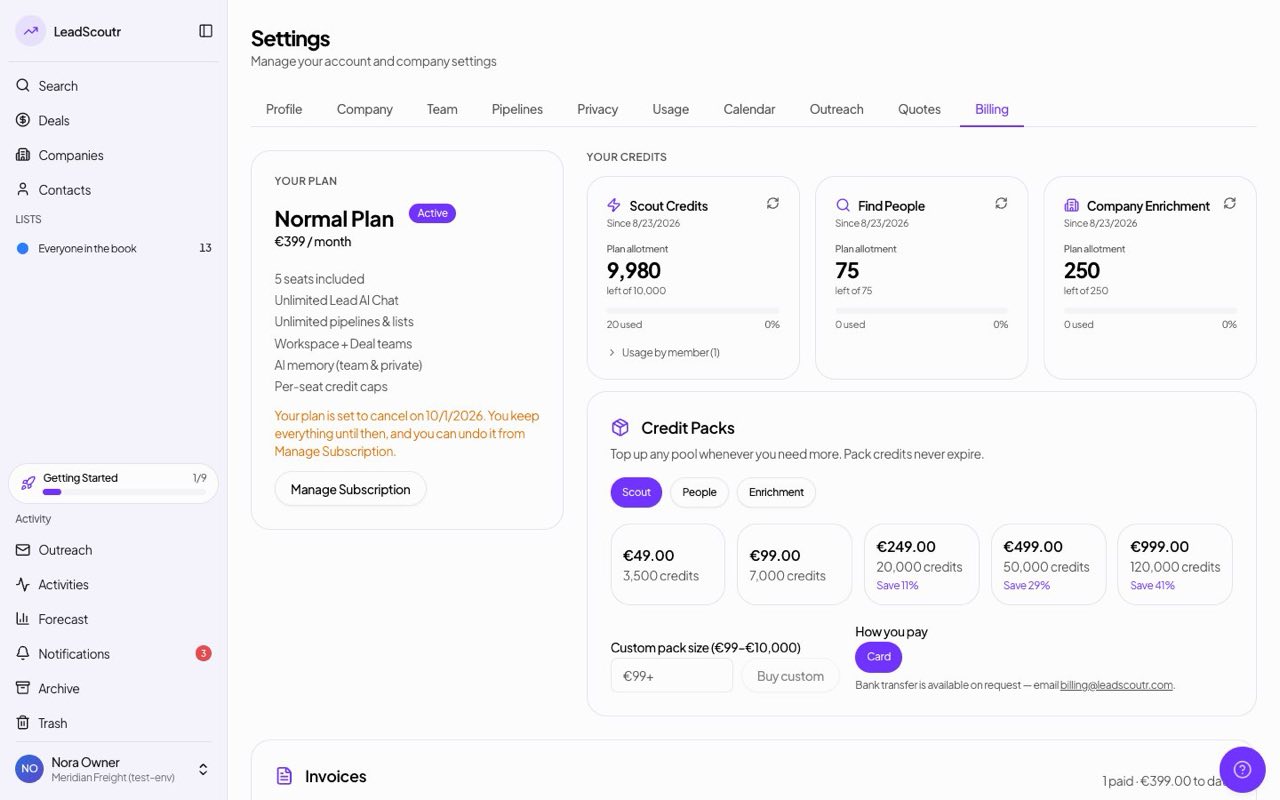
If you cancel your plan, Settings → Billing now shows the date it ends and that you keep everything until then, instead of still showing a renewal date.
Both self-serve plans, Founders and Normal, can now be bought directly in Settings → Billing; Enterprise is still arranged with our team.
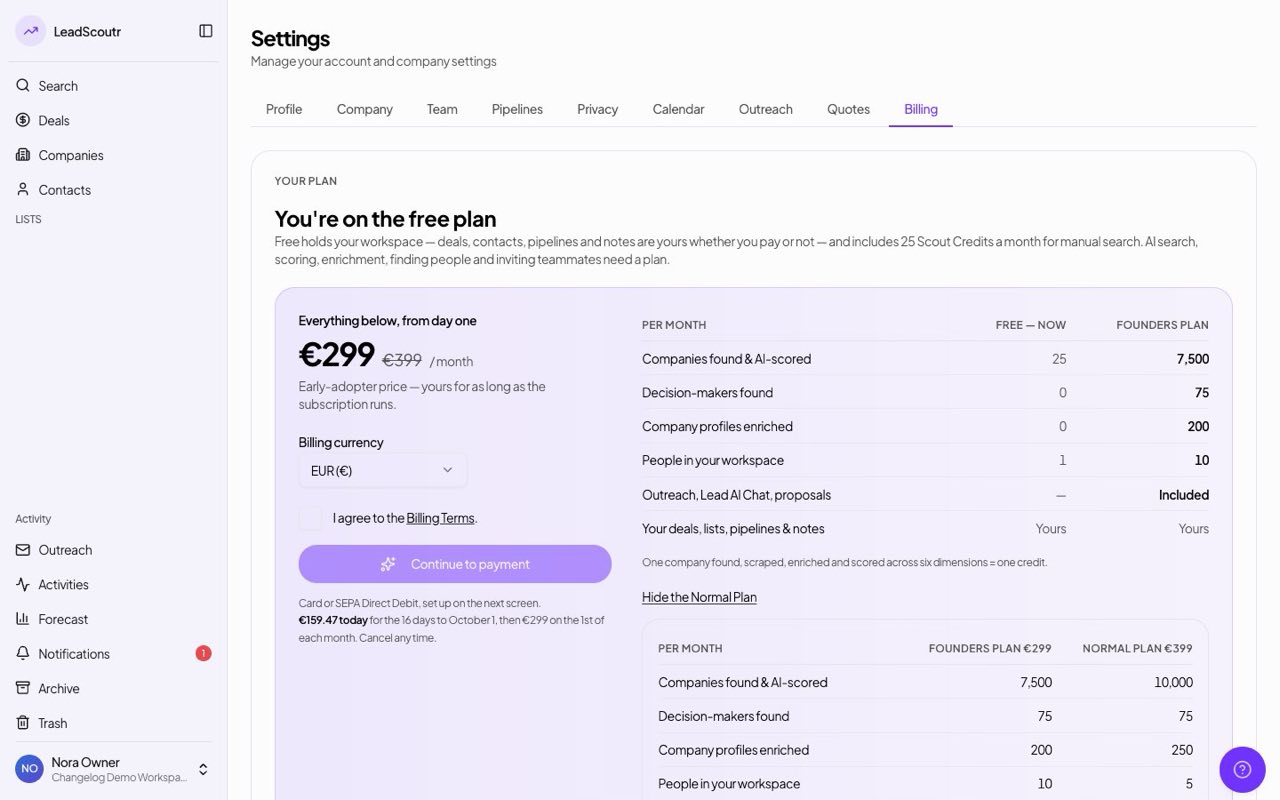
When we refund part of a payment, it now appears in your invoice history as a credit note, including a second partial refund on the same invoice.
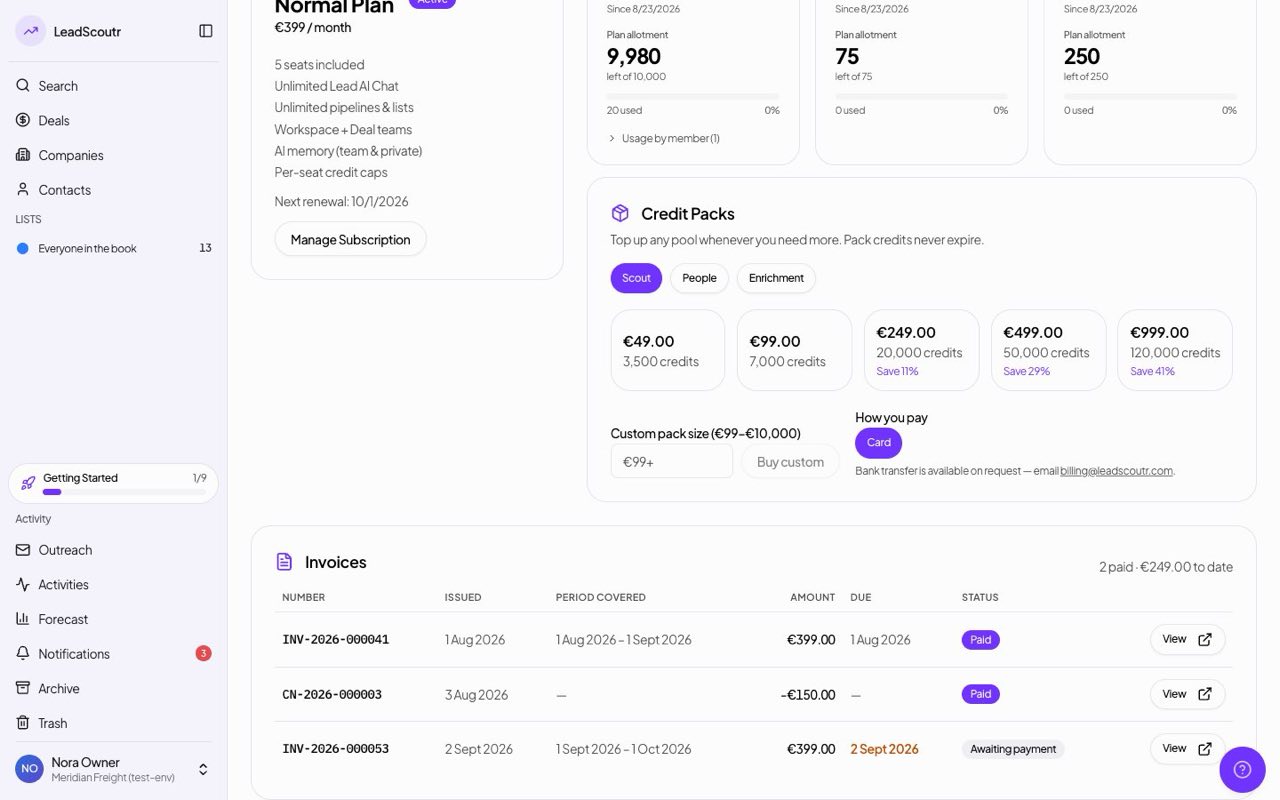
Each teammate can now build their own email signature in a Gmail-style editor, with the signature rendering properly inside the outreach composer.
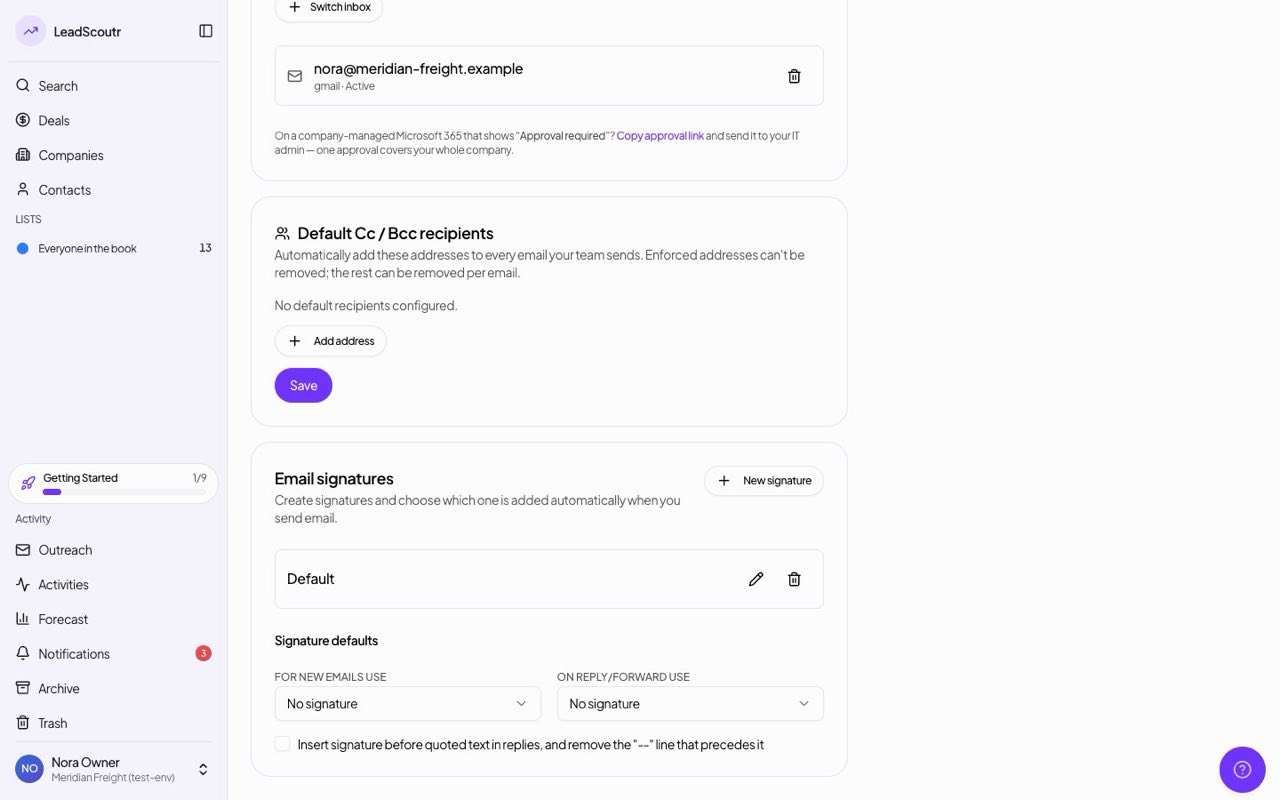
Disconnecting, reconnecting, or switching your connected email inbox is now a clean handoff, instead of sometimes leaving the connection in a broken, half-synced state.
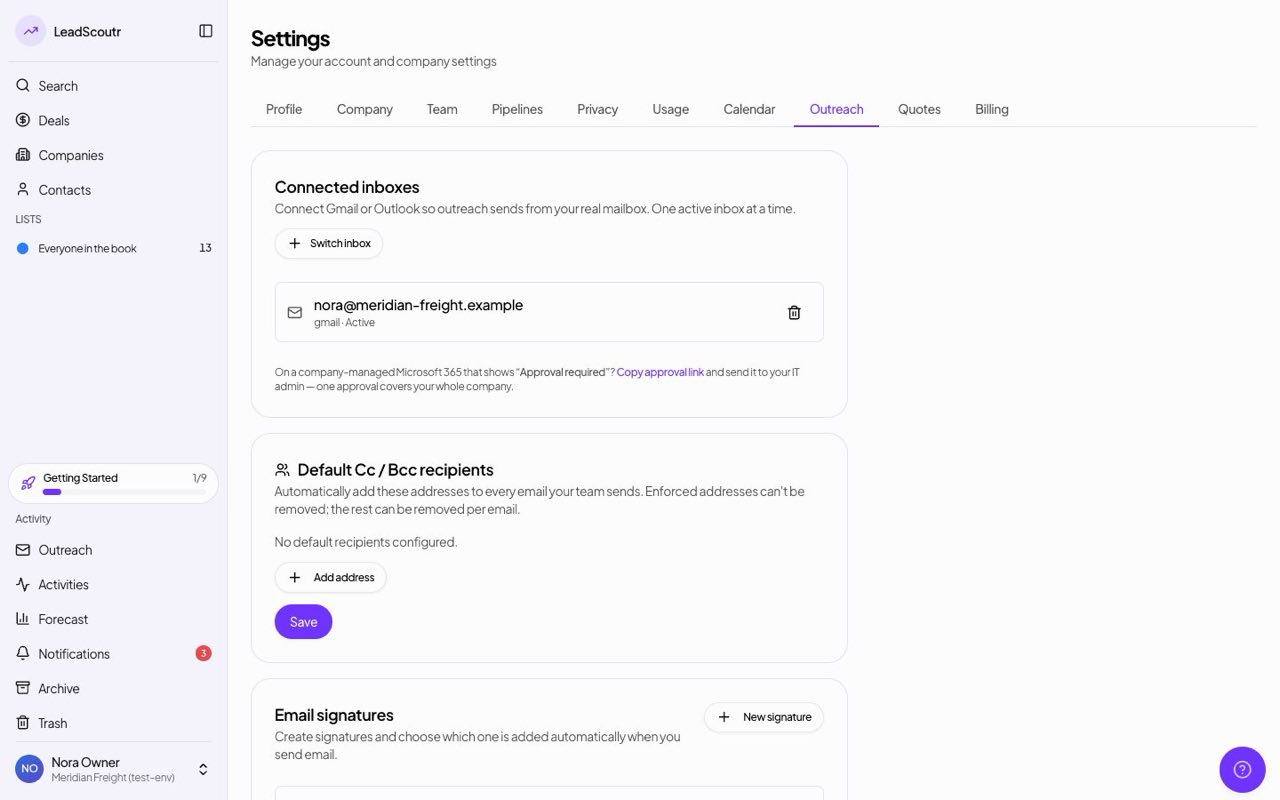
You can set a single default currency for every deal in your workspace, so deal values are consistent instead of mixed.
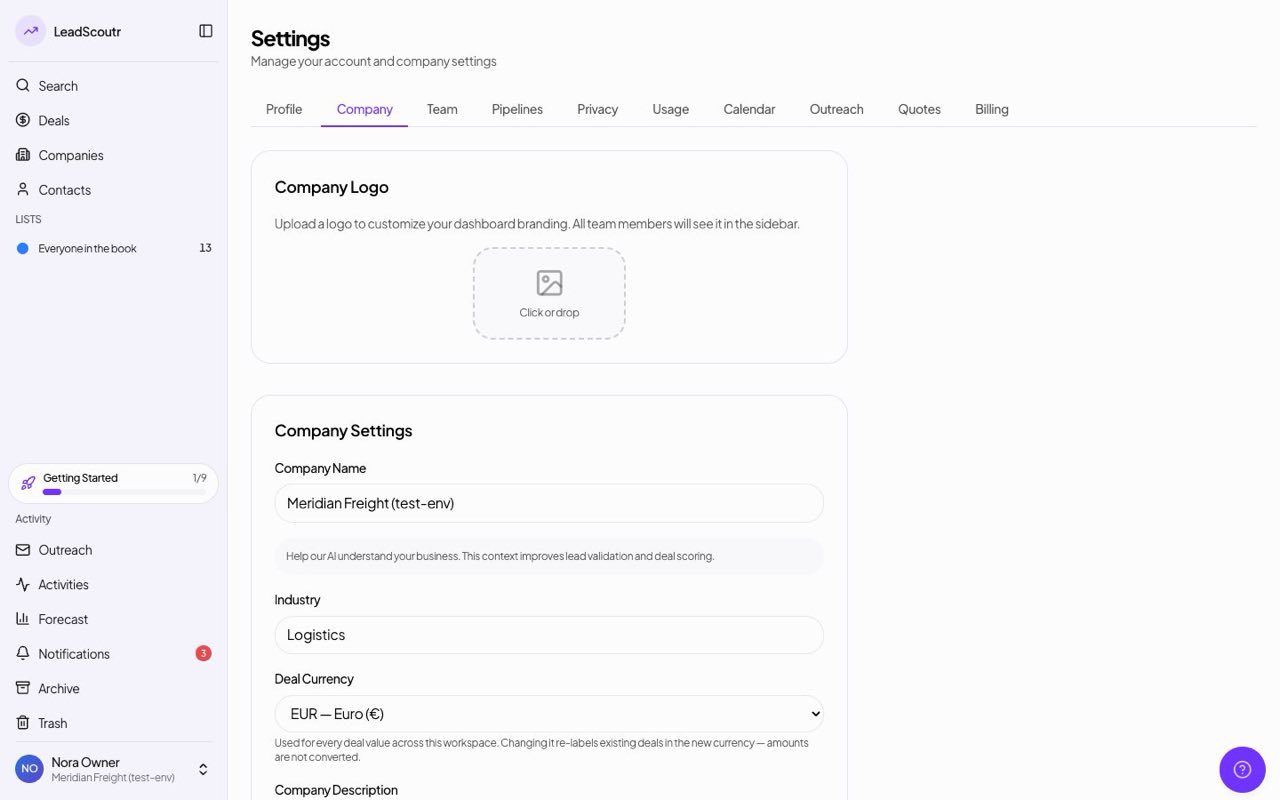
Activities are now organized around meetings and notes, inherit visibility from the record they're on, and stay in sync with your connected calendar automatically.
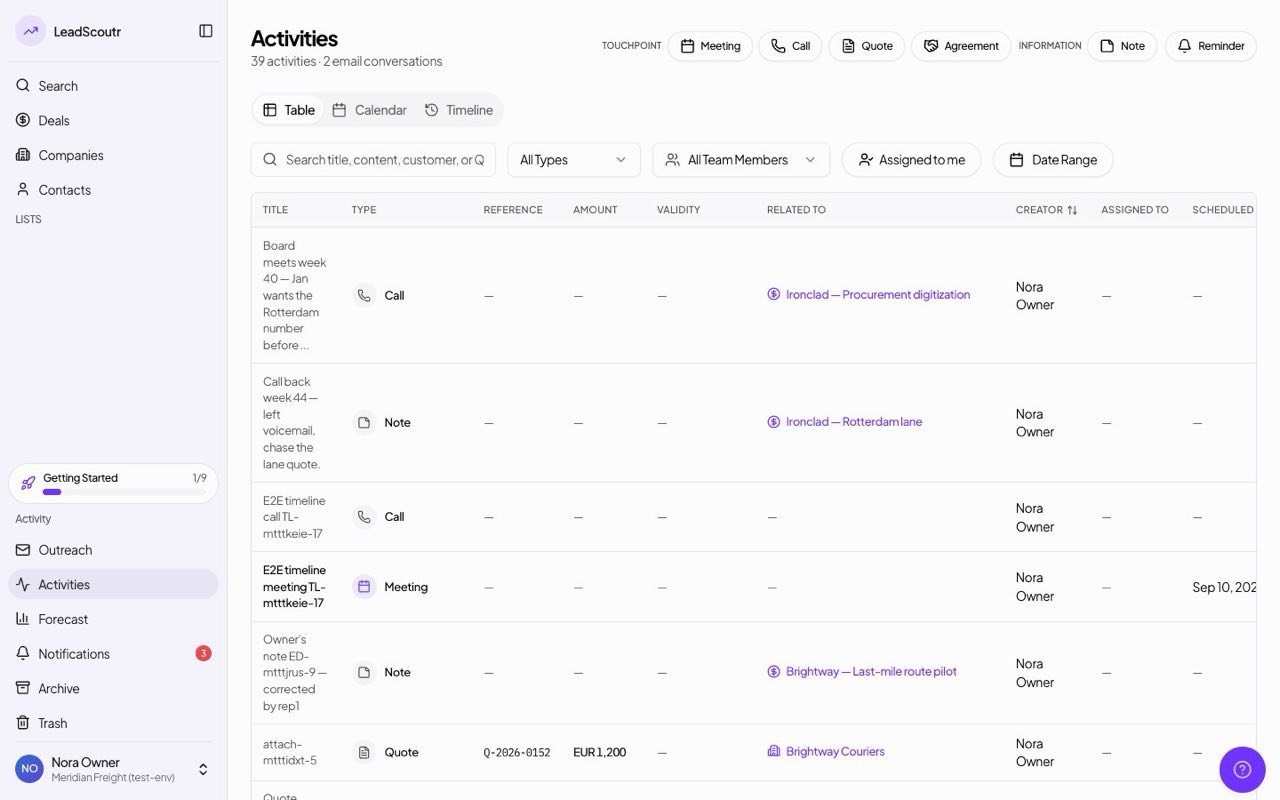
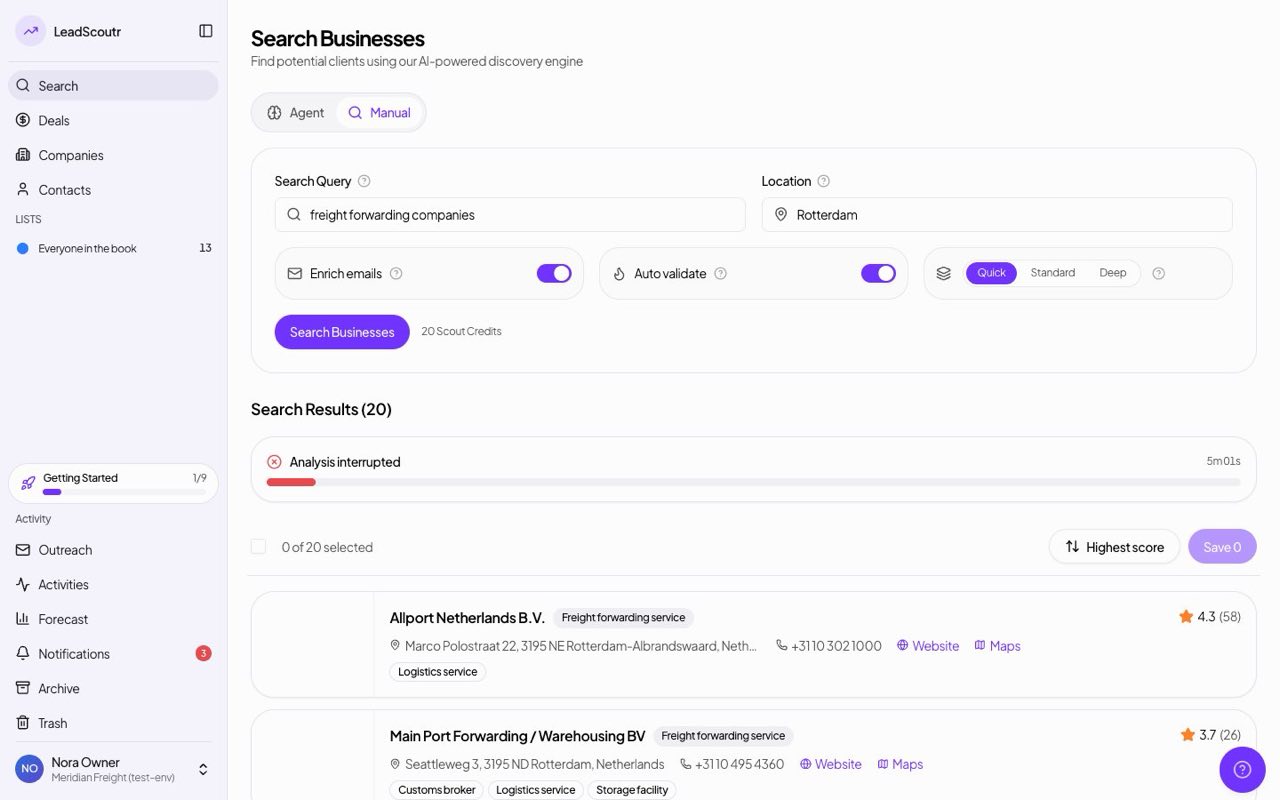
Search results can now be sorted by match score, highest or lowest first, or alphabetically by name, instead of only the default order.
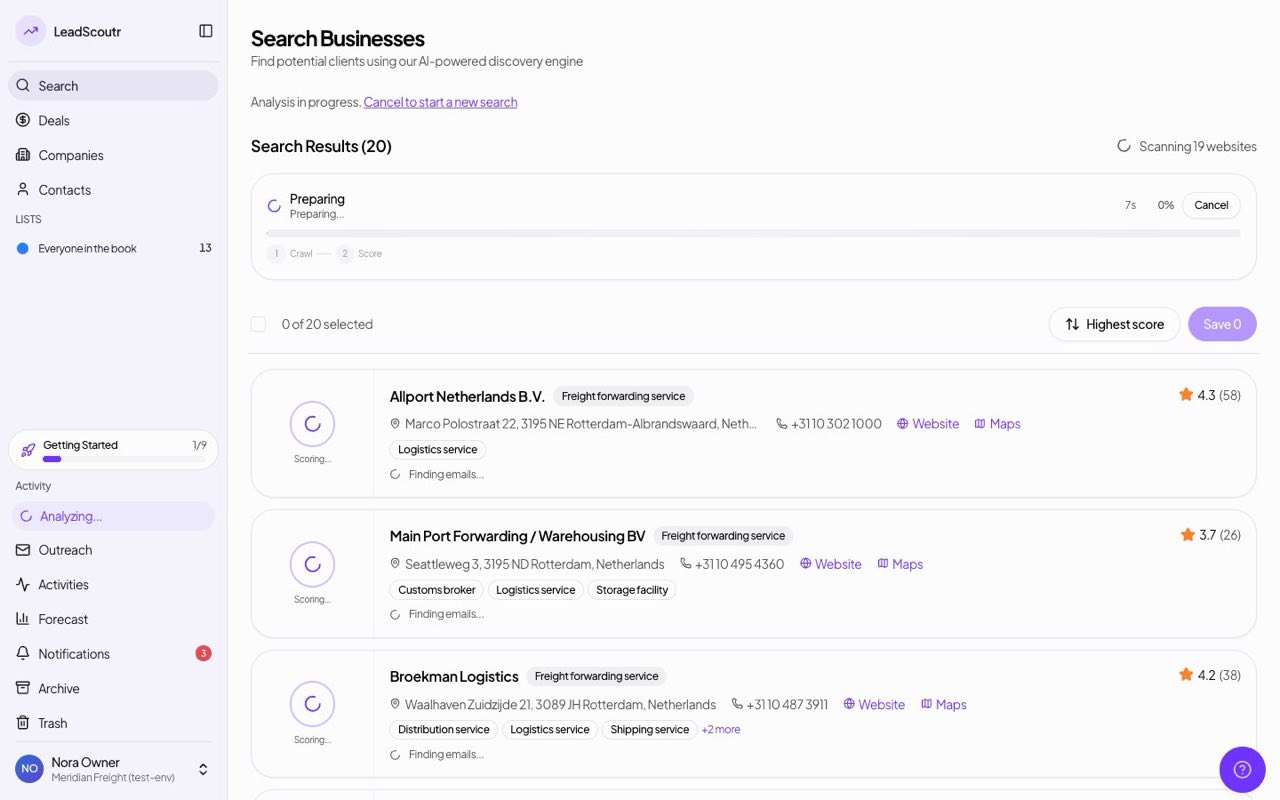
Right-clicking a deal card on the kanban board opens a quick-action menu, including moving that deal straight to a different pipeline.
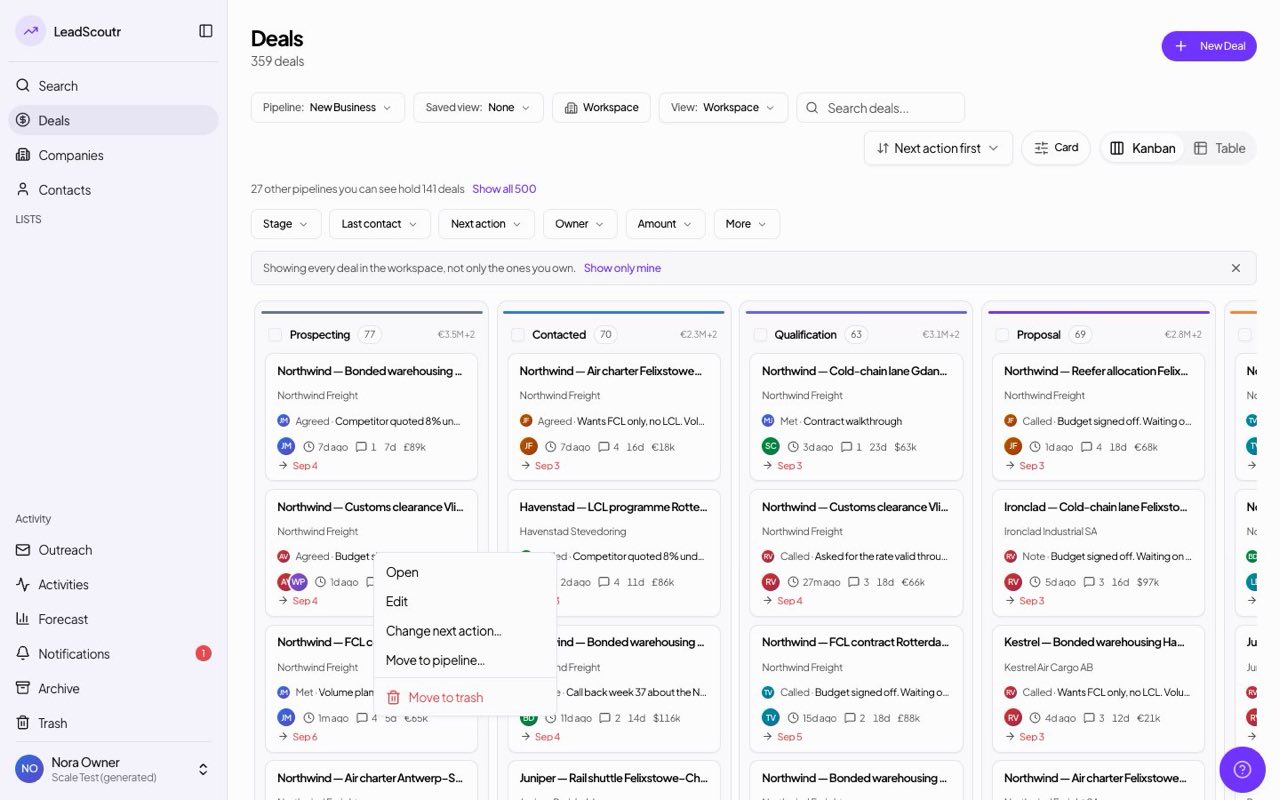
The app now uses one consistent visual theme across every page, with light mode as the default instead of a mix of styles left over from earlier redesigns.
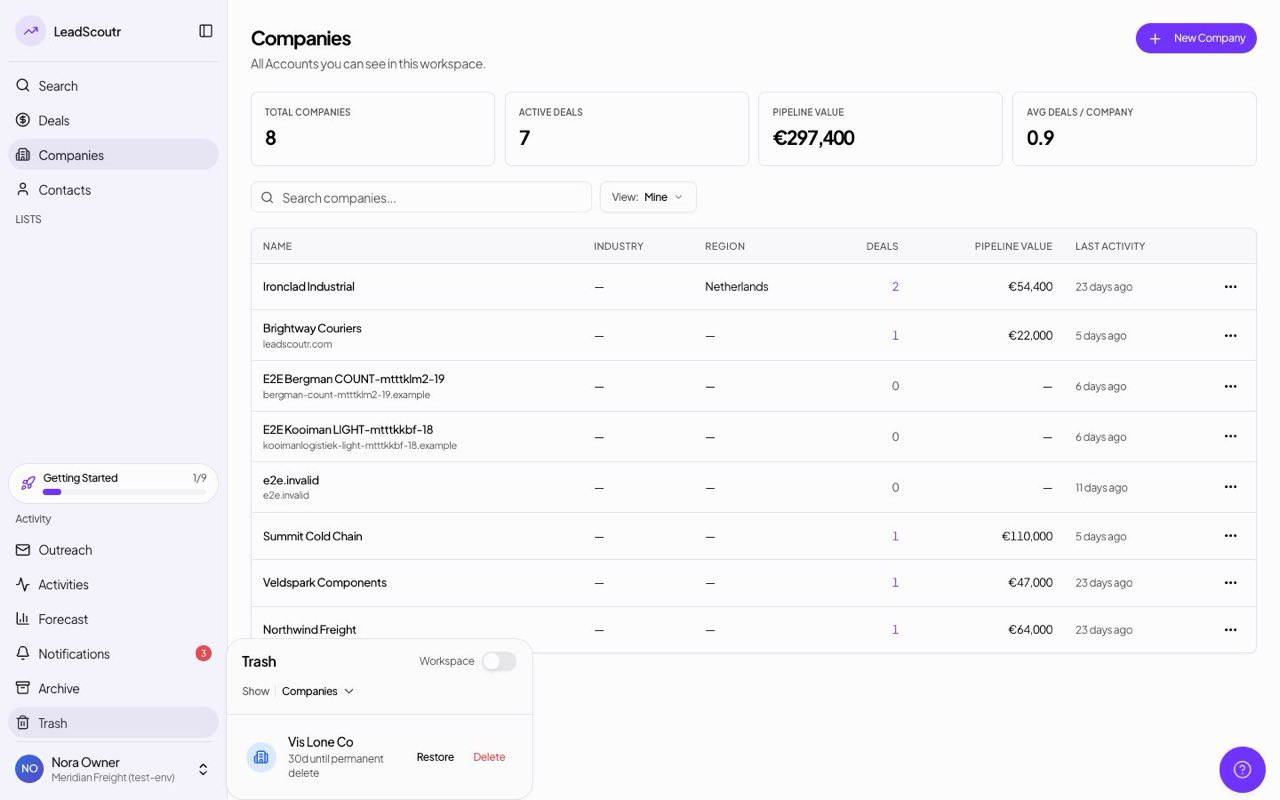
Deleted companies, contacts, and leads now go to a Trash you can browse and restore from, instead of being gone the moment you delete them.
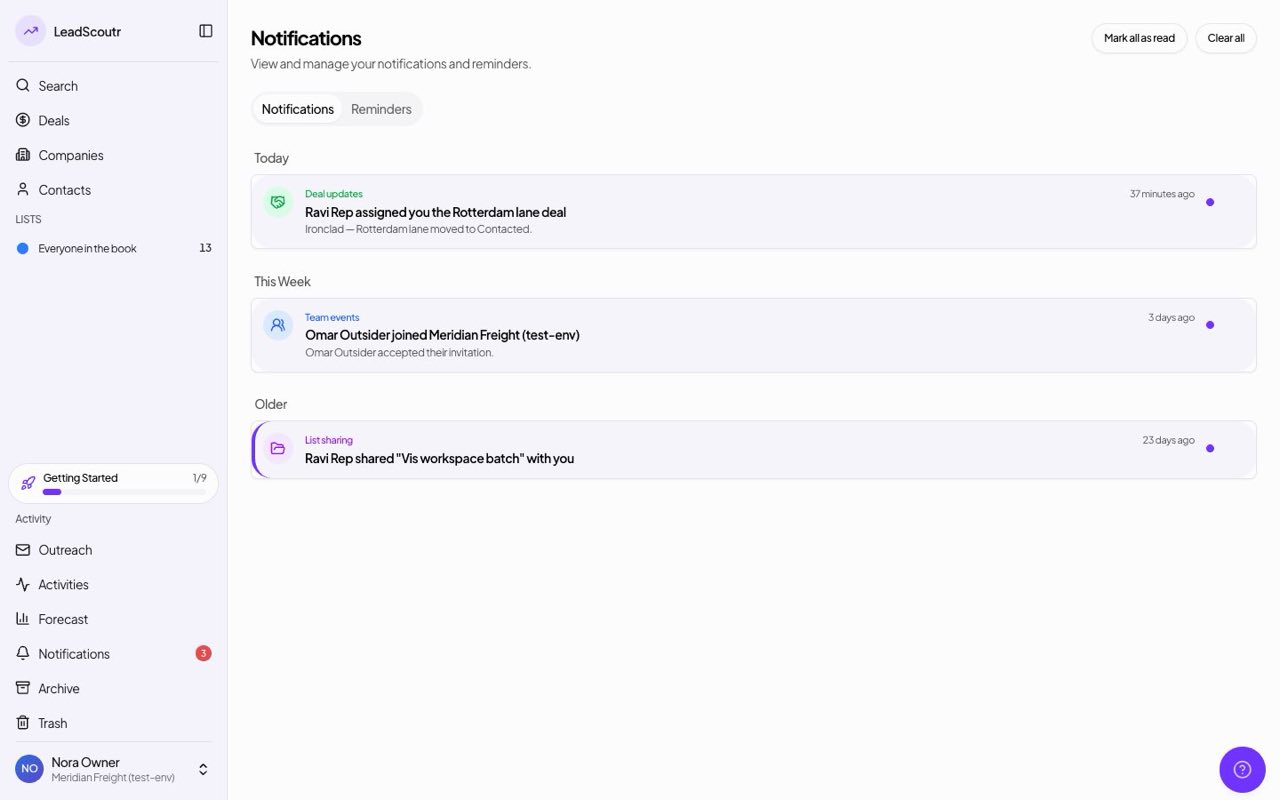
The notification bell now has a clear-all action and a full history page with readable rows grouped by time, instead of a flat unsorted list.
Someone who isn't a LeadScoutr user, like an accounts-payable contact, can pay an invoice through a secure link, with the invoice attached to the email, without creating an account.
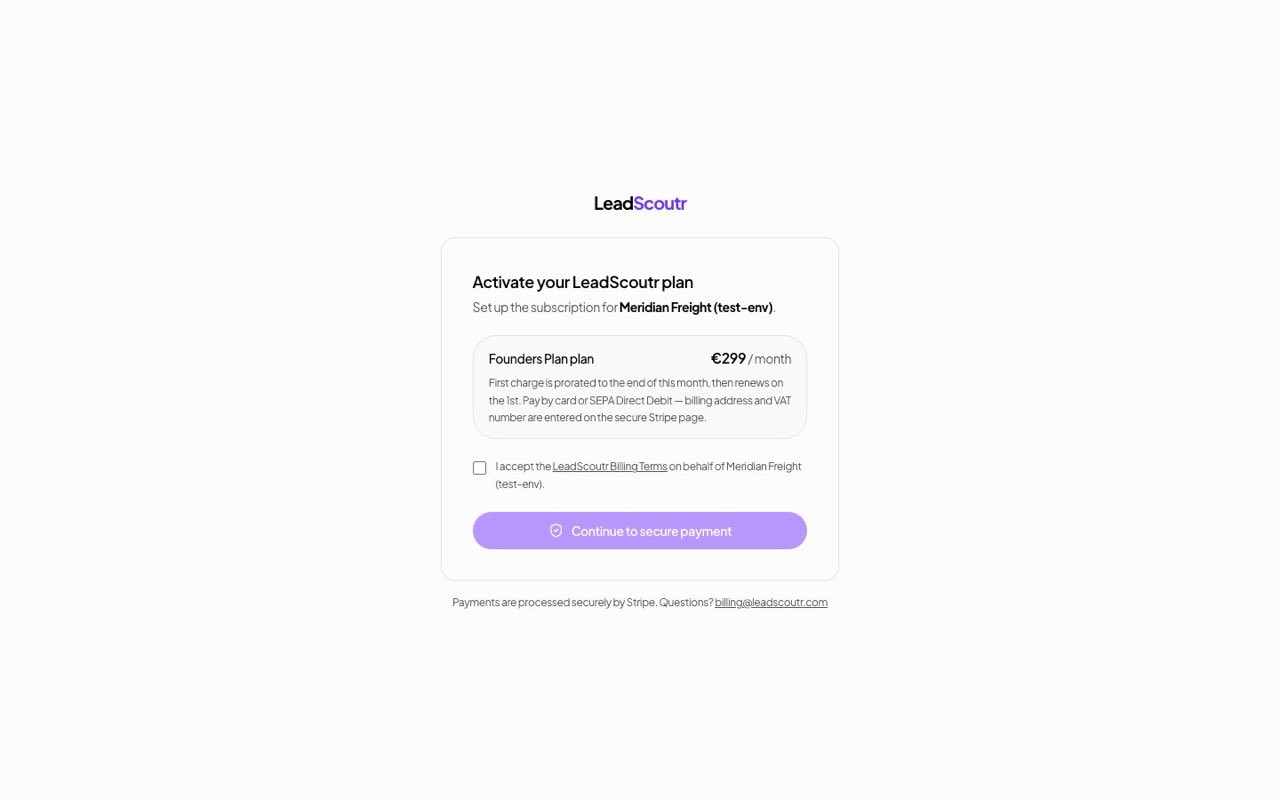
If a card payment fails, you now get a longer grace period before your account is paused, accounting for the extra days a bank transfer or direct debit needs to clear.
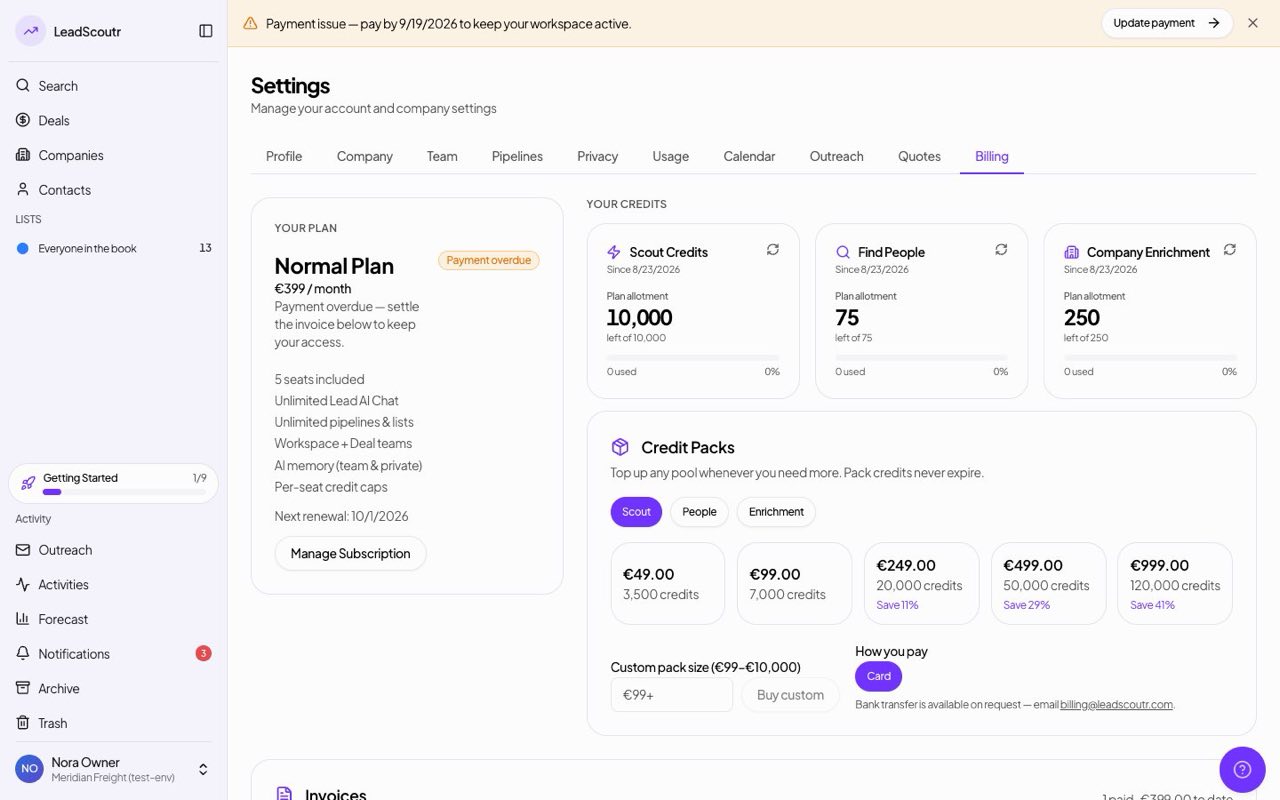
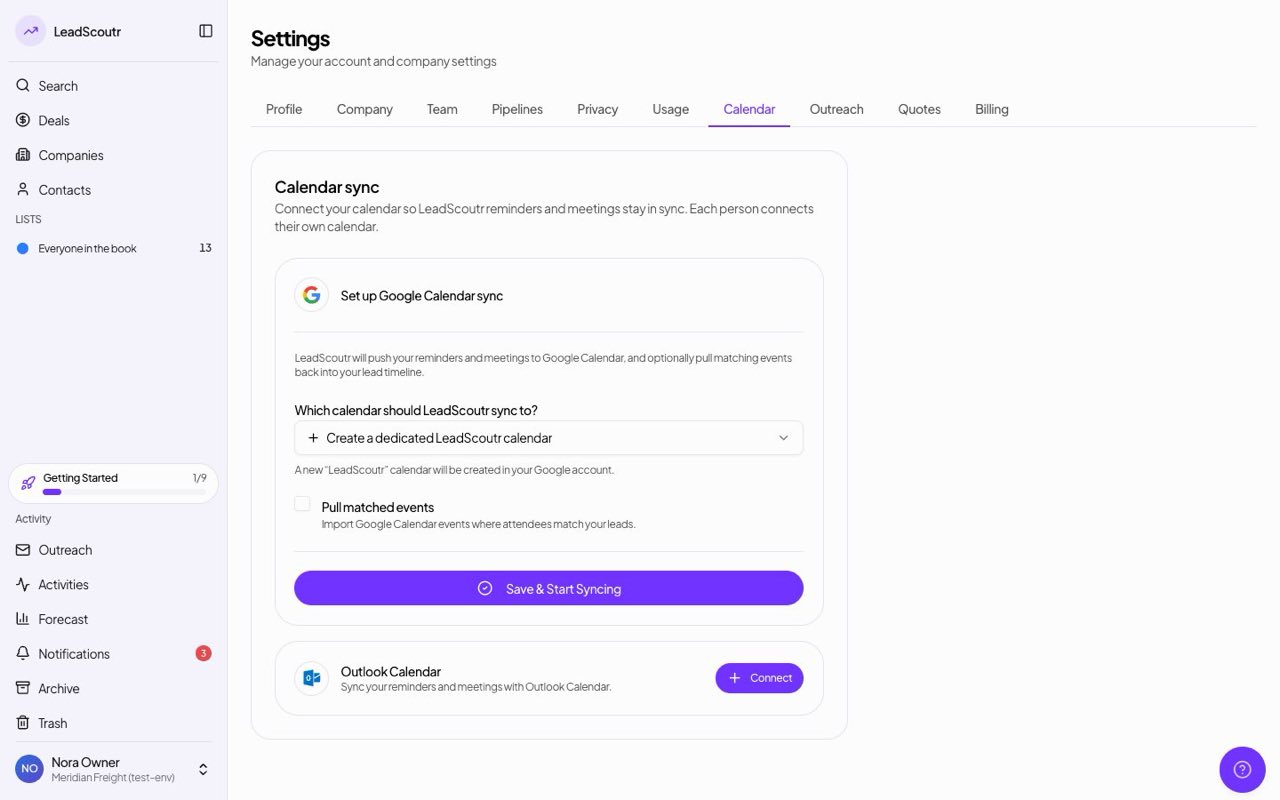
Connecting your Google or Outlook calendar now happens from Settings -> Calendar instead of a separate marketplace page.
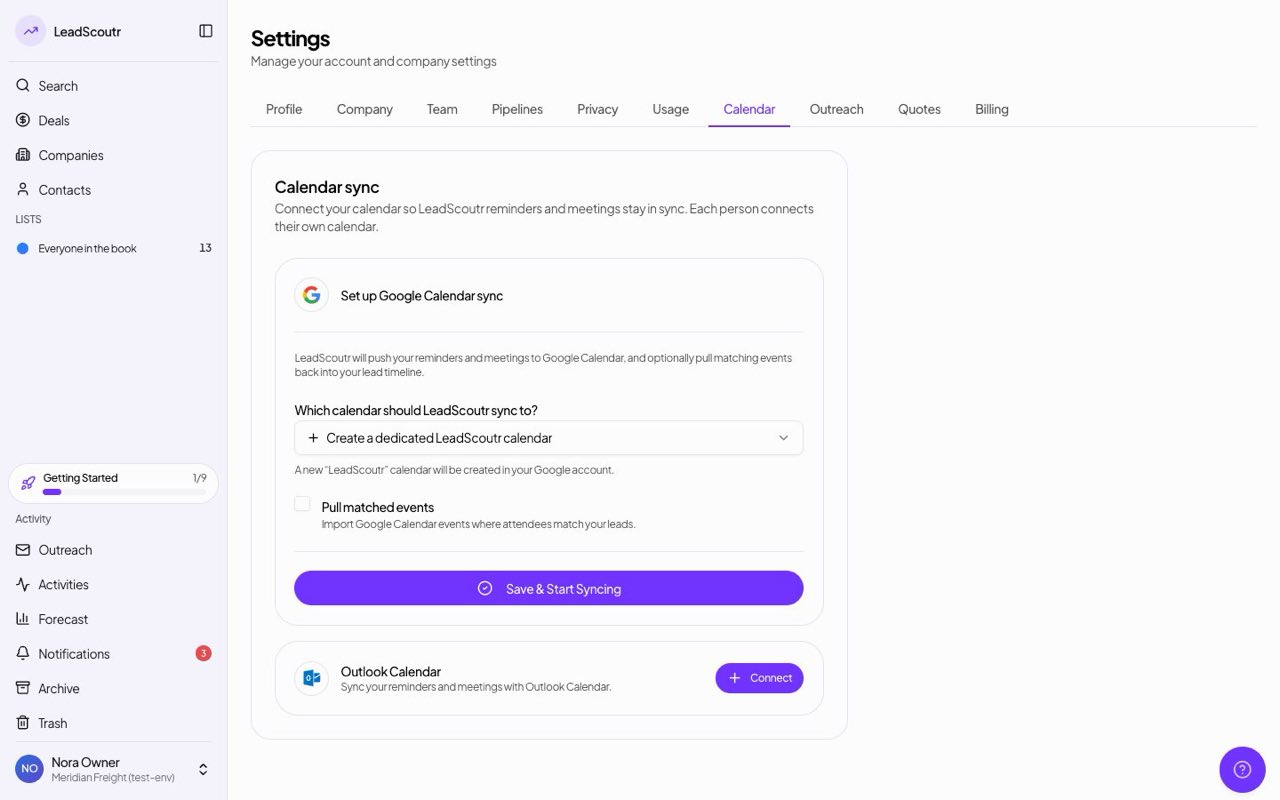
Paid plans now run on a full billing engine: card subscriptions, generated invoices, and automatic payment reminders if a charge fails, replacing manual plan management.
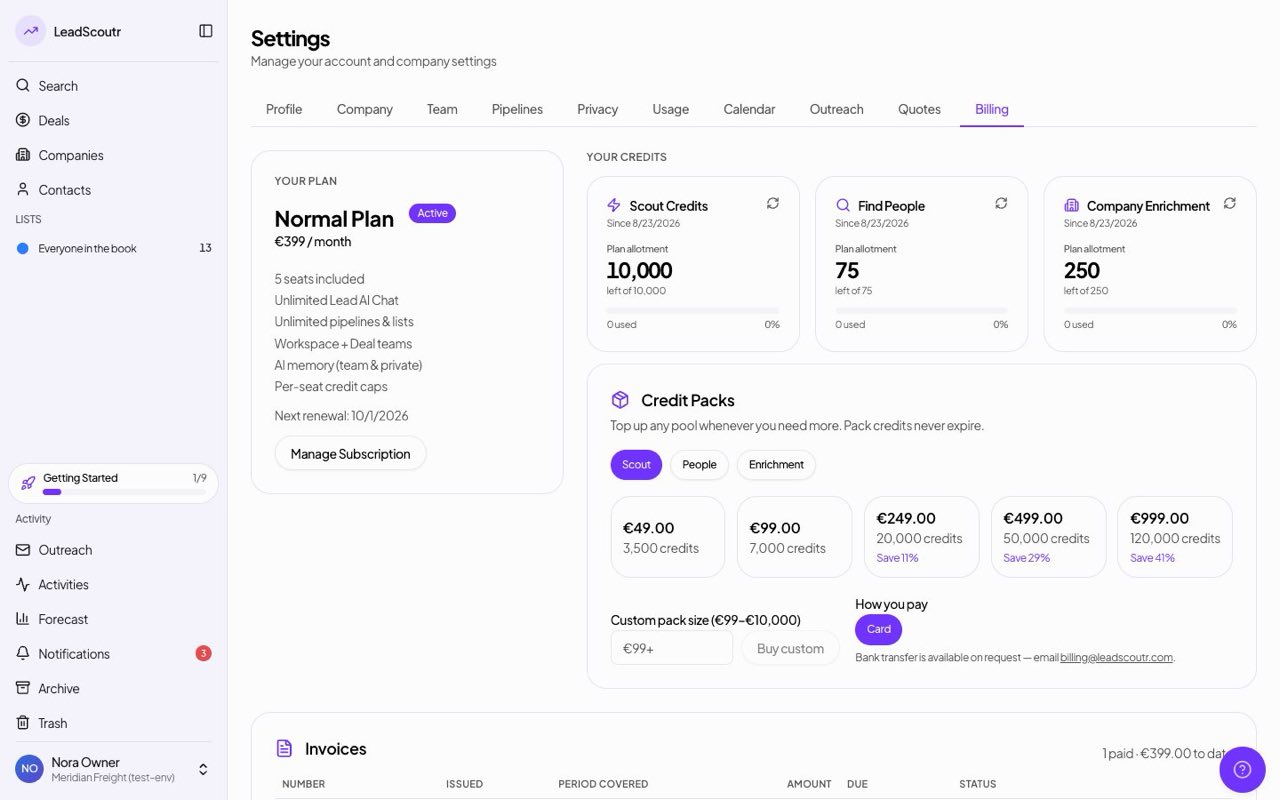
What you can see in Usage and Billing settings now depends on your role in the workspace, so members see relevant usage without the full financial access reserved for owners and managers.
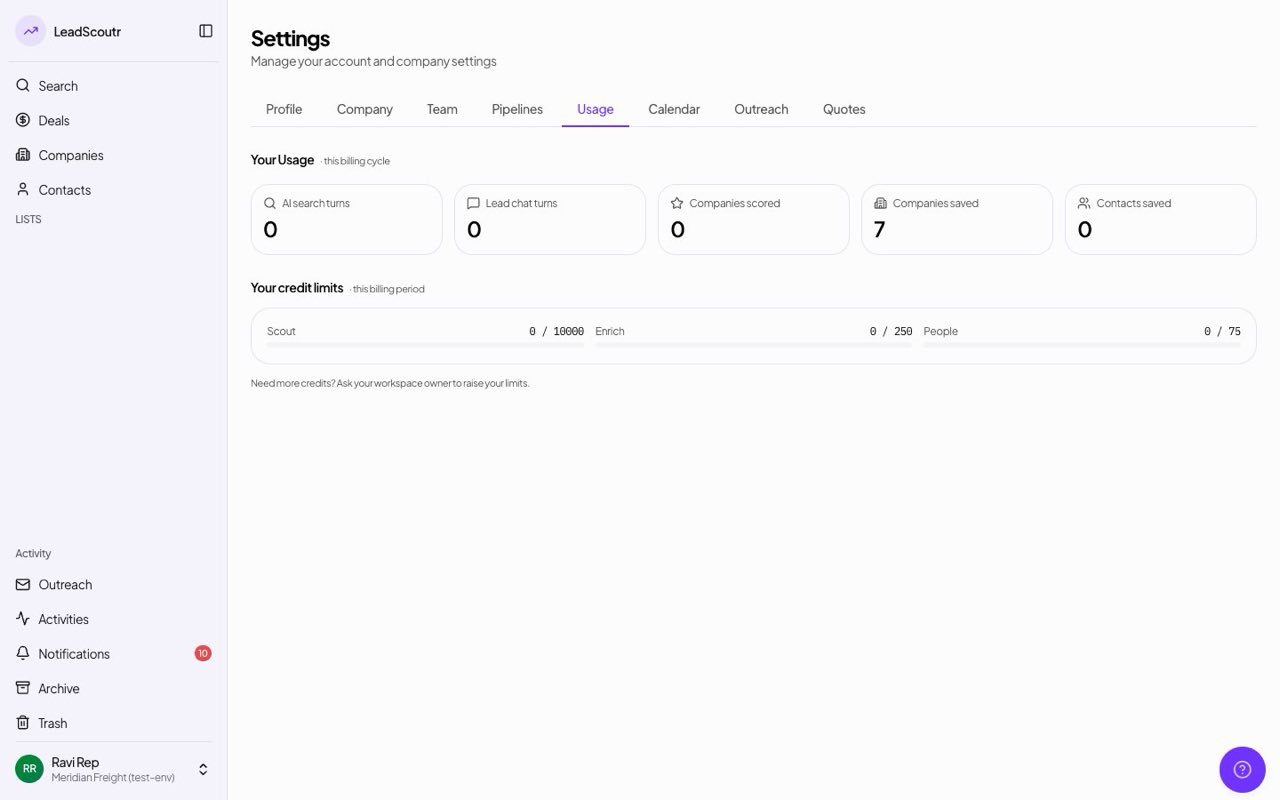
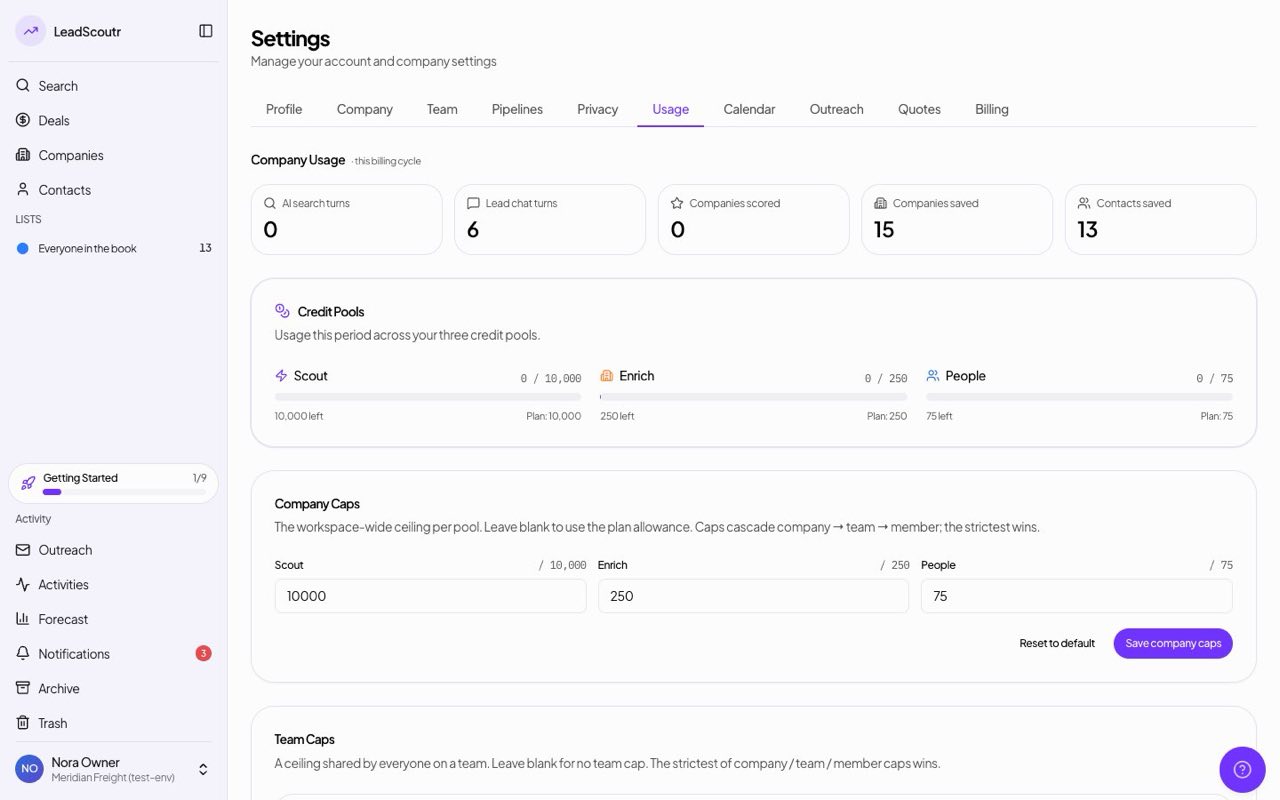
A Usage tab shows how many credits you have spent and your current caps, and lets owners and managers set per-team or per-person credit limits.
New paid workspaces now go through a guided setup wizard, naming your workspace, picking a pipeline template, inviting your team, instead of landing on an empty dashboard.
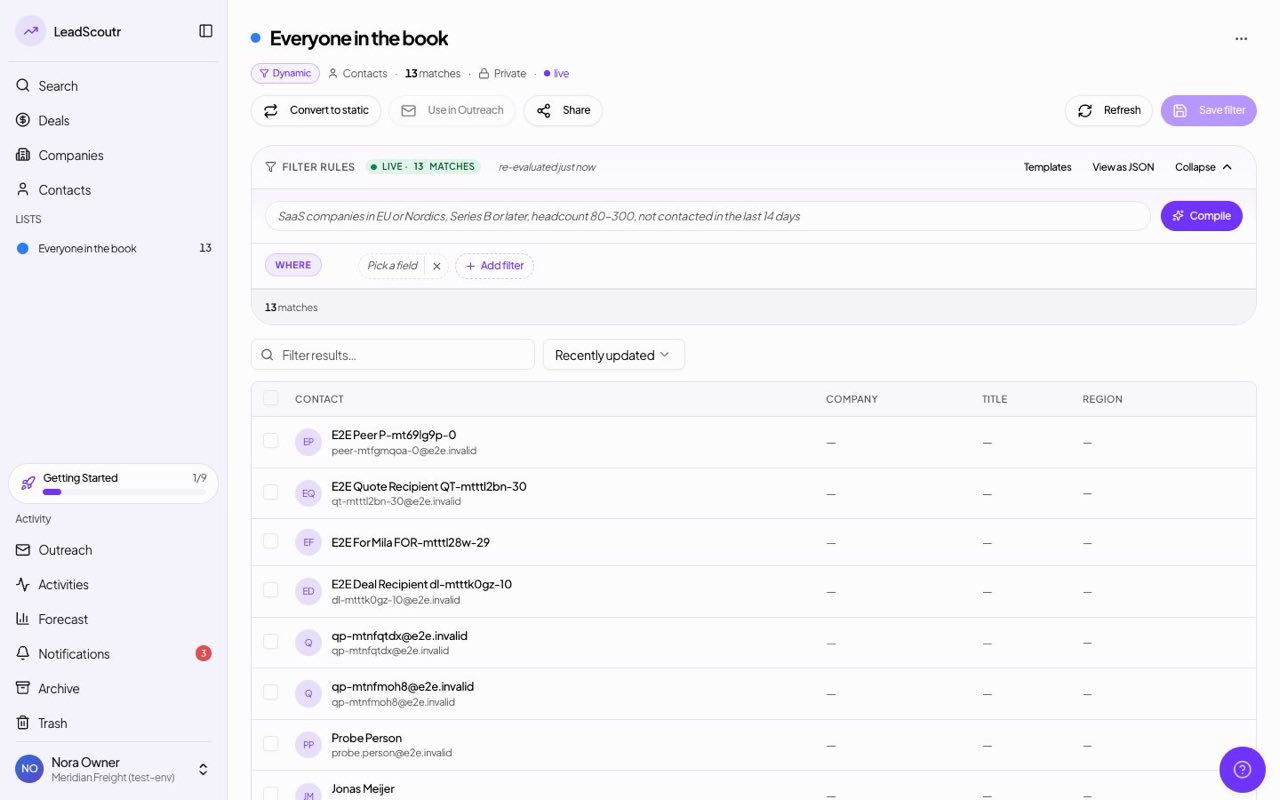
Lists now support a dynamic filter builder, so a list can update itself as records match your criteria, with sidebar counts that reflect the current list.
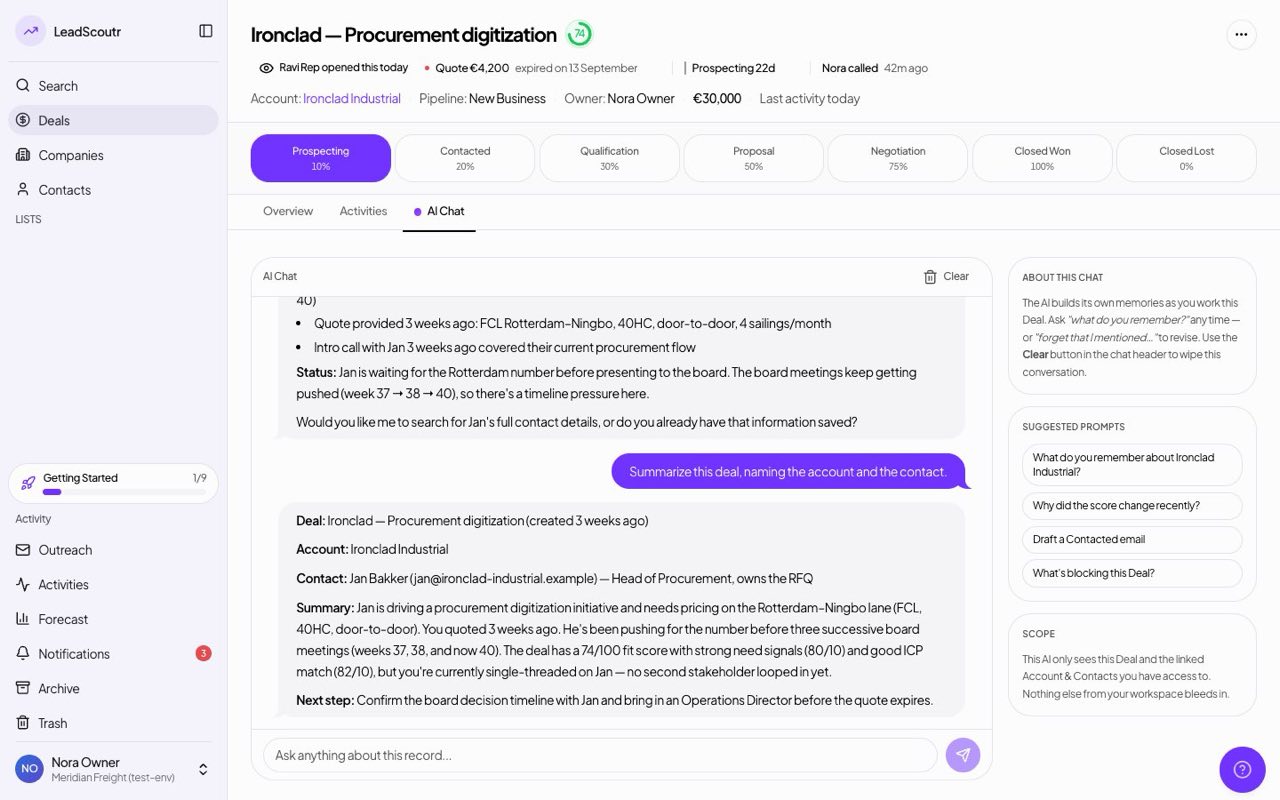
The AI chat assistant now reads across a deal's company, contacts, and history together, instead of being limited to a single lead record.
The CRM was rearchitected around three connected record types, Companies, Contacts, and Deals, replacing the earlier single Lead record with a structure that matches how a sales team actually works.
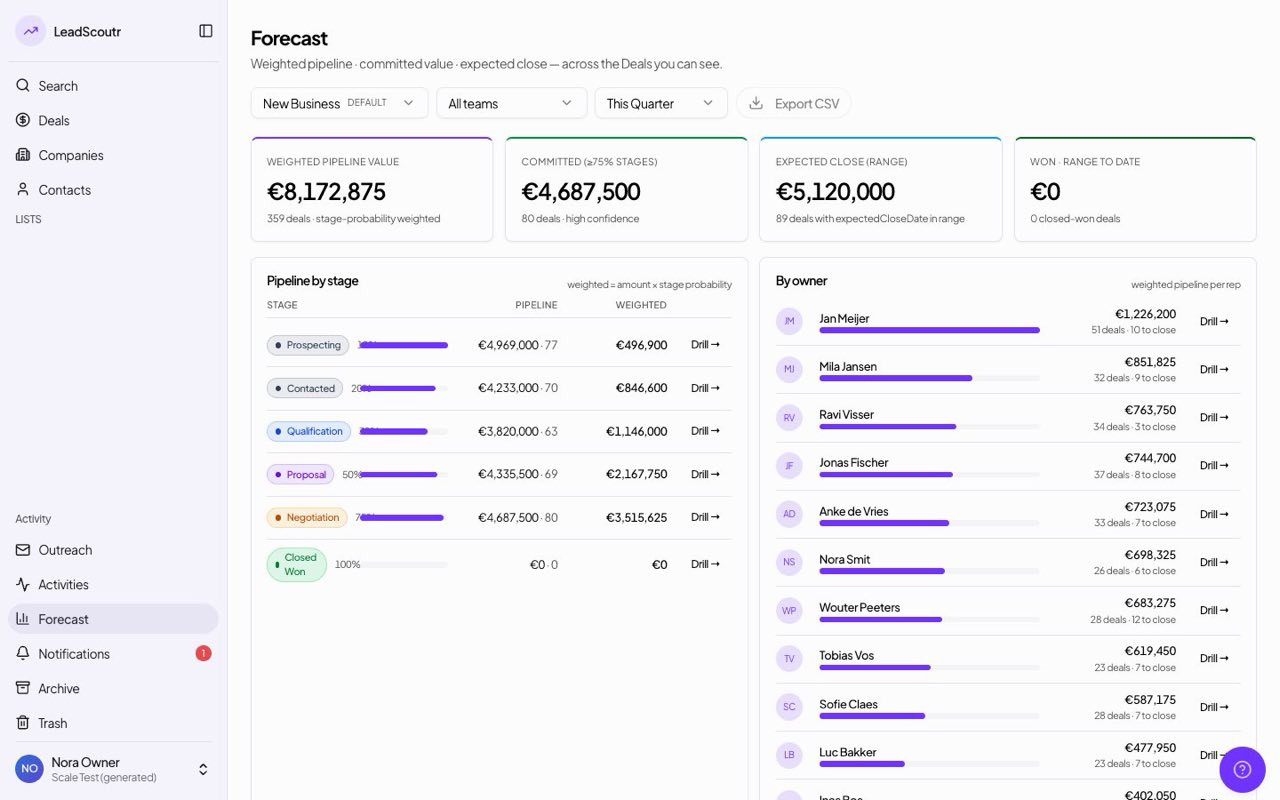
Managers and owners get a Forecast view showing pipeline totals broken down by stage, deal owner, and team, instead of having to total up the board by hand.
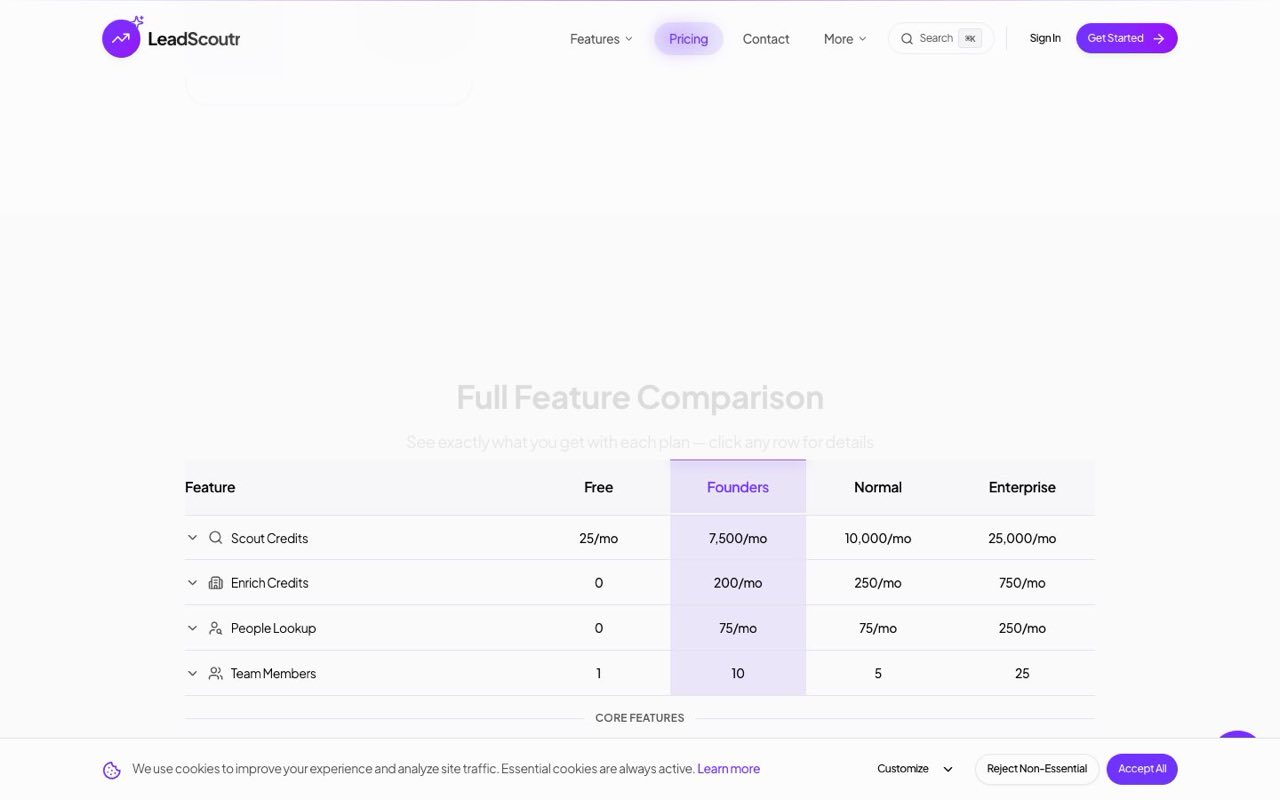
Plans were defined with clear, separate credit allowances for company search, company enrichment, and people lookup on every tier, from a free workspace up through Enterprise.
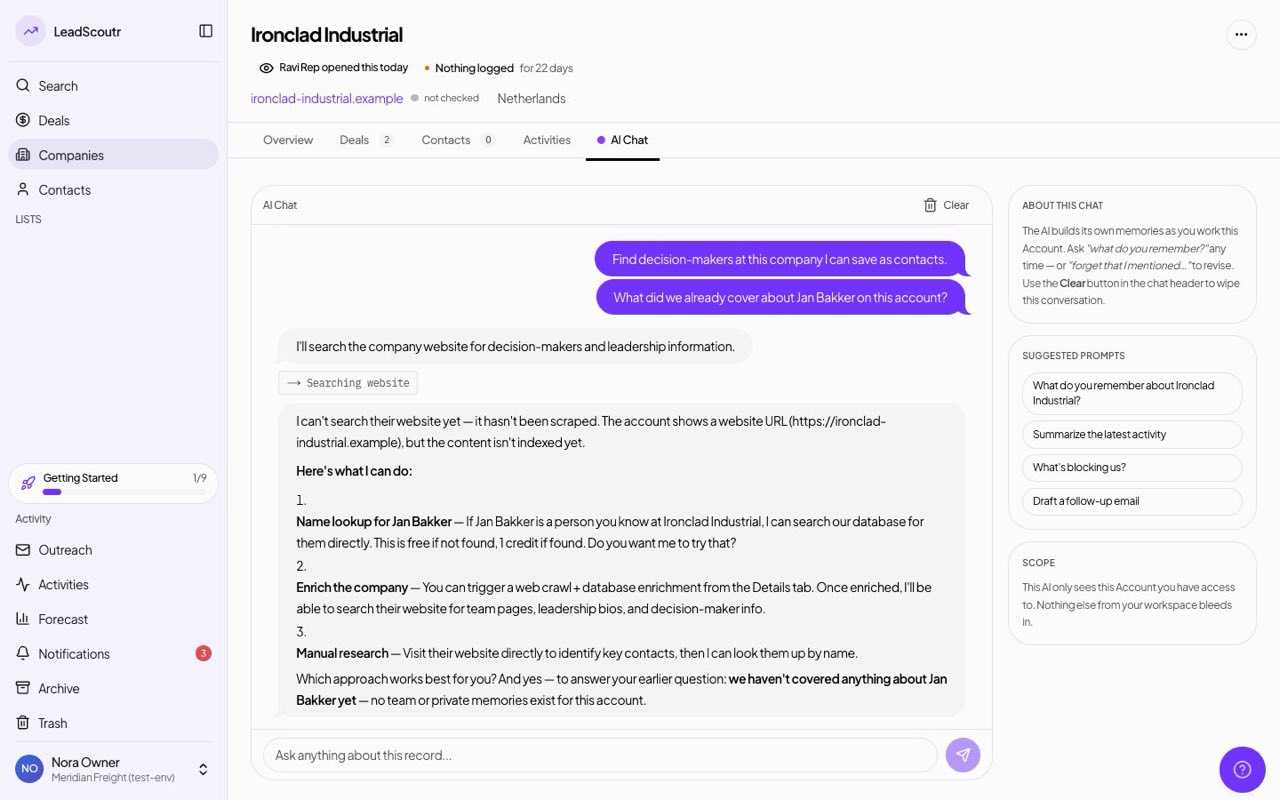
The AI chat assistant on a record now remembers relevant details from earlier conversations about it, instead of starting from zero every time you open the chat.
You can connect a Google or Outlook calendar and have meetings sync both ways: events you create in LeadScoutr appear on your calendar, and calendar changes show up on the activity.
You can ask the AI chat assistant to find decision-makers at a company and save the ones you want straight into your CRM, without leaving the conversation.
A Recent Searches view let you pull an earlier search back onto the grid with one click instead of re-entering your criteria from scratch.
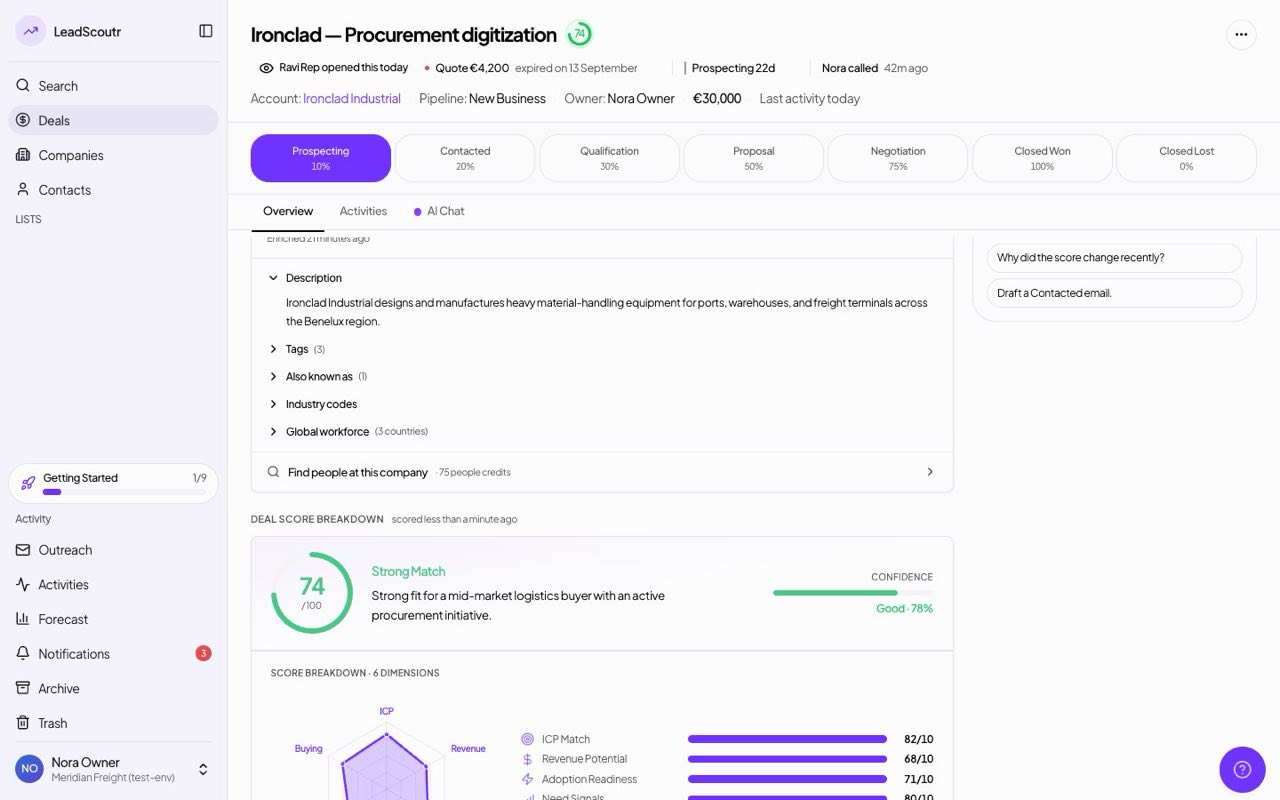
Every company is automatically scored against your ideal customer profile, at no credit cost, with a transparent breakdown of pros and cons rather than a single opaque number.
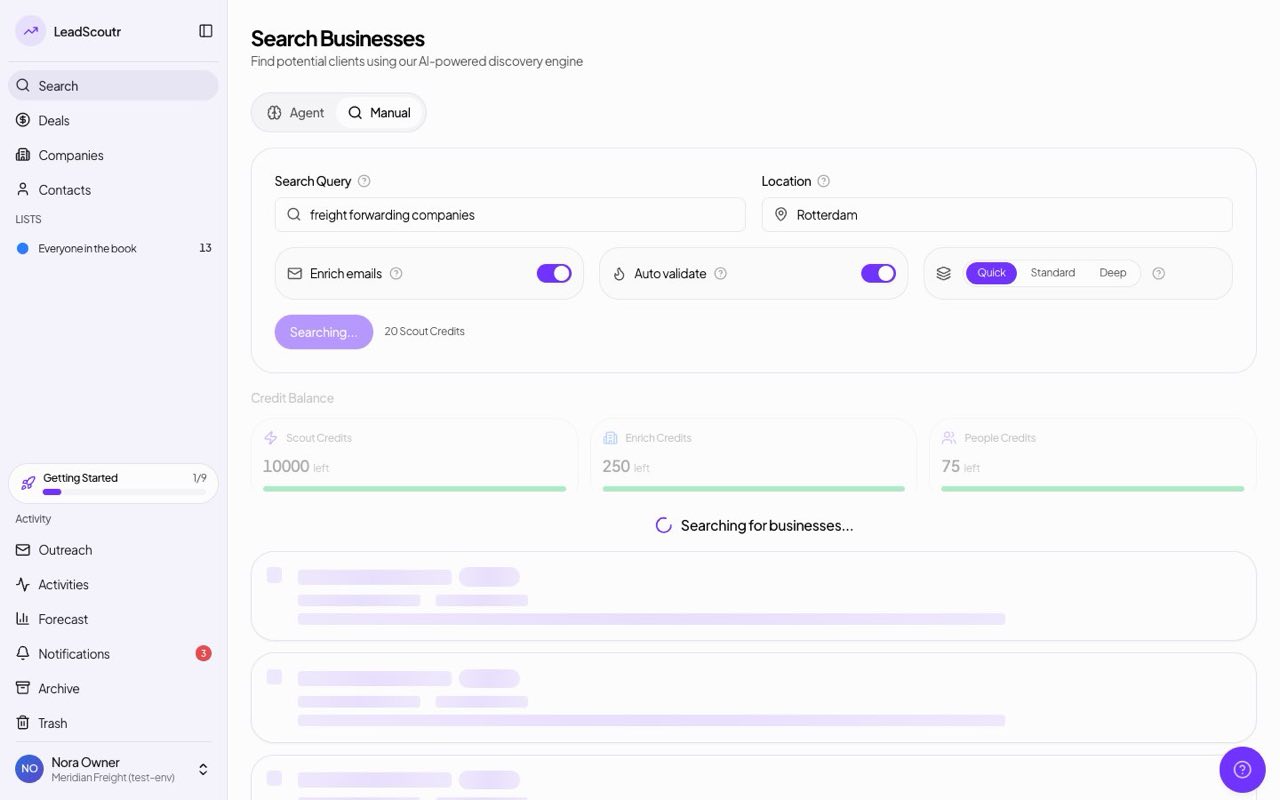
Search was redesigned around a live progress view while a search runs, an analytics sidebar summarizing the results, and AI-written summaries on each result card.
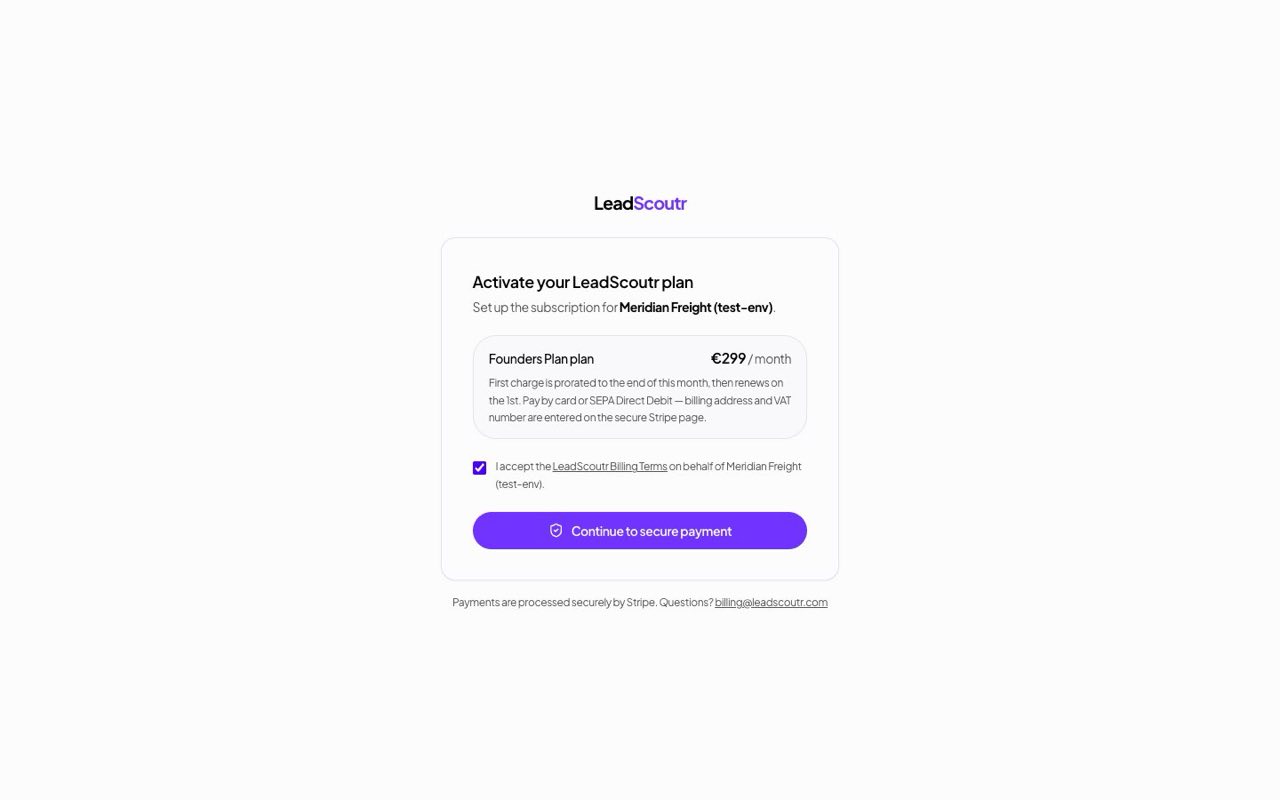
You can subscribe to a paid plan directly from the app with a card, instead of needing to arrange billing manually with our team.
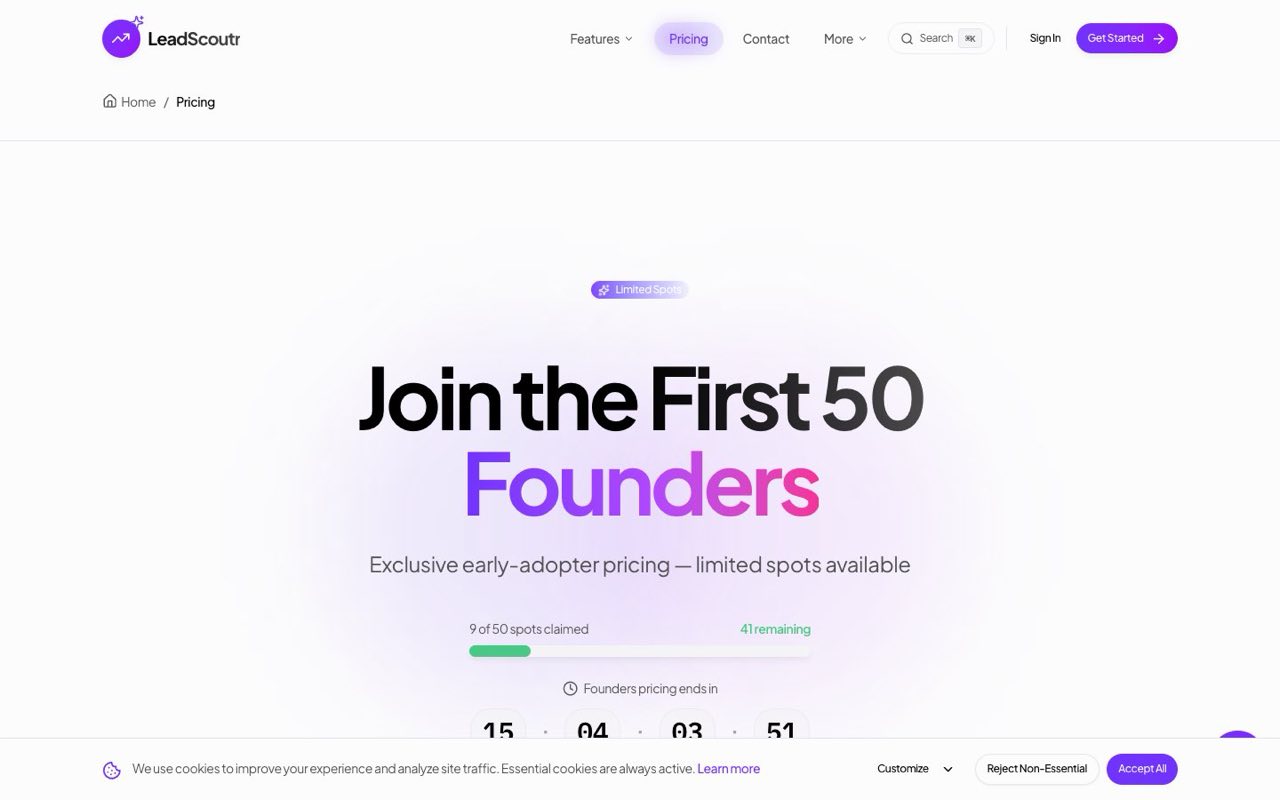
The pricing page was rebuilt with a clearer plan comparison and a new Enterprise tier for larger teams, alongside the existing Founders and Normal plans.
You can search our verified professional database by company, title, and seniority to get names, job titles, and contact details for the people who matter at a company.
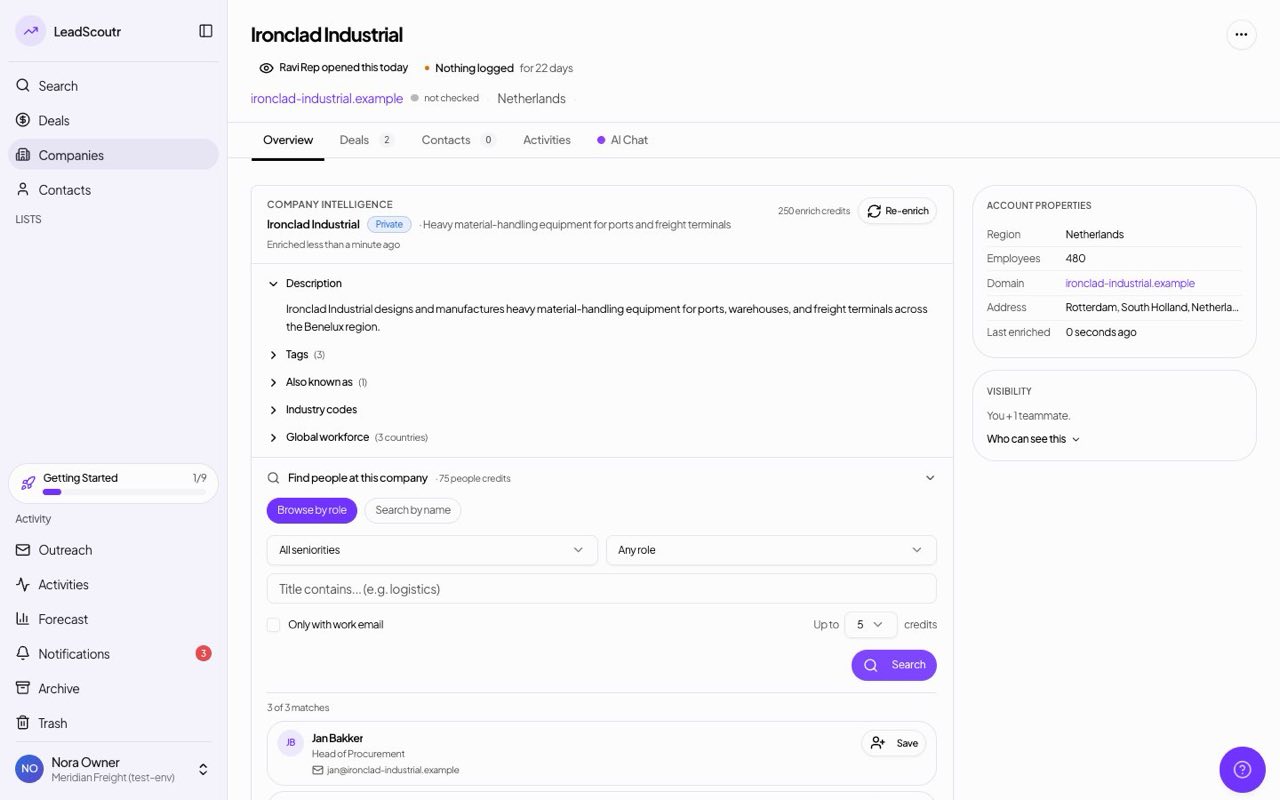
You can pull a full company profile, industry, employee count, headquarters, founded year, from our verified database directly onto a company record.
A drag-and-drop kanban board sits alongside the table view, so you can move deals through your pipeline stages visually instead of editing a status field row by row.
You can log calls, emails, meetings, and notes against any record, and schedule email reminders so a follow-up doesn't get missed.
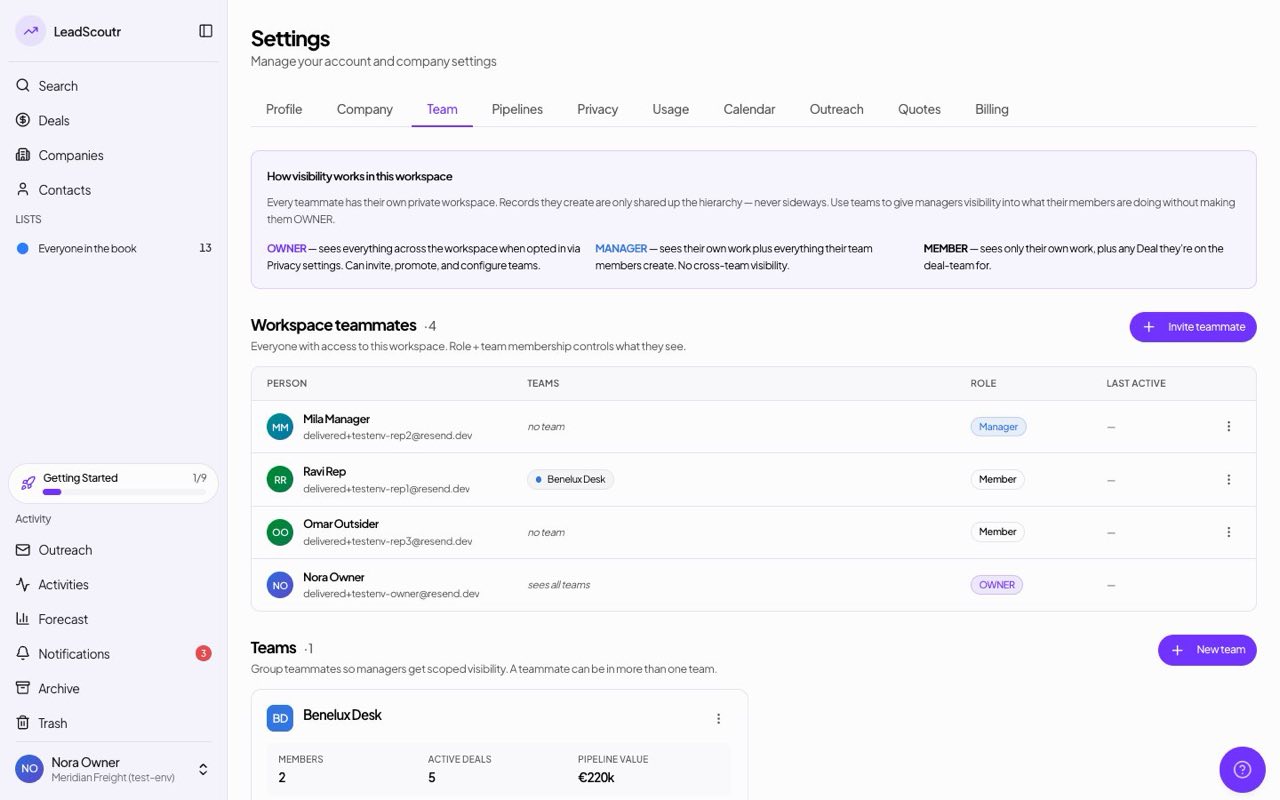
Workspaces are isolated per company, with three permission levels, Owner, Manager, and Member, controlling who can see and change what.
The first version of LeadScoutr went live: describe your ideal customer in plain language to get a batch of matching companies, backed by a core CRM for tracking and organizing what you find.